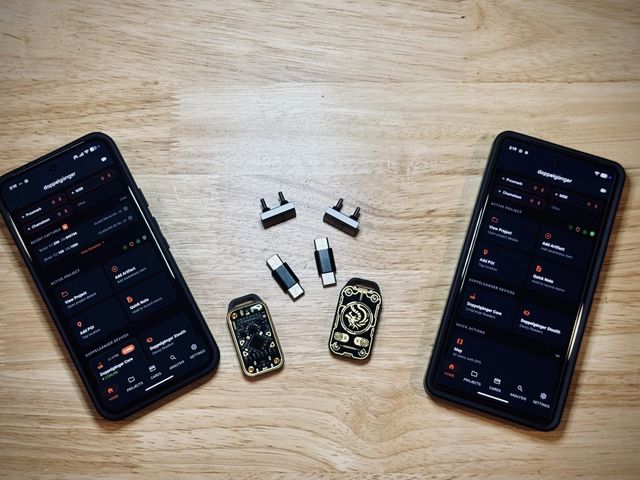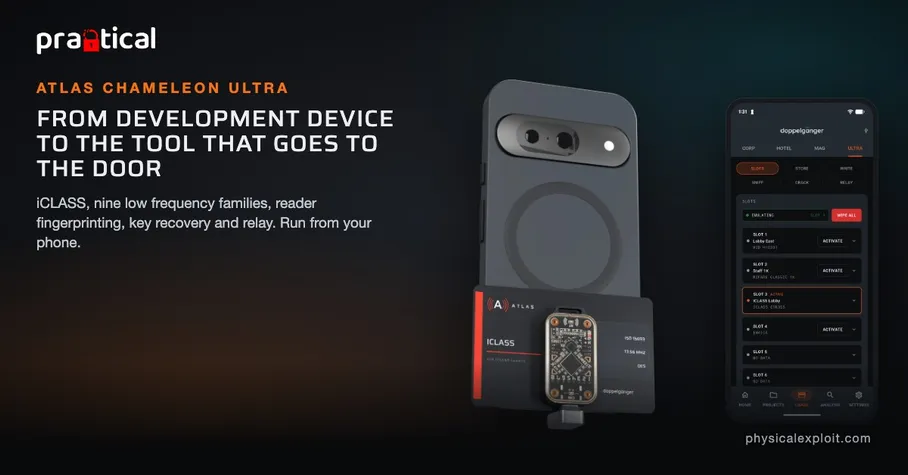
The Chameleon Ultra is a well made piece of hardware the size of a car fob. On its official firmware it is a development device, and a development device is the wrong thing to be holding at a client’s door. Take it on a physical security assessment as it ships and the gaps show up one after another.
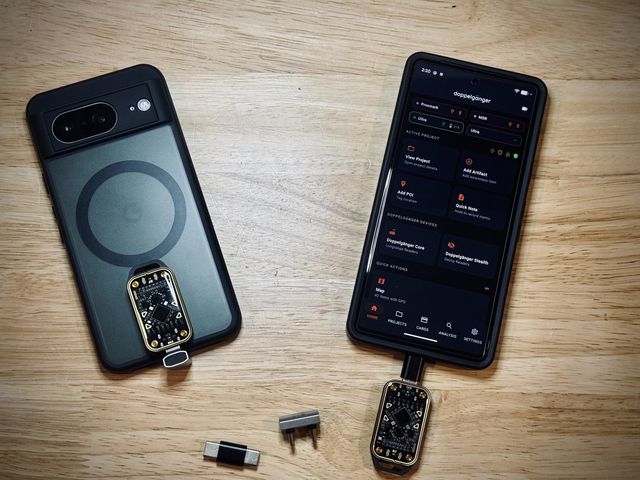
The ATLAS Chameleon Ultra is the same hardware running ATLAS CU firmware, a ground up rewrite driven from the Doppelgänger ATLAS app on an Android handset. Here is each one, and the screens that answer it.
Where the official firmware falls short
The official firmware supports MIFARE Classic, MIFARE Ultralight, NTAG, EM410x, HID Prox, IO Prox, PAC and Viking. Every statement below about it was checked against its source.
Every answer is on the ULTRA tab under Cards, as six chips: SLOTS, STORE, WRITE, SNIFF, CRACK and RELAY. No laptop and no command line.
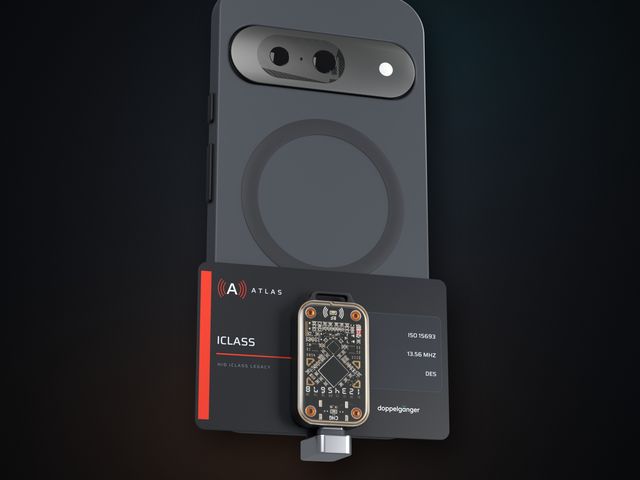
1. It has no iCLASS. None. It cannot read an iCLASS card, emulate one or write one. iCLASS is still on doors at sites you will be contracted to assess, and on the official firmware the unit has nothing to say to those readers.
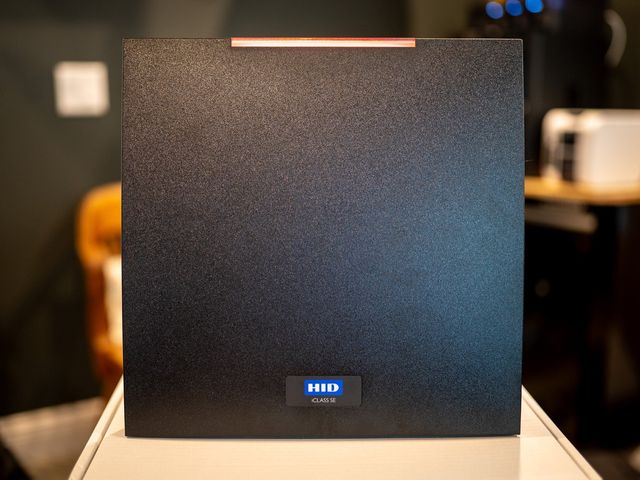
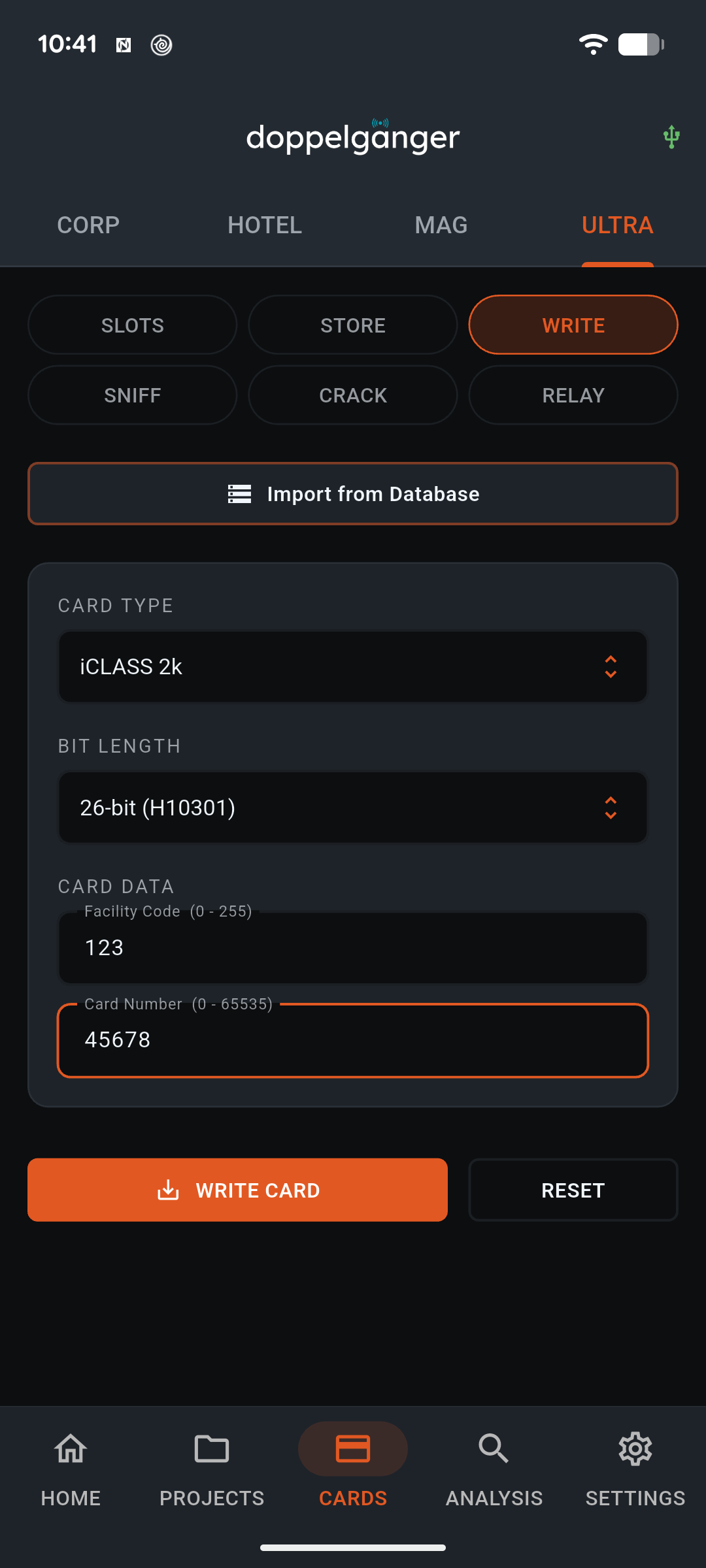
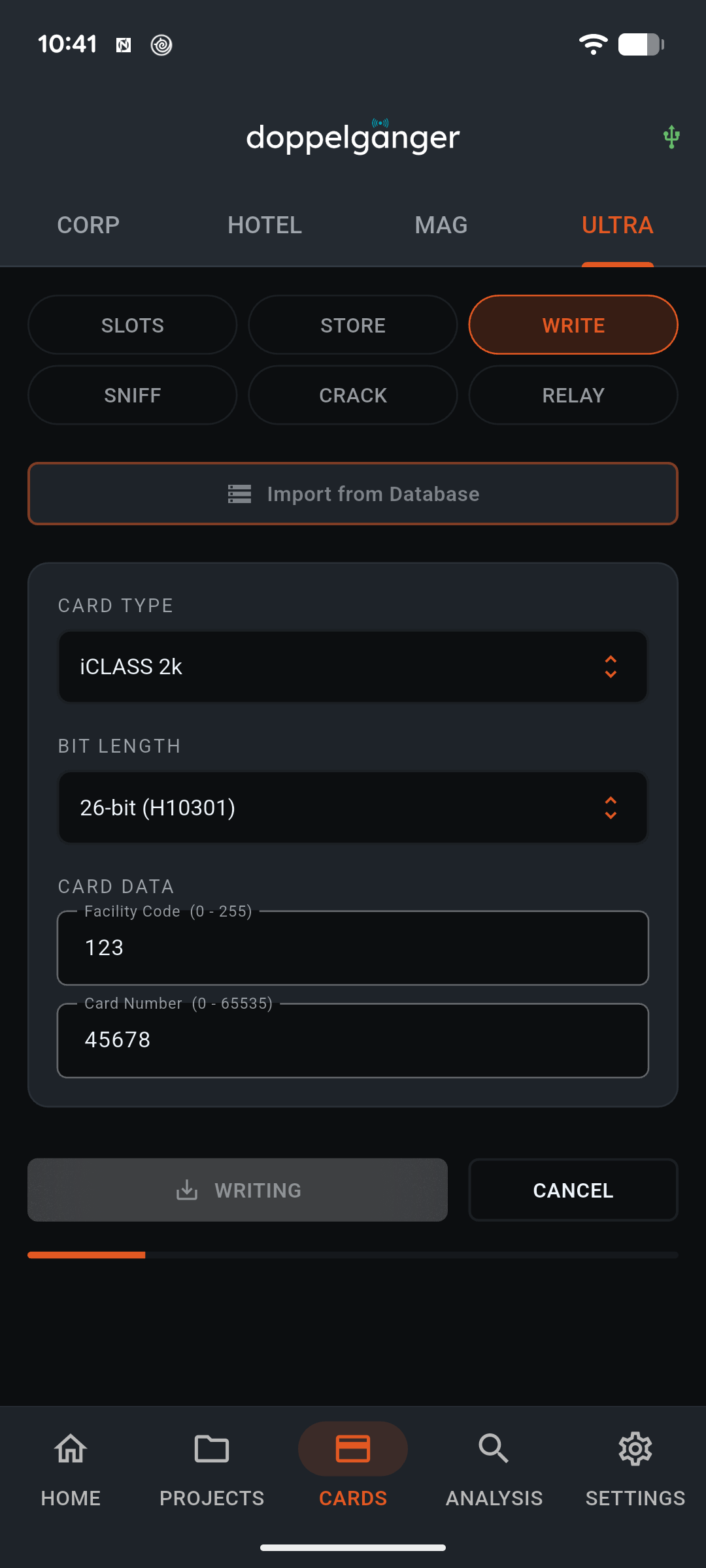
ATLAS CU firmware reads, emulates and writes iCLASS Legacy (the iCLASS 2k card) and iCLASS SR (the iCLASS 2k SR card). iCLASS SE is identified only. It also places another vendor’s facility code and card number on an iCLASS card for credential stuffing.
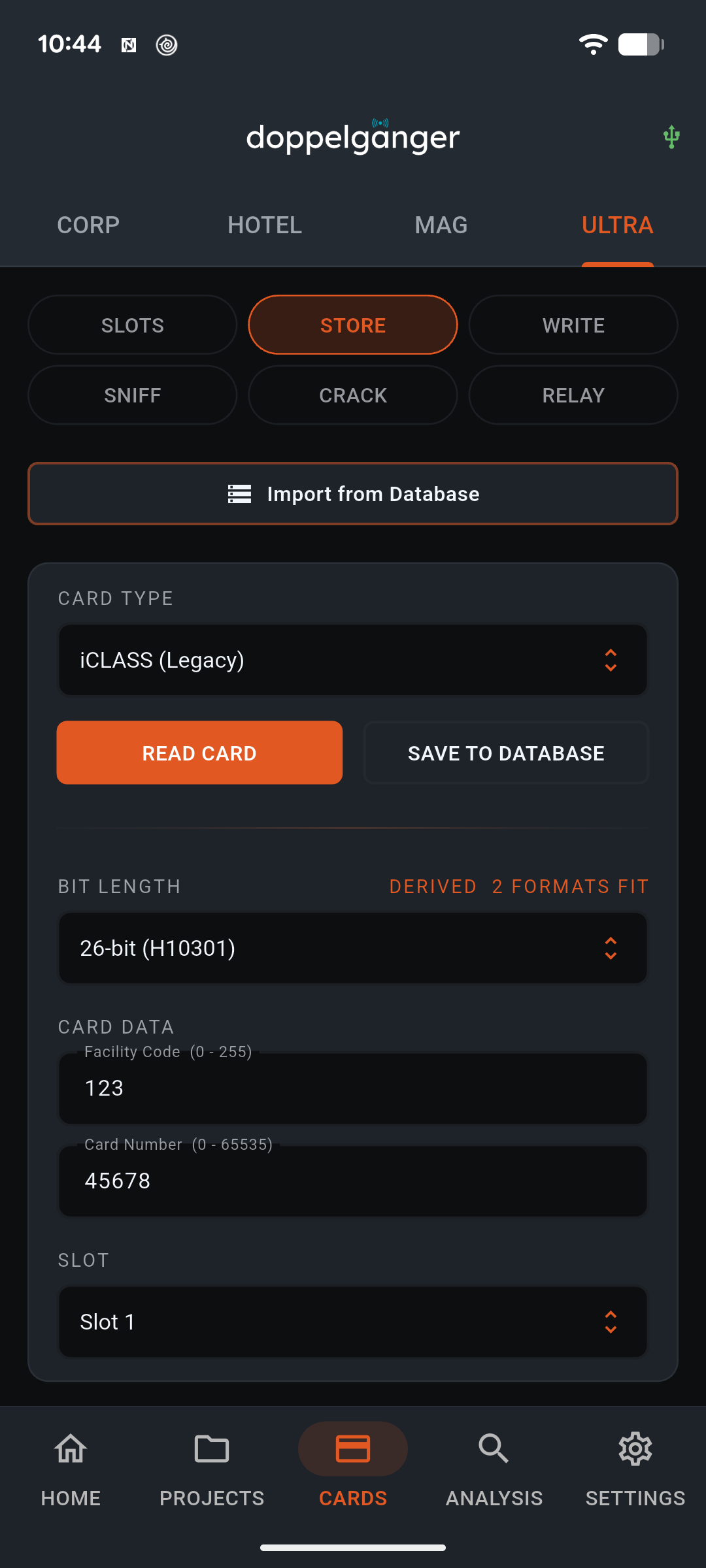
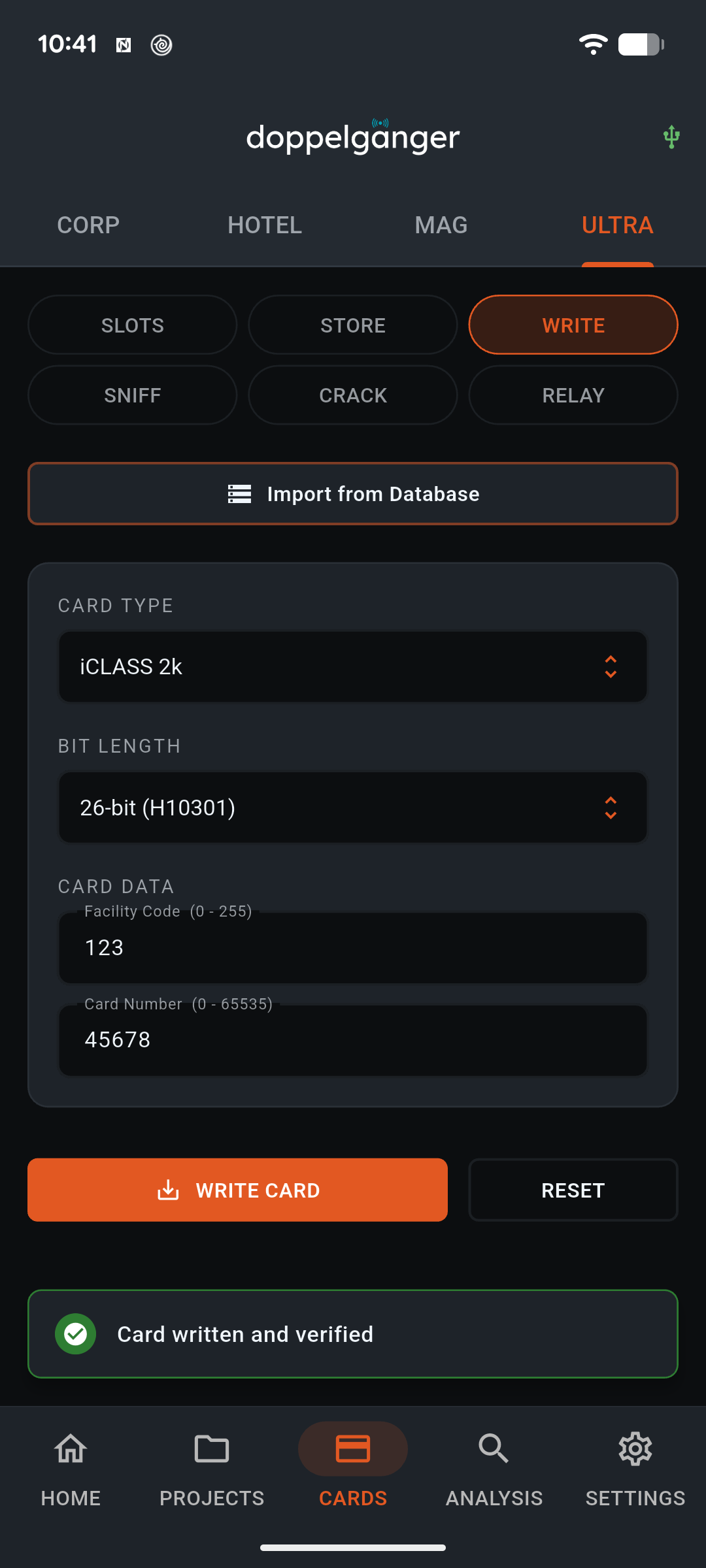
- READ CARD, with SAVE TO DATABASE beside it.
- 26-bit (H10301), under DERIVED, 2 FORMATS FIT.
- CARD TYPE, iCLASS 2k.
- WRITE CARD.
- WRITING, with CANCEL in place of RESET.
- Card written and verified.
2. Six low frequency families are missing from the slots. Indala, AWID, Avigilon, Pyramid, Paradox and Securakey cannot be held in a slot.
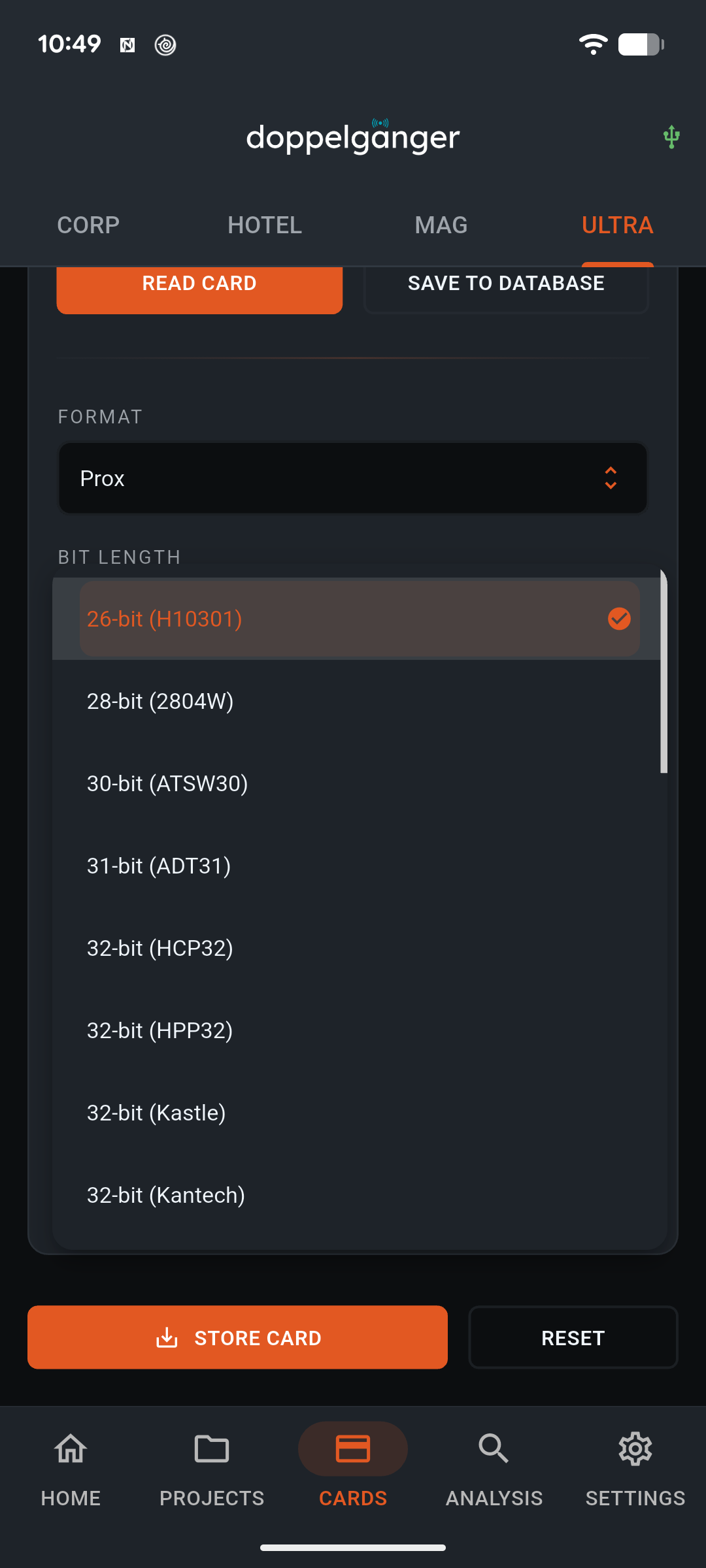
ATLAS CU firmware holds nine Low Frequency, 125 kHz families in a slot: HID Prox, EM410x / Net2, Indala, Avigilon, AWID, Pyramid, Paradox, Securakey and IO Prox. FORMAT picks the family, BIT LENGTH picks the format inside it, and READ CARD fills the form from a card in your hand.
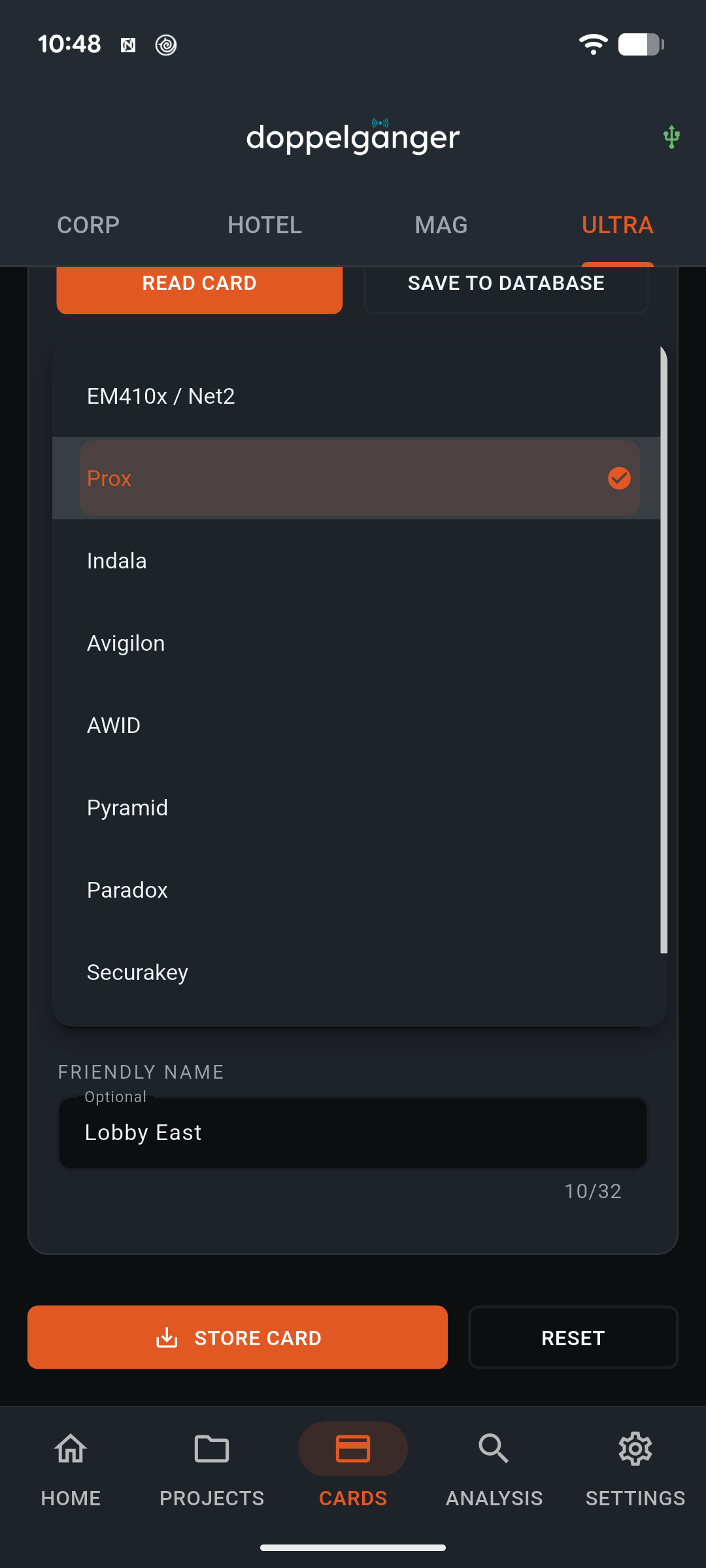
- Prox, ticked, under EM410x / Net2.
- Securakey, with IO Prox below it as the menu scrolls.
- 26-bit (H10301), ticked.
- Each row names its Wiegand format.
- The menu scrolls for the rest.
3. It writes three families to a T5577 and stops. EM410x, HID Prox and IO Prox. For anything else, the card a second tester needs to carry has to be made on other equipment.
ATLAS CU firmware writes all nine families to a T5577 from the unit alone, reads the card back, and reports Card written and verified.
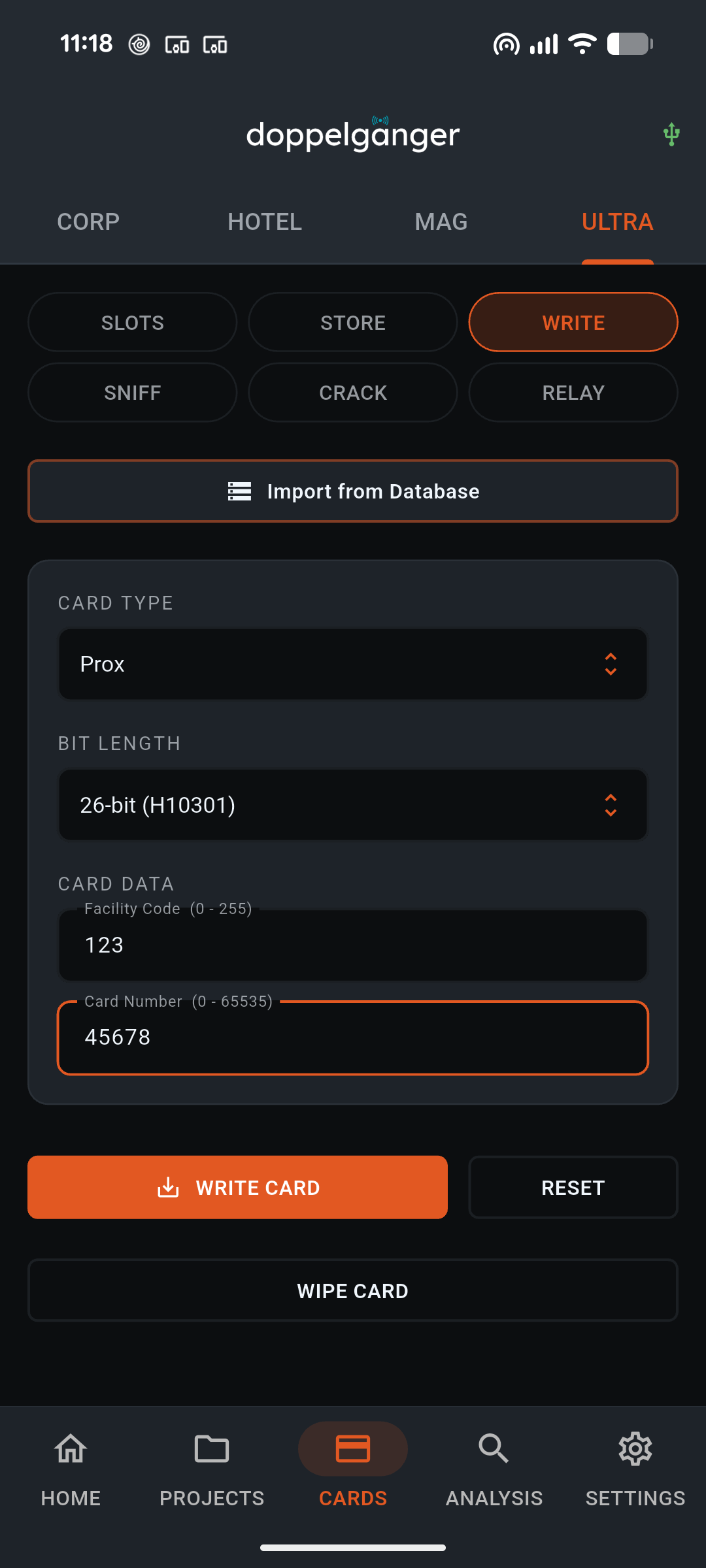
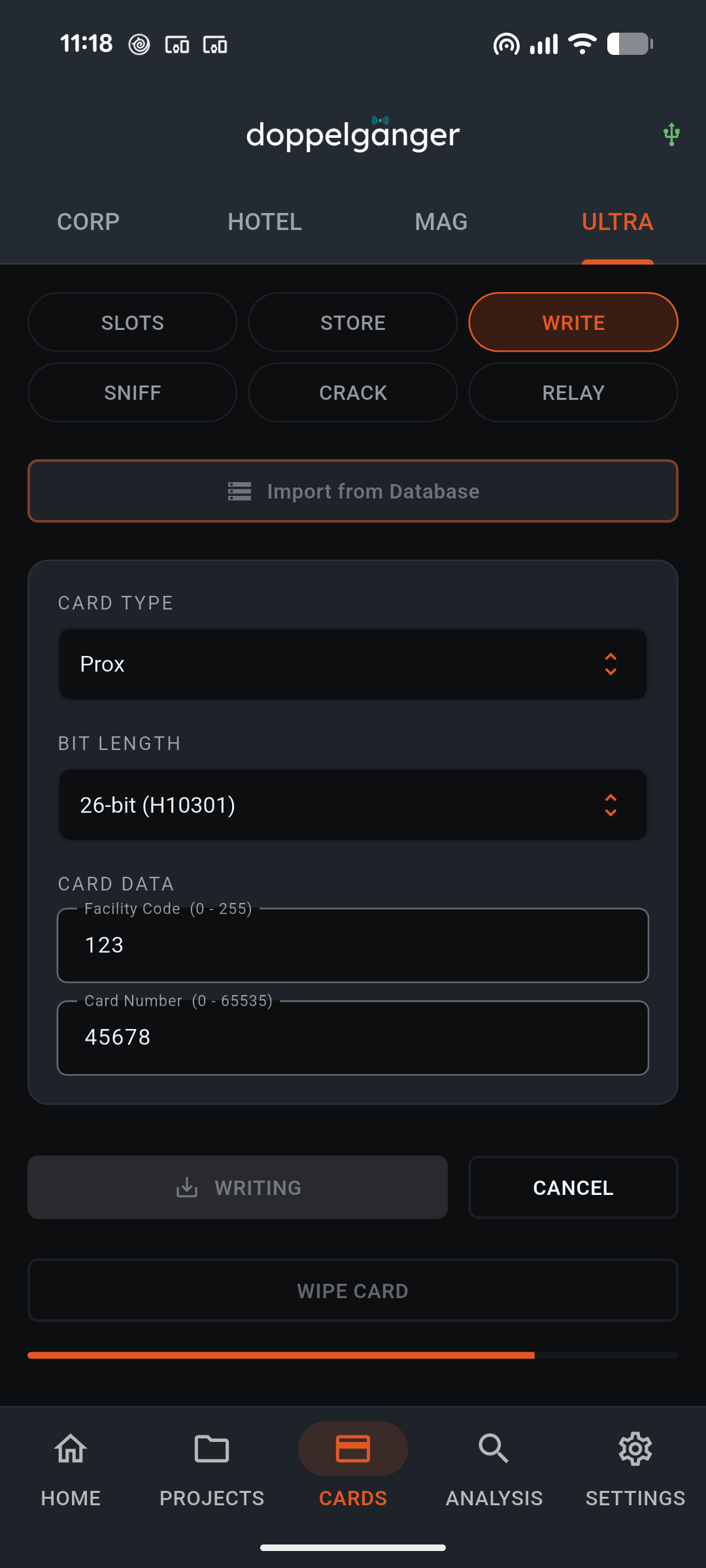
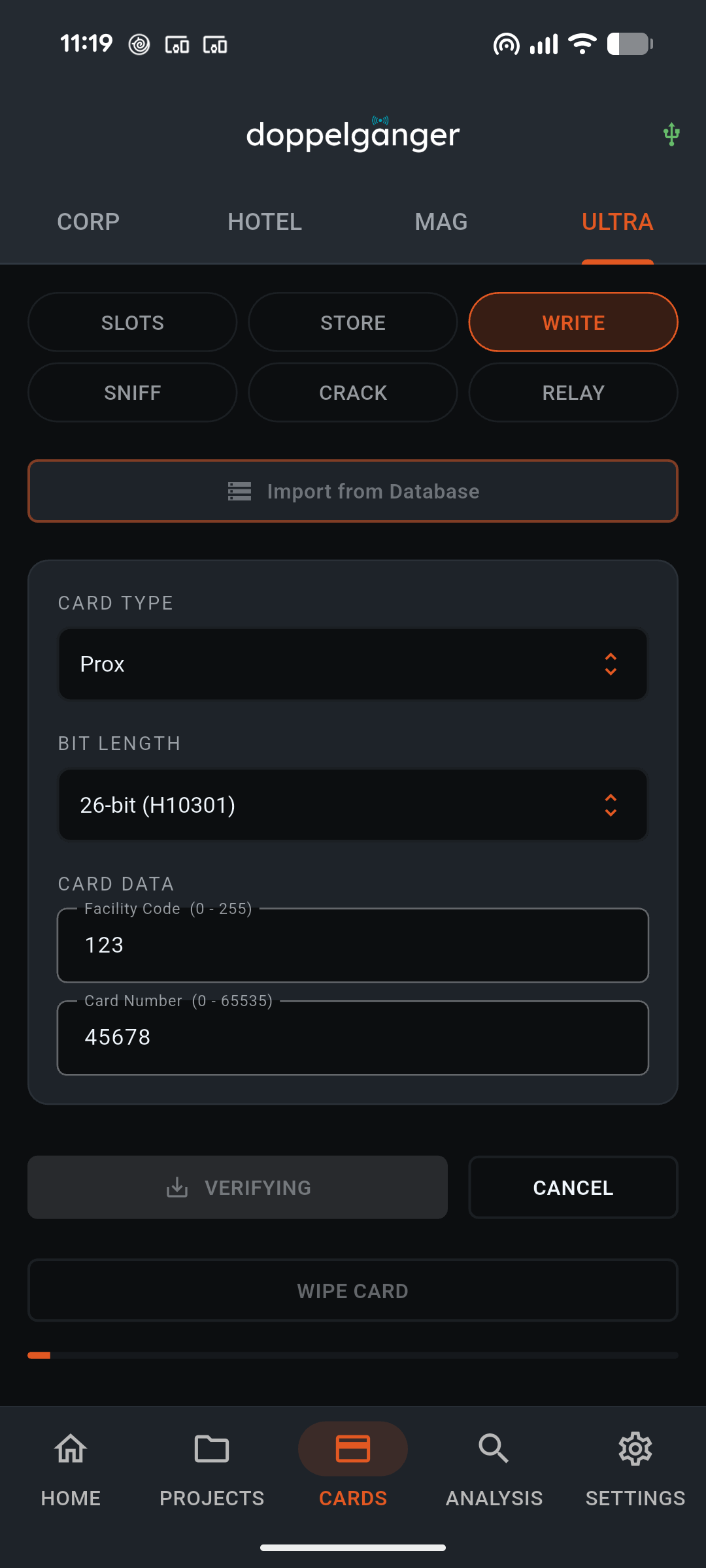
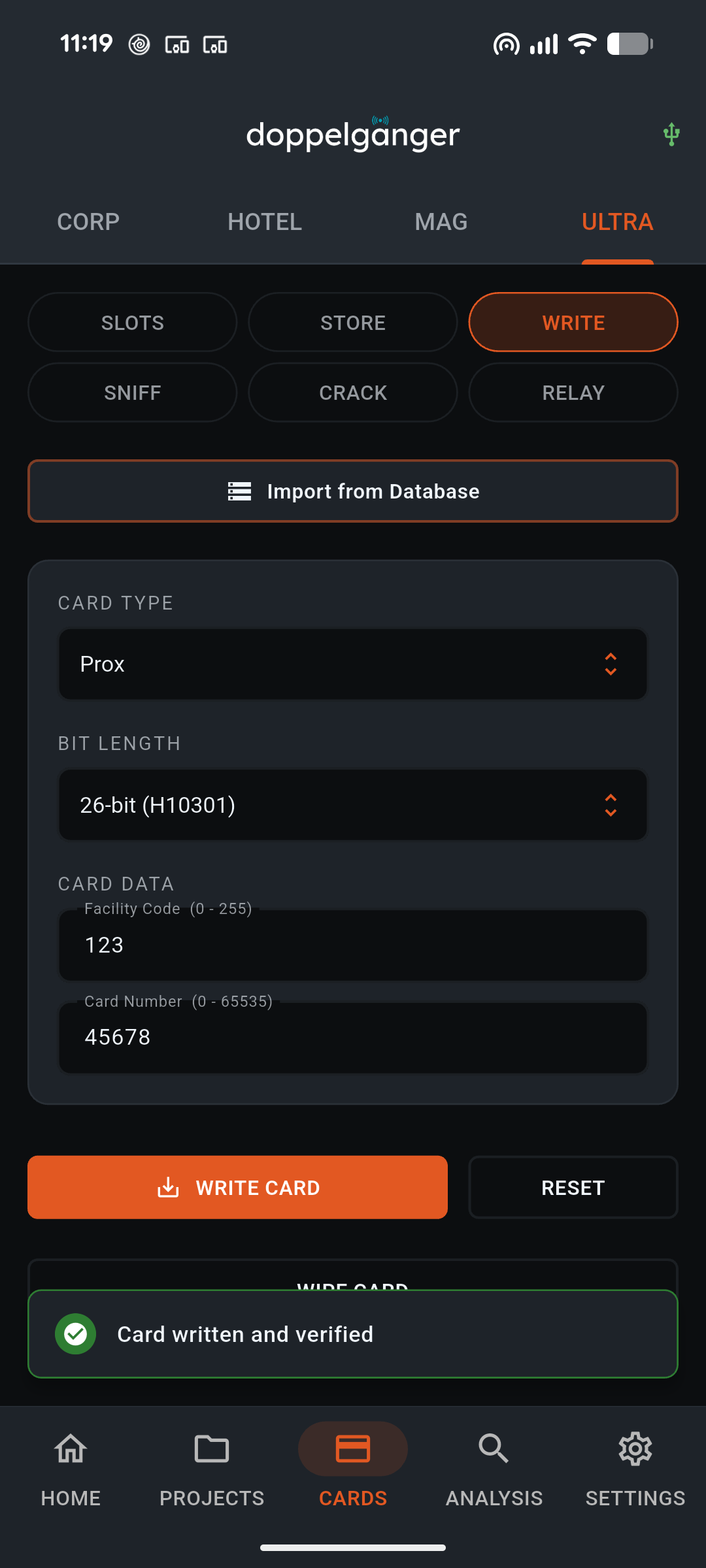
- CARD TYPE, Prox.
- WRITE CARD.
- WRITING, with CANCEL beside it.
- VERIFYING, while the unit reads the card back.
- Card written and verified.
4. It cannot tell you what a reader accepts. You find out by presenting cards at the reader and watching what happens, which is the loudest possible way to learn it.
ATLAS CU firmware has FINGERPRINT READER, which names the technologies a reader supports before any card is presented, under a CORPORATE scope or an experimental HOTEL scope. ICLASS CHECK tells you whether a reader still takes iCLASS Legacy without completing a card read.
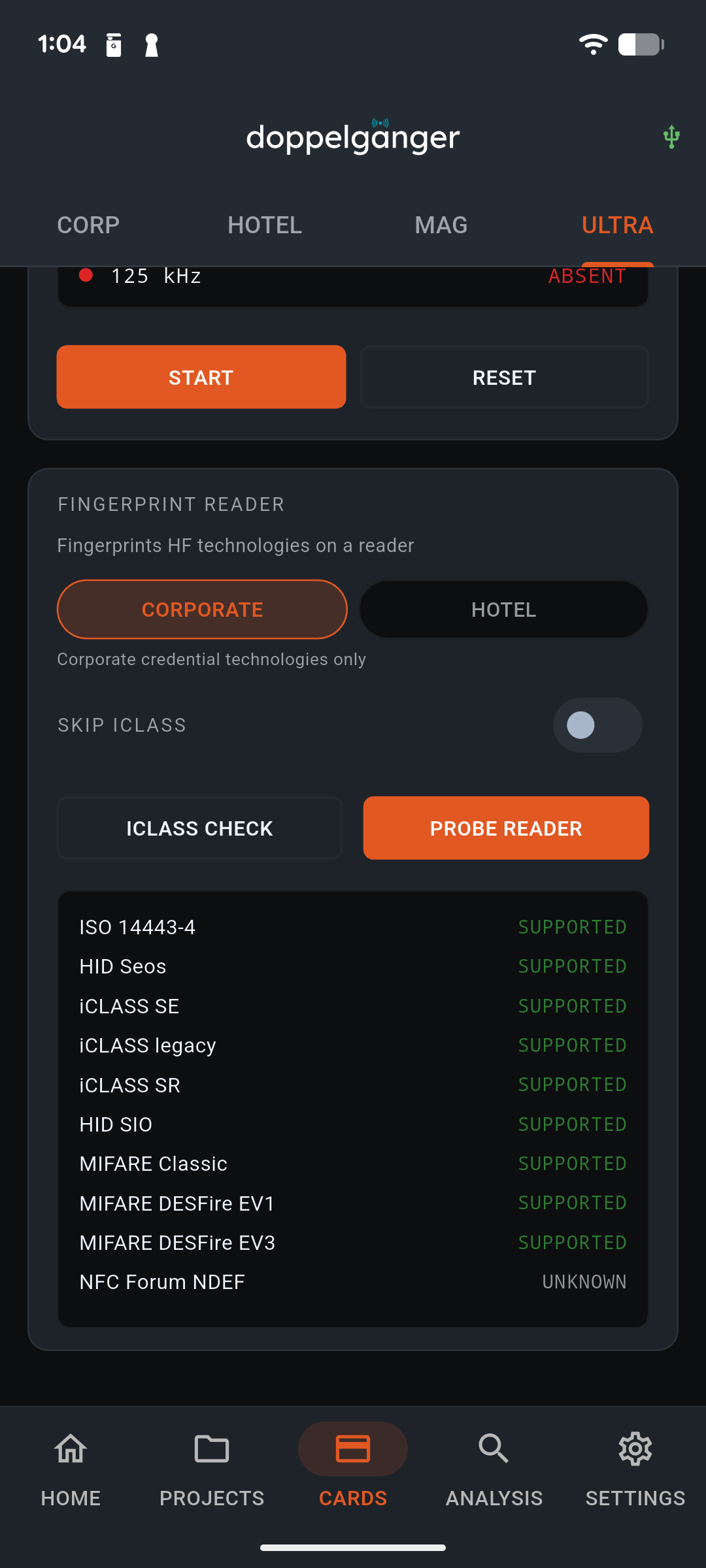
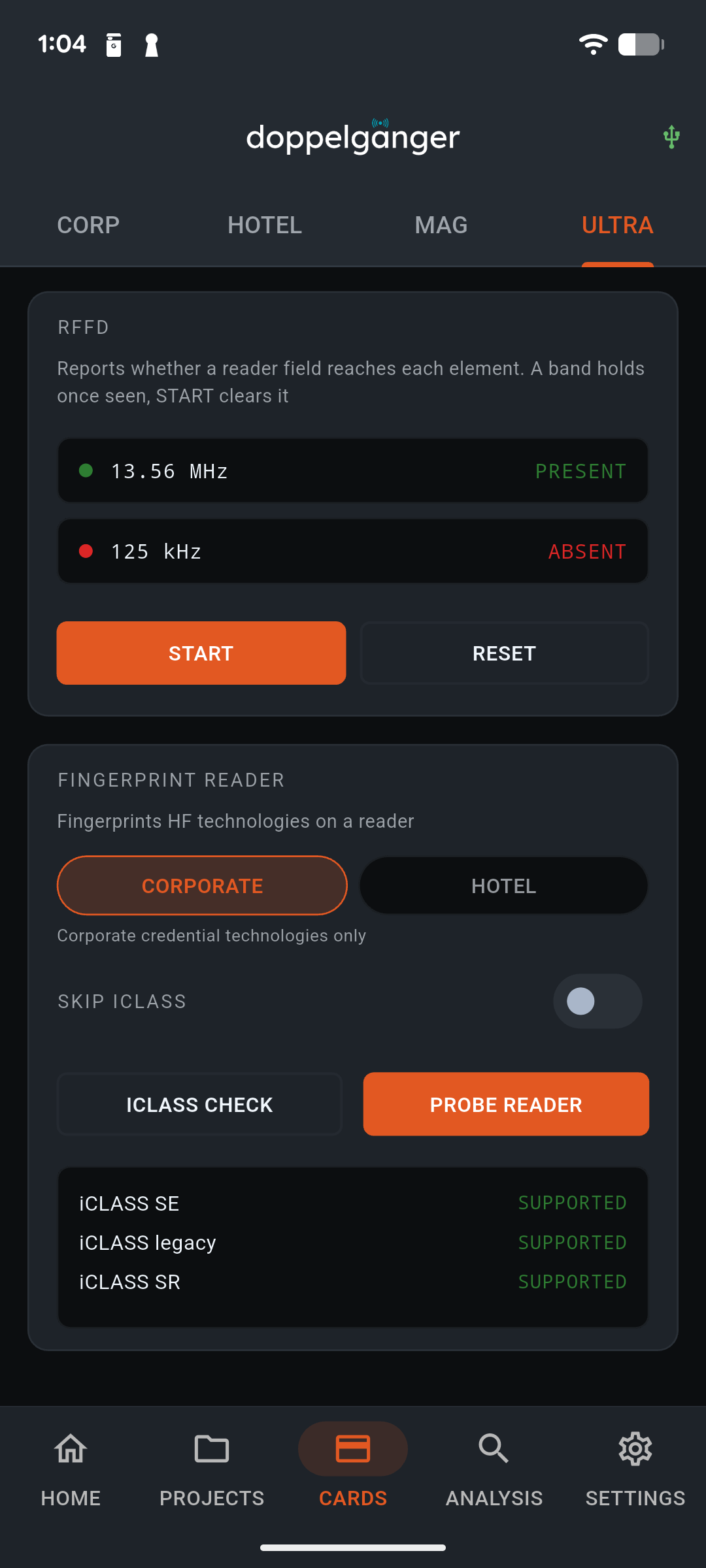
- PROBE READER, back at rest when the run ends.
- iCLASS legacy, SUPPORTED, so the reader engaged with it.
- NFC Forum NDEF, UNKNOWN, which is not established and never absent.
- iCLASS legacy, SUPPORTED, so this reader still takes it.
5. It gives the handset no reading of a reader’s field. There is nothing on screen to say whether a reader is energizing at all, or on which band.
ATLAS CU firmware has RFFD, which shows whether a reader field is present on 13.56 MHz and on 125 kHz, separately, and transmits nothing while it does.
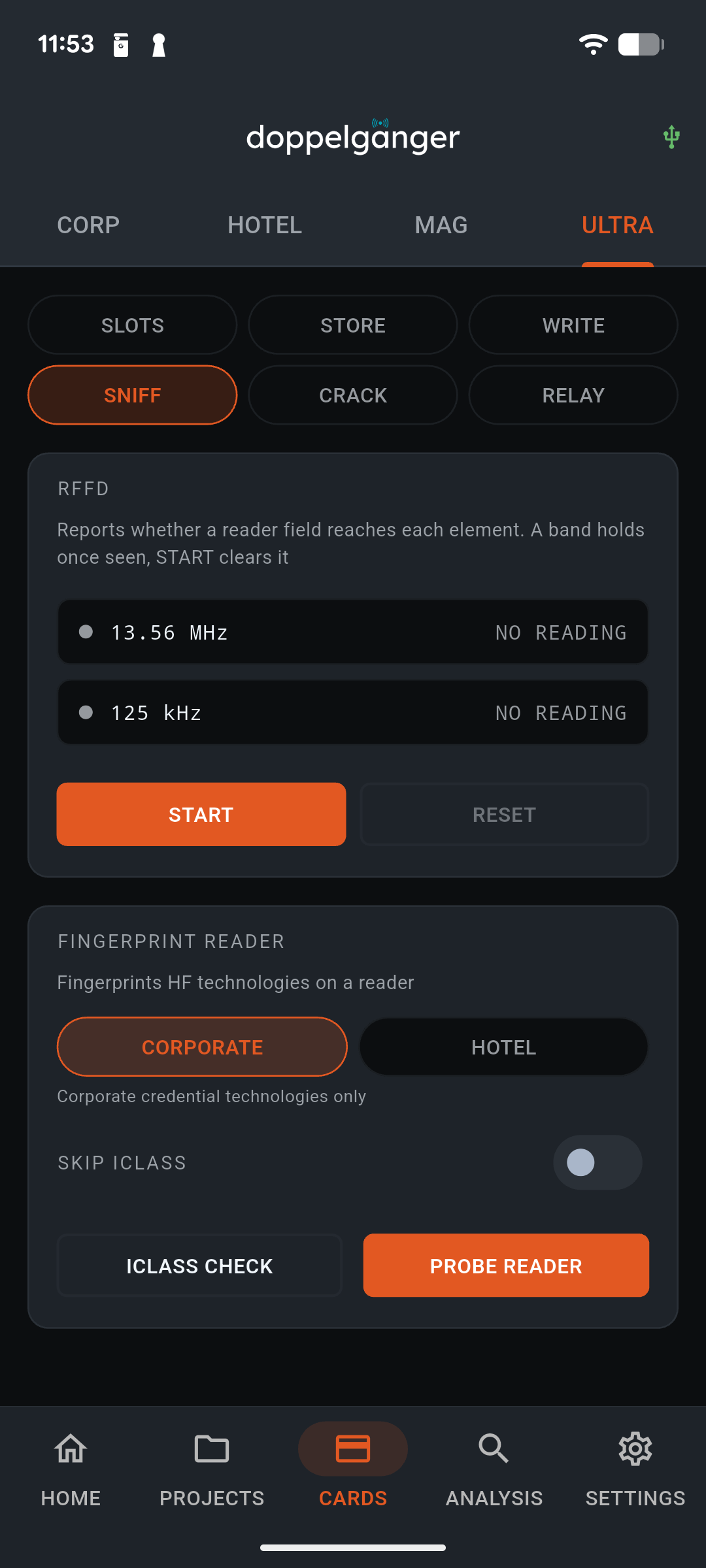
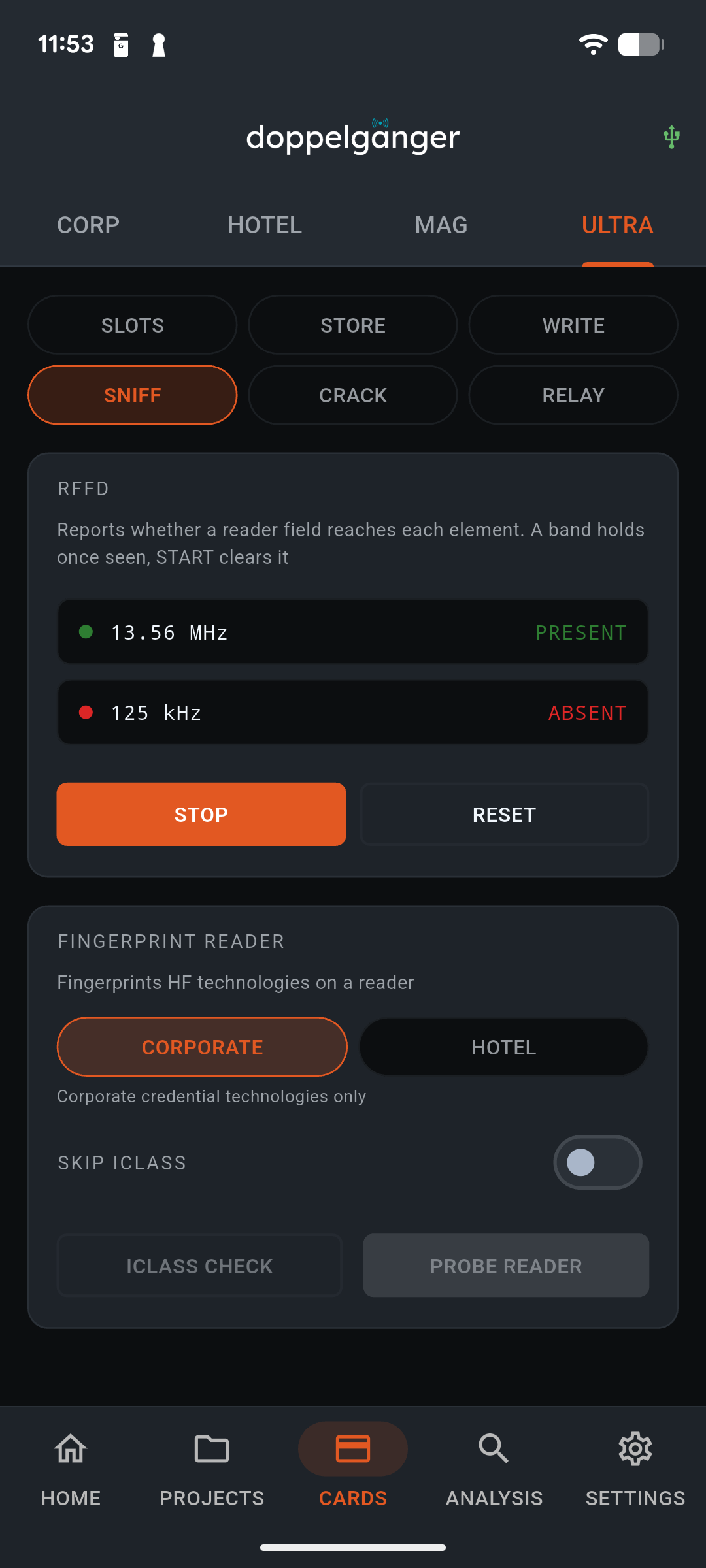
- RFFD, the first card on SNIFF.
- START.
- 13.56 MHz, PRESENT, with 125 kHz, ABSENT, under it.
- STOP, while the run goes.
6. You cannot be sure which credential the reader was shown. A slot carries an LF card and an HF card together, and a dual-band reader takes the HF one. The credential you meant to test may not be the one the reader read, and a result you cannot attribute is not a finding.
ATLAS CU firmware holds one credential per slot, so a reader is shown exactly the credential you chose. EMULATING on the SLOTS chip names the slot that is answering.
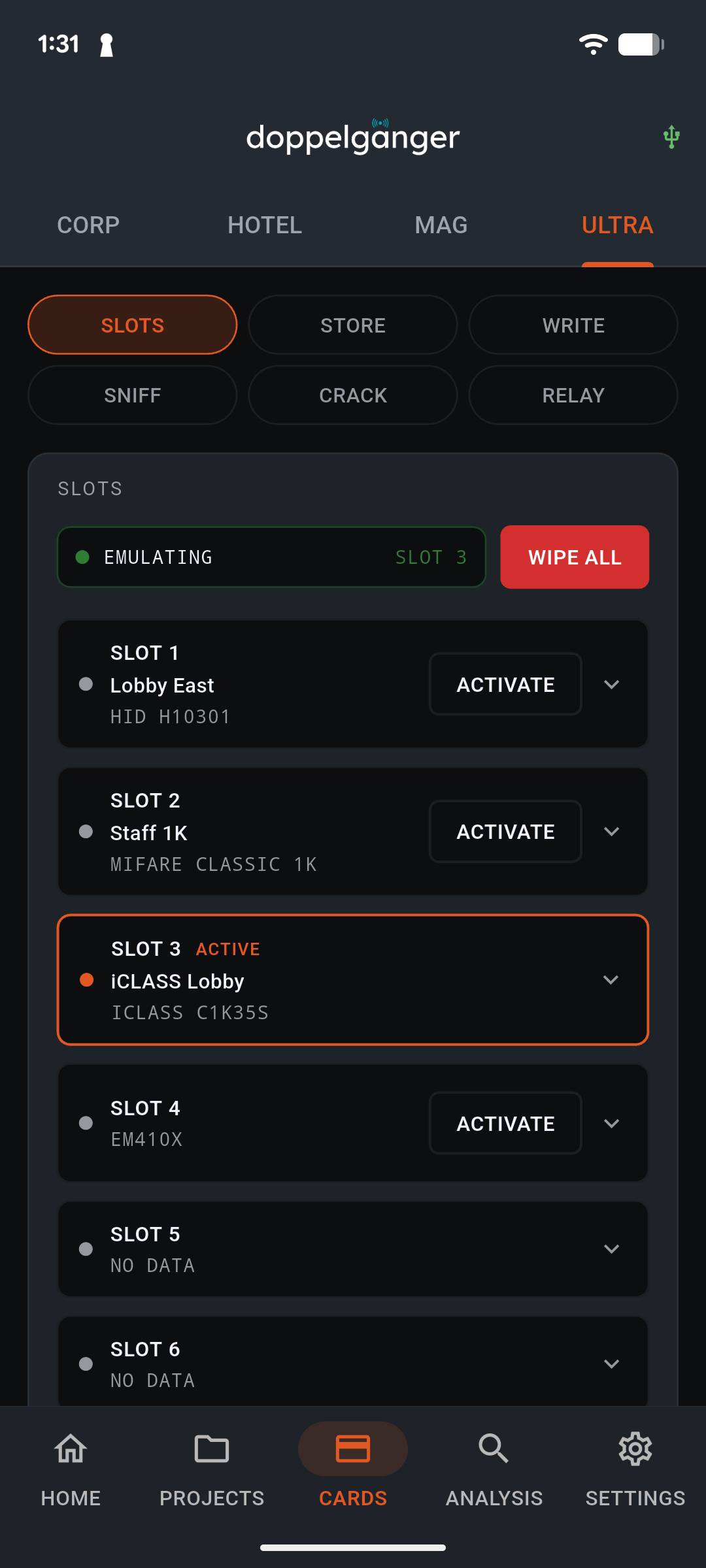
- SLOTS, lit, the first of the six chips.
- EMULATING, SLOT 3, the slot the unit answers a reader with.
- SLOT 3, ACTIVE, an iCLASS credential named iCLASS Lobby.
7. MIFARE Classic key recovery is not one guided run. The official firmware has key recovery, but not as one guided run.
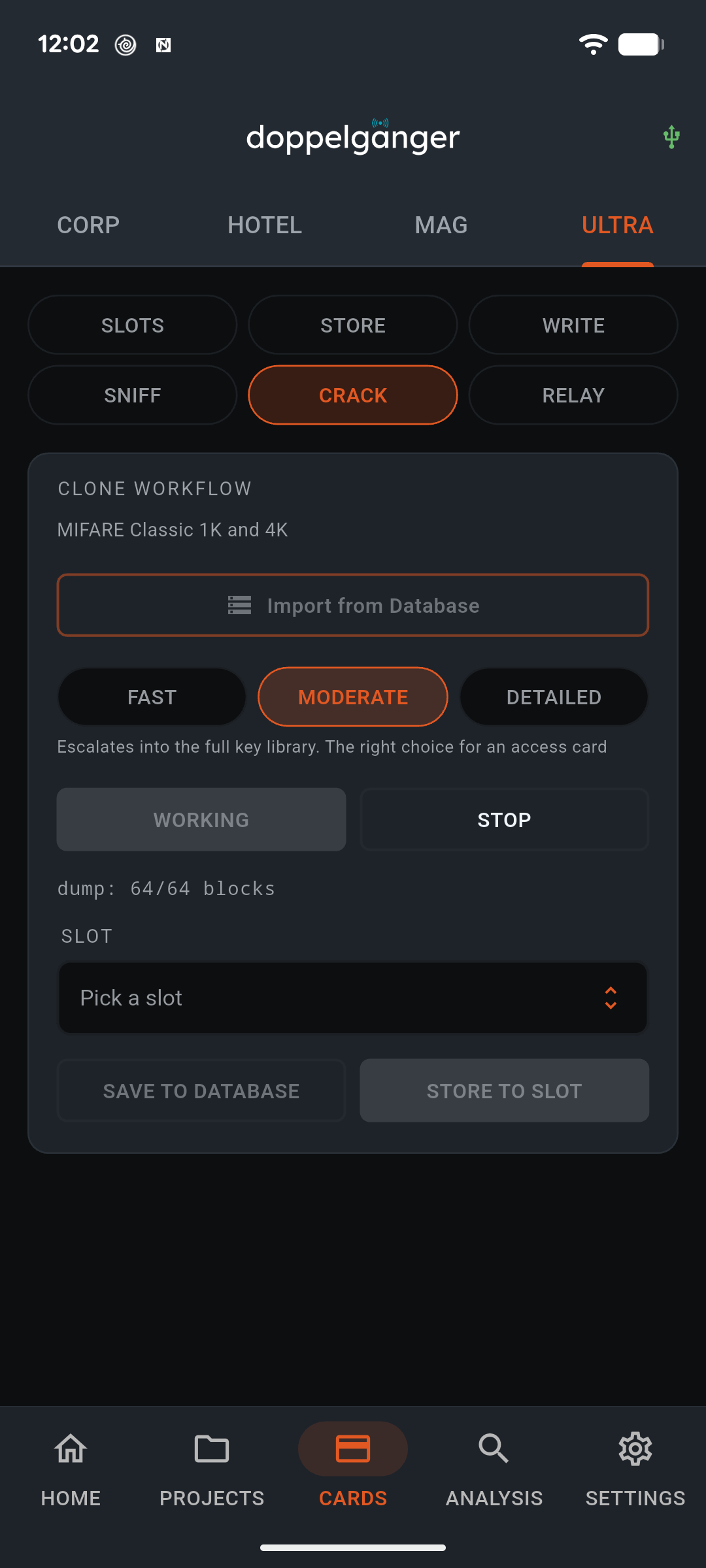
ATLAS CU firmware makes it one guided run on CRACK: pick a depth, tap CLONE CARD, and read the summary.
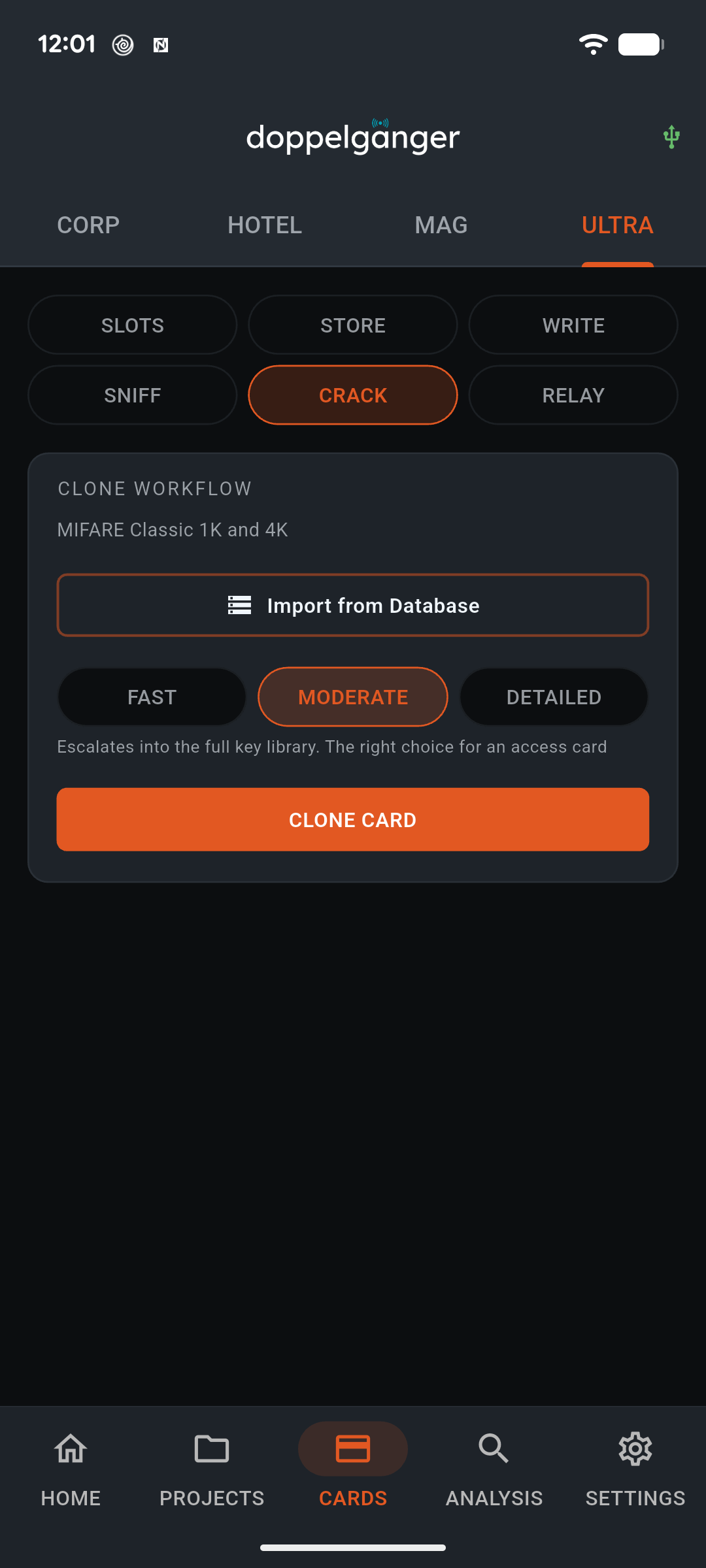
- CLONE CARD, the one tap run, under FAST, MODERATE and DETAILED.
- WORKING, with STOP beside it.
- SLOT appears once the dump is in.
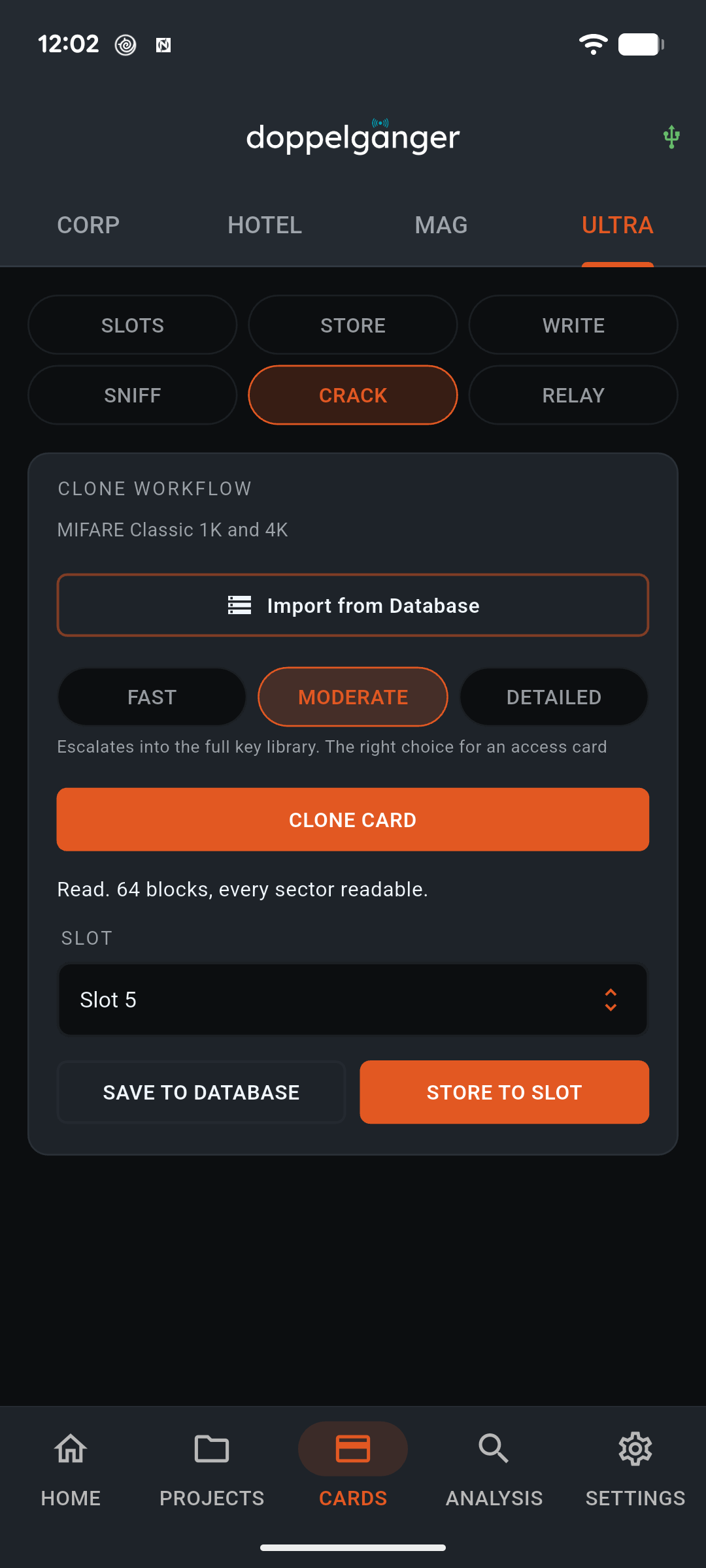
- Read. 64 blocks, every sector readable.
- STORE TO SLOT, live once a slot is picked.
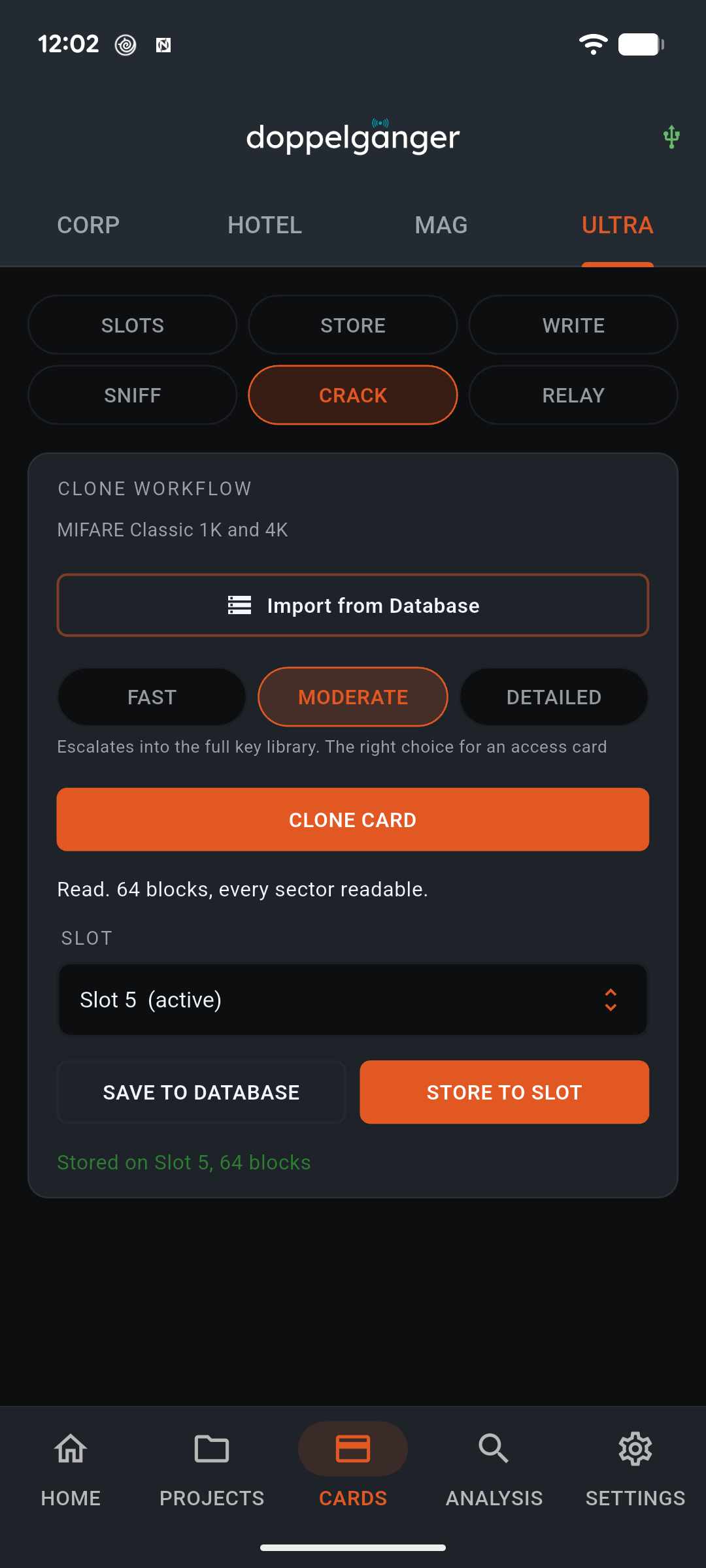
- Slot 5, now the active slot.
- Stored on Slot 5, 64 blocks.
8. It has no relay. For a site on DESFire EV3 or Seos, where the credential cannot be cloned, the official firmware leaves you with nothing to test at the door.
ATLAS CU firmware has RELAY, which carries a live transaction between a reader here and a card somewhere else. That test has its own post, Credential relay with the ATLAS Chameleon Ultra.
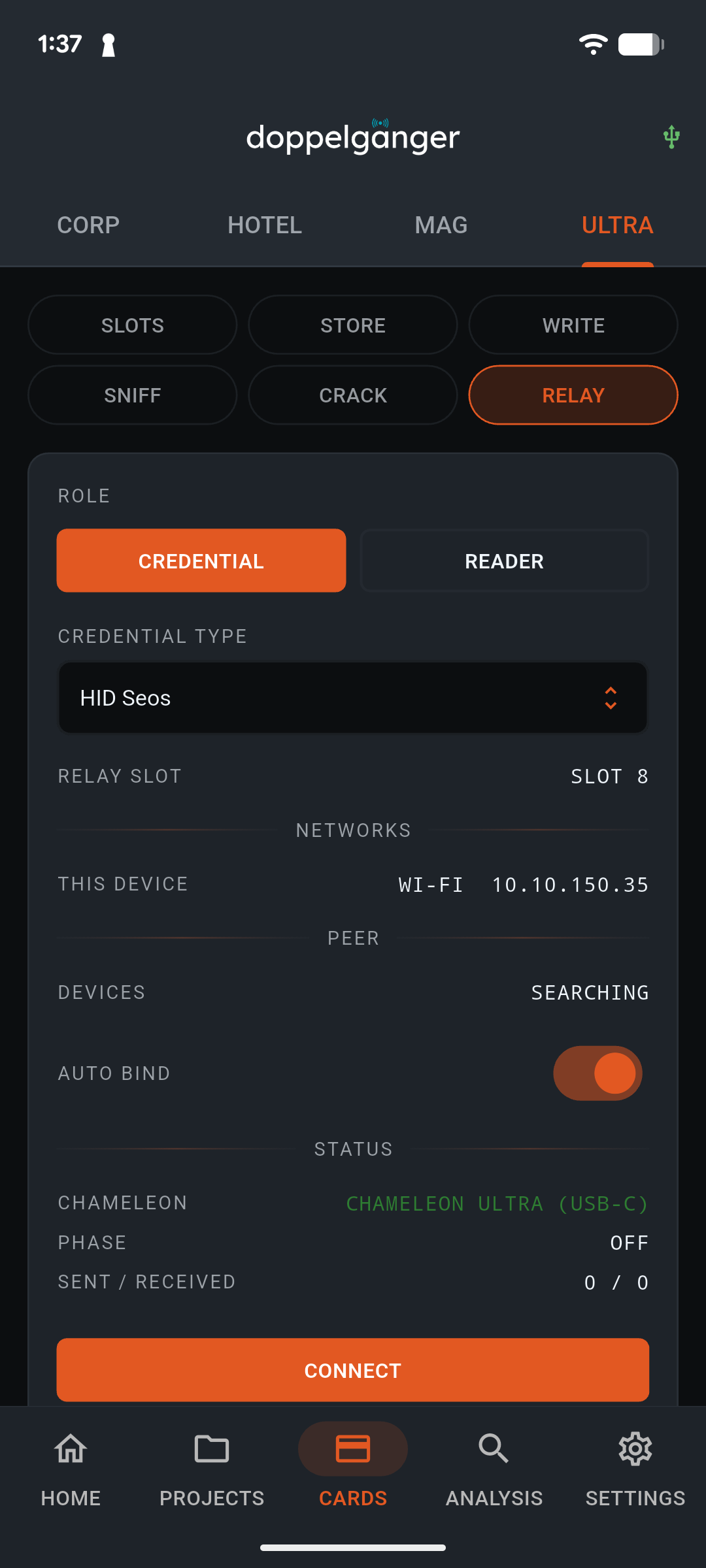
- ROLE, CREDENTIAL or READER.
- CREDENTIAL TYPE, HID Seos here.
- CONNECT starts both handsets.
9. A capture cannot go straight from a card database into a slot. The credential collected yesterday does not move to the unit in one step.
In ATLAS, Import from Database on the STORE chip fills the form from a record in the card database, and STORE CARD puts it in a slot.
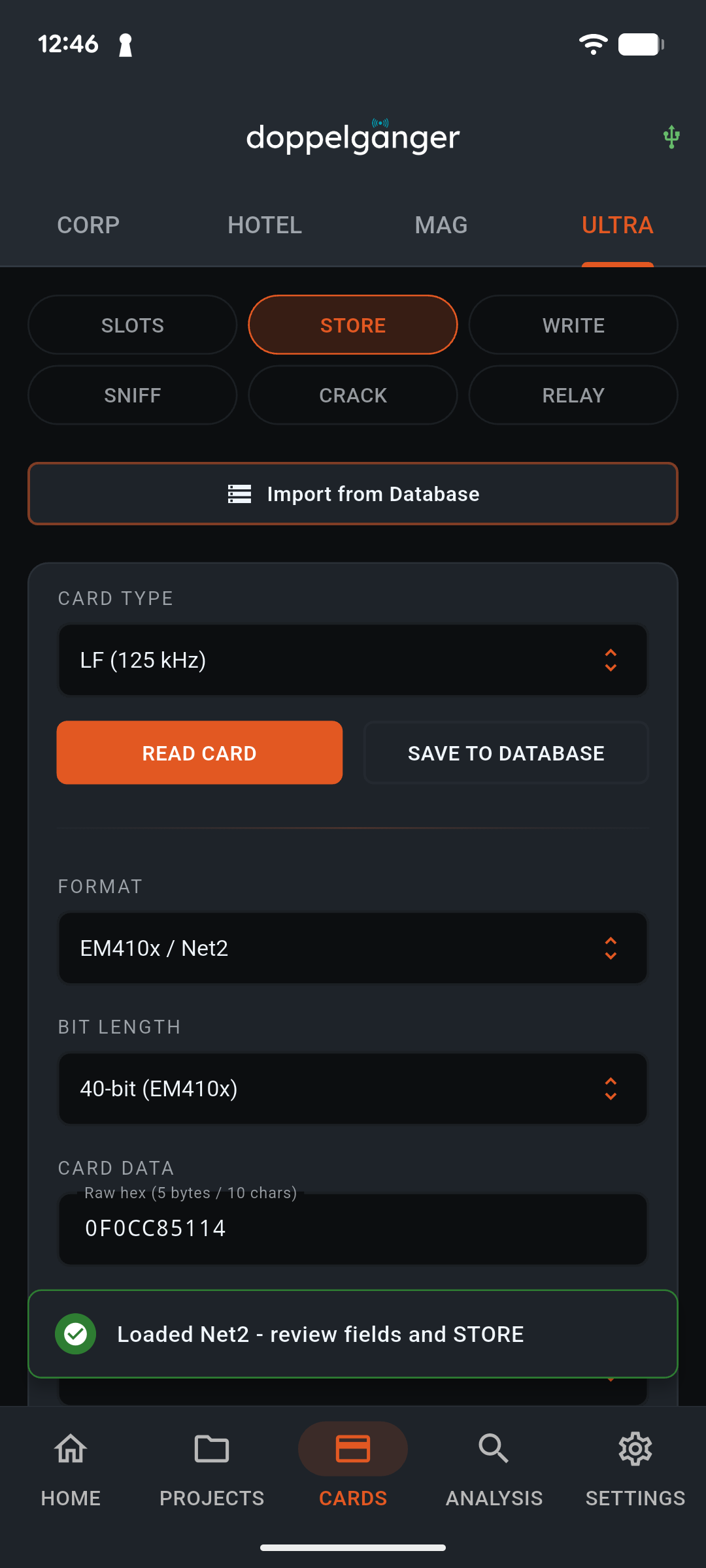
- Import from Database.
- CARD TYPE, switched to match the record.
- FORMAT, from the record.
- Loaded Net2 - review fields and STORE.
10. It has no separate sleep timers. There is no way to set one wait for a unit that has not met a reader and another for a unit that just has.
ATLAS CU firmware has both, set from the handset: Sleep with no reader and Sleep after a reader.
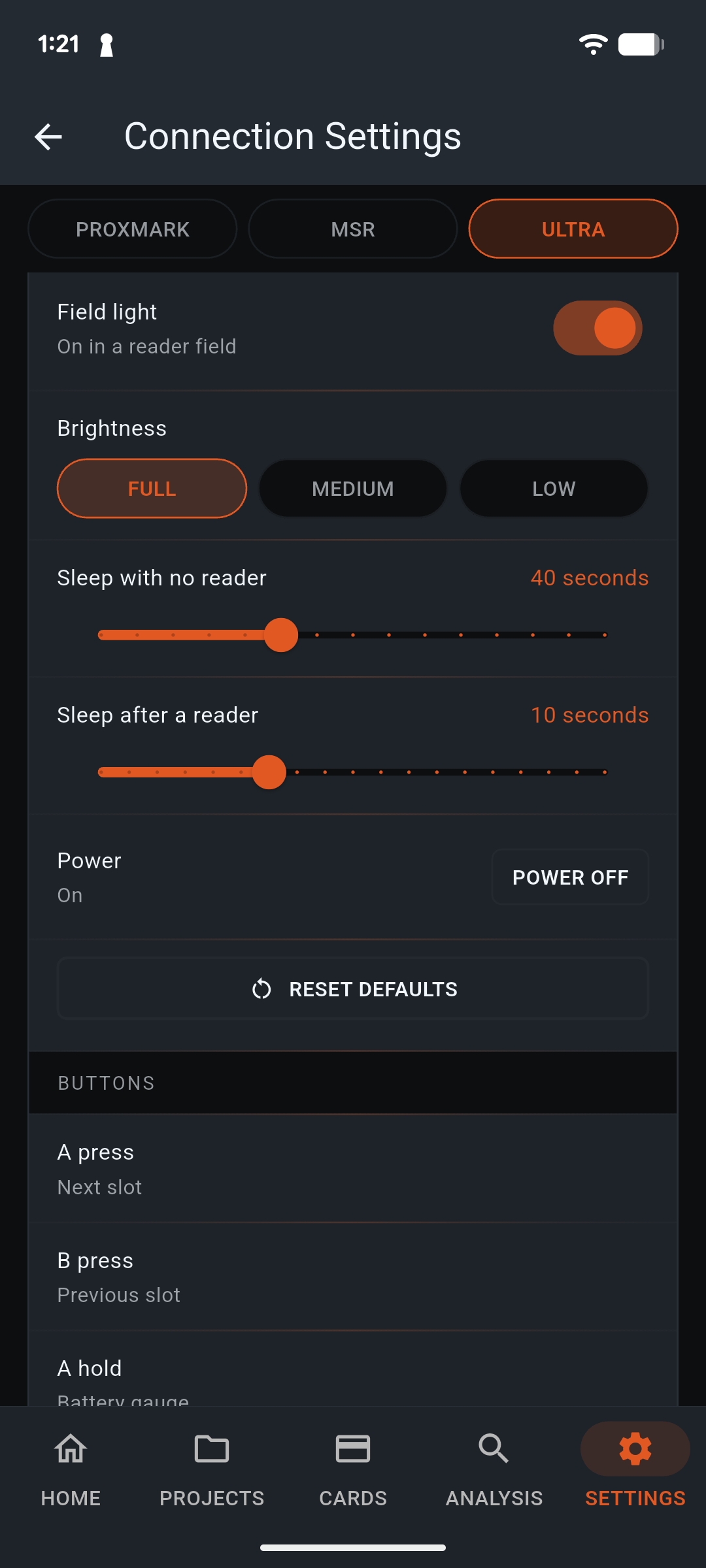
- Sleep with no reader, how long a selected slot waits for a reader.
- Sleep after a reader, how soon it sleeps once the reader is gone.
The same list, side by side
| Function | Official firmware | ATLAS CU firmware |
|---|---|---|
| EM410x, HID Prox and IO Prox in a slot | Yes | Yes |
| Read, emulate and rewrite iCLASS | No | Yes |
| Indala, AWID, Avigilon, Pyramid, Paradox and Securakey in a slot | No | Yes |
| Write to a T5577 | EM410x, HID Prox and IO Prox only | Yes, all nine families |
| Name the technologies a reader supports before any card is presented | No | Yes, FINGERPRINT READER |
| Tell whether a reader still takes iCLASS Legacy, without completing a card read | No | Yes, ICLASS CHECK |
| Reader field reading for 13.56 MHz and 125 kHz separately | No | Yes, RFFD |
| One card per slot | No, a slot carries an LF and an HF card together | Yes |
| MIFARE Classic key recovery | Yes | Yes, as one guided run on CRACK |
| Relay a live transaction | No | Yes, RELAY |
| Store a capture from the ATLAS card database into a slot | No | Yes |
| Separate sleep timers | No | Yes |
Where the Proxmark fits
The Proxmark is a bench instrument. It is the right tool for analysis of a card you already hold, and ATLAS supports it, the Proxmark 5 included.
An assessment is not a desk. At a door the work is presenting a credential, learning what a reader accepts, and making a card for a tester to carry. For that work a device that rides on the back of a phone and is run from the phone is the better fit. The Proxmark answers questions about a card on the bench, and the ATLAS Chameleon Ultra goes to the door.
Use case: a reader you have never seen
You are on a contracted assessment of a multi-tenant office building. The lobby turnstile reader has no marking you trust and the tenant’s badge is a blank white card. Which technology the reader takes decides where the rest of the day goes.
On SNIFF, RFFD answers the first question without transmitting anything: is a field present on 13.56 MHz, on 125 kHz, or both. ICLASS CHECK then answers whether the reader still takes iCLASS Legacy, with no completed card read at the reader. When the rules of engagement cover it and the door is yours for the duration, PROBE READER returns the full list, each technology reading SUPPORTED, NOT SUPPORTED, POSSIBLE or UNKNOWN. PROBE READER holds the reader’s attention while it runs, so it is not for a door in use.
Use case: a site that still accepts iCLASS Legacy
A manufacturing client moved its staff to newer credentials several years ago. The fingerprint shows the readers on the production floor still accept iCLASS Legacy. That is an installation finding, not a product one: the readers can be configured to refuse it and these were not.
To show the site owner what it means, the credential has to reach a door. STORE puts an iCLASS credential into a slot and the unit presents it. When a second tester needs a card to carry, WRITE rewrites an existing iCLASS 2k or iCLASS 2k SR card and reads it back. The remediation is specific: turn the legacy technology off at those readers and retire the old card stock.
Use case: a low frequency site with mixed card stock
A logistics client has grown by acquisition. One warehouse issues Indala, another AWID, the head office HID Prox. Each family goes into a slot from the same form, and each is written to a T5577 from the unit alone and read back before the app reports success.
Use case: a MIFARE Classic card in hand for a few minutes
A hotel has engaged you to audit its staff credentials. A housekeeping card is in your hand for a few minutes, and the question the owner is paying for is whether those minutes are enough to copy it.
CRACK answers that with the unit alone. Pick FAST, MODERATE or DETAILED, tap CLONE CARD. The run recovers the keys, reads the card out and reports what it got: every sector, some sectors, or none. STORE TO SLOT puts the copy on a slot and SAVE TO DATABASE files it into the client’s project.
Where the card goes
Reads and writes fail when a card moves. The ATLAS Chameleon Ultra mounts on the back of the handset with a dual USB-C adapter, and the card slides between the handset and the unit until it meets the adapter. The placement is the same for 125 kHz and 13.56 MHz cards, and it is the placement for CRACK, WRITE and READ CARD.
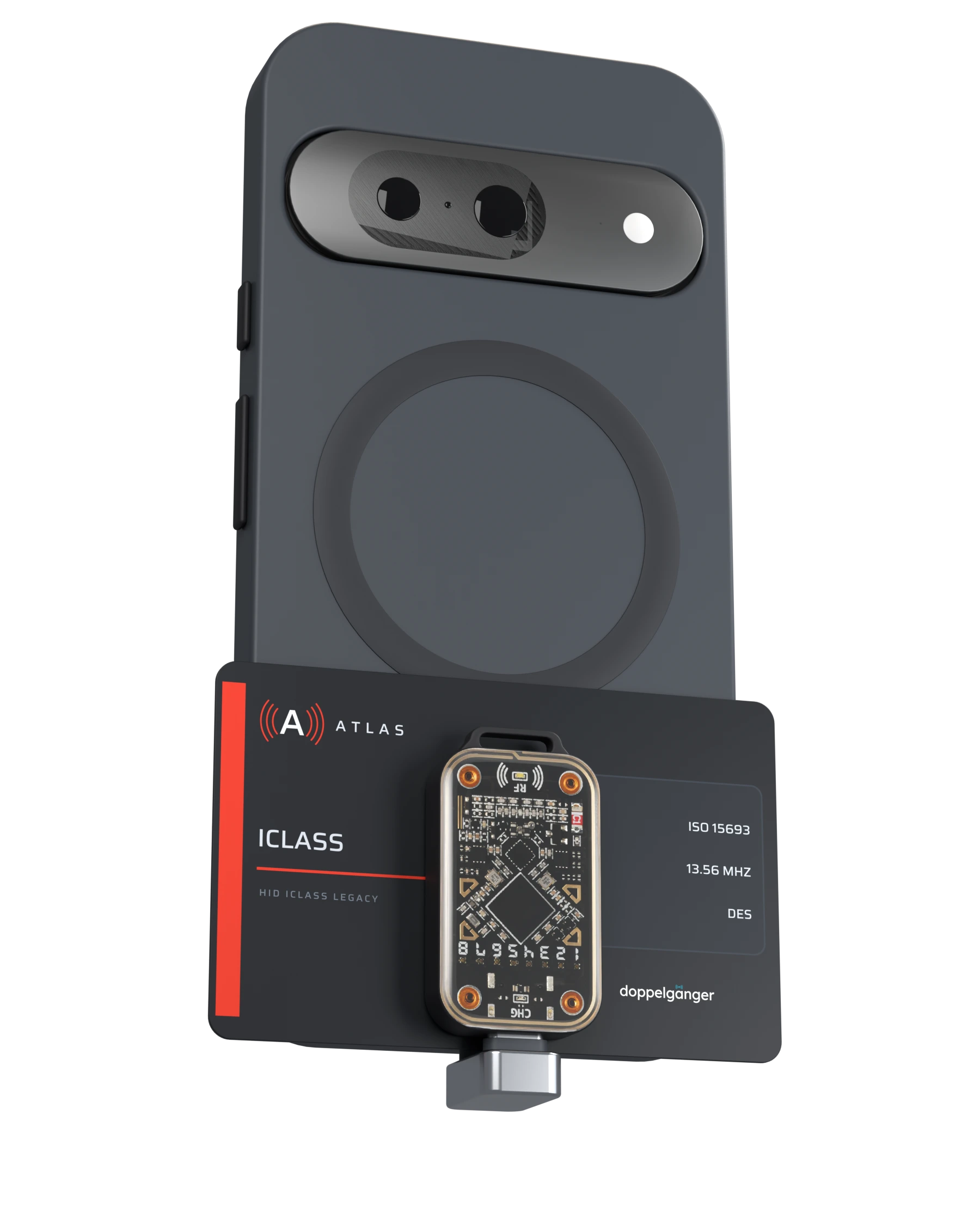
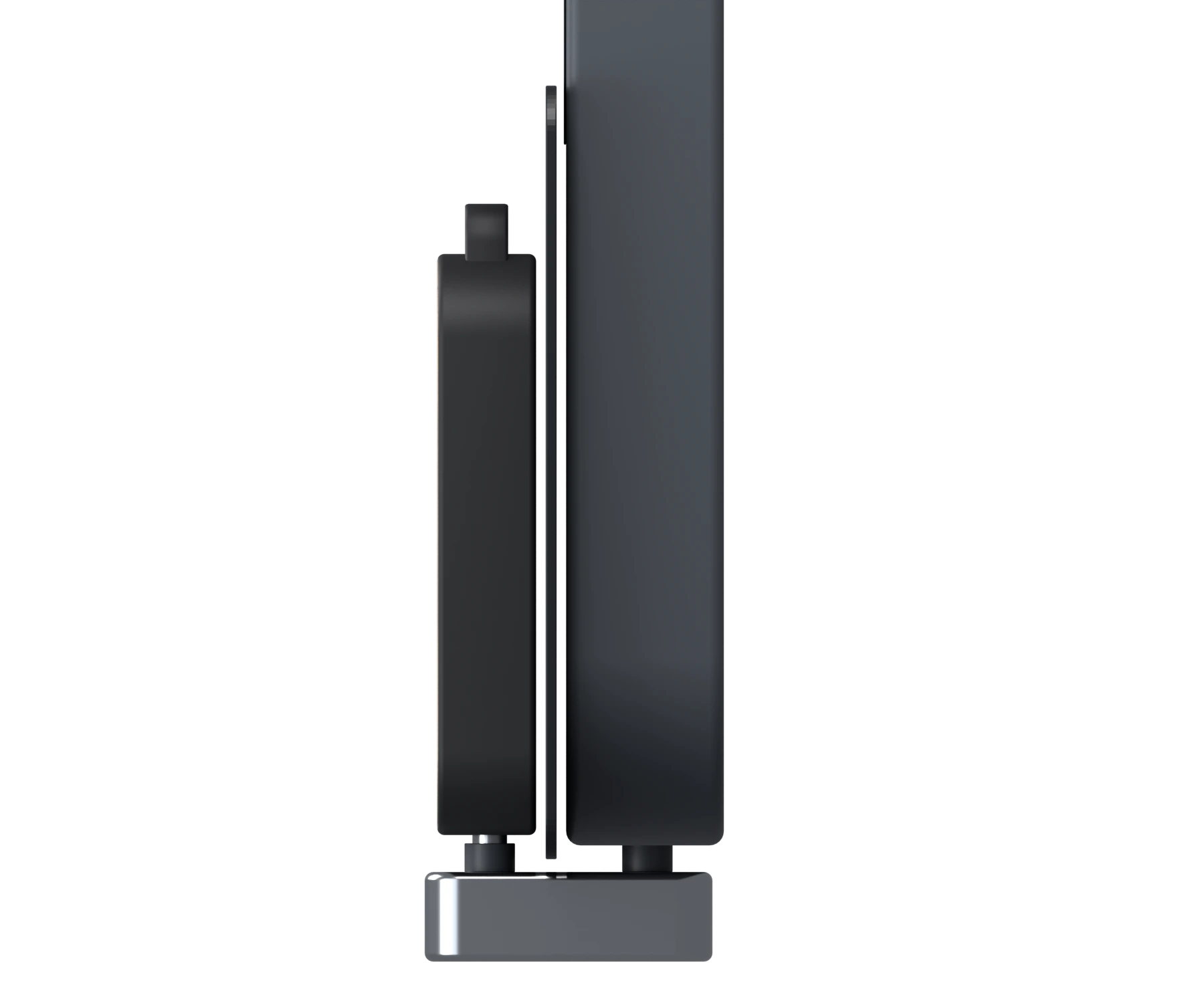
Card placement, from the back and from the edge. The card sits between the handset and the unit.
What you need
- A Chameleon Ultra. It ships with its manufacturer’s firmware. ATLAS installs ATLAS CU firmware over the USB cable from Settings, Firmware, CHAMELEON, with FLASH ATLAS CU FIRMWARE. RESTORE STOCK FIRMWARE on the same page puts the official firmware back.
- An Android handset. Phones are not included with the hardware.
- An ATLAS license. The ULTRA tab works only with ATLAS CU firmware on the unit, and the app is what installs and runs it.
- The dual USB-C adapter, for the card placement above.
The hardware is on the Chameleon Ultra page in the store, and every card and format is listed in the ATLAS documentation. The store runs a sale November 27 through December 1, 2026, at store.physicalexploit.com.
Intended use
ATLAS and the PPE hardware it works with are professional audit tools for practitioners working under contract or in the course of their employment, with the authorization of the site owner. The manufacturers whose readers and credentials appear here make very secure products when those products are implemented properly. A finding is about an installation, so that it can be corrected, and never about the manufacturer.