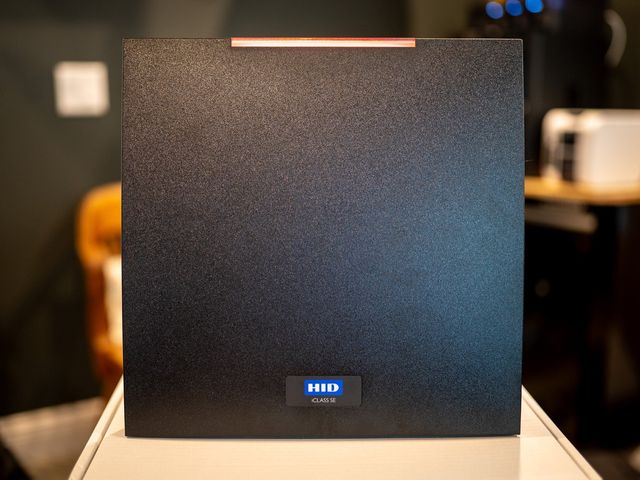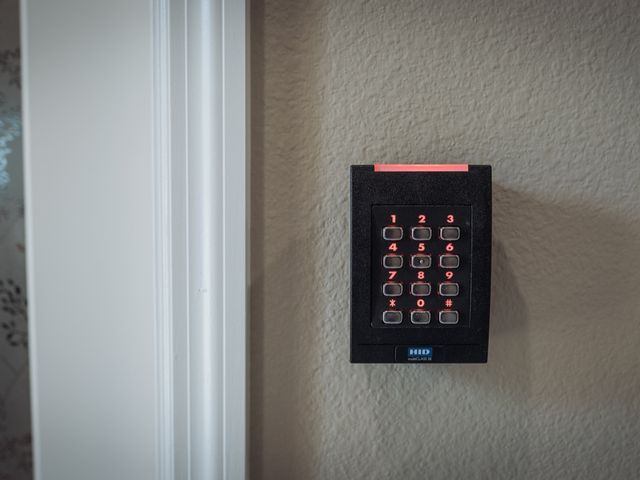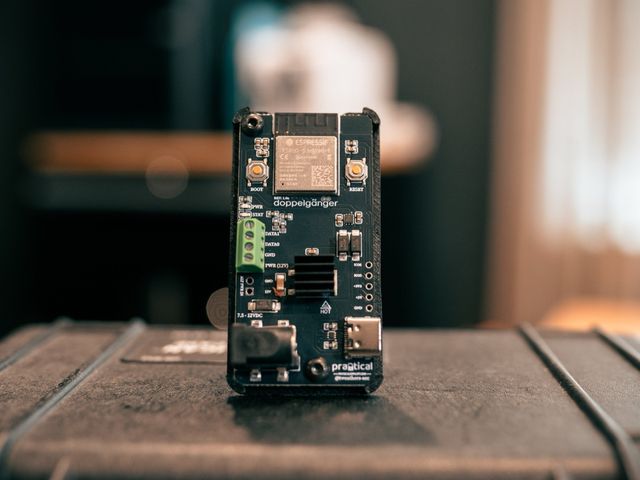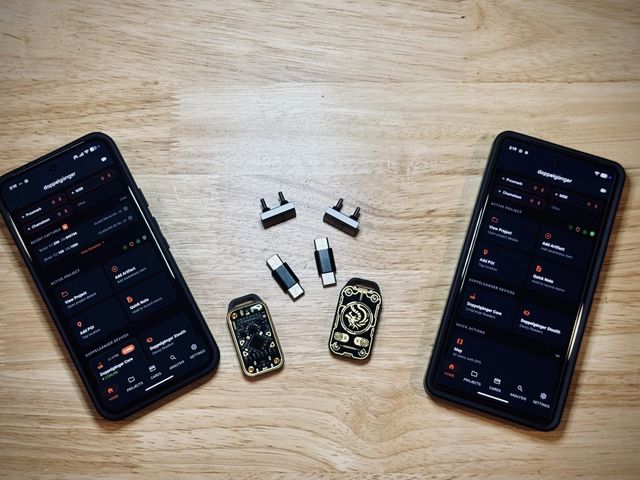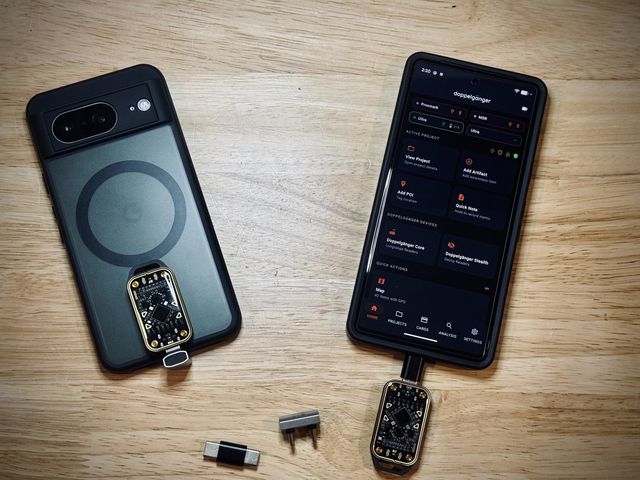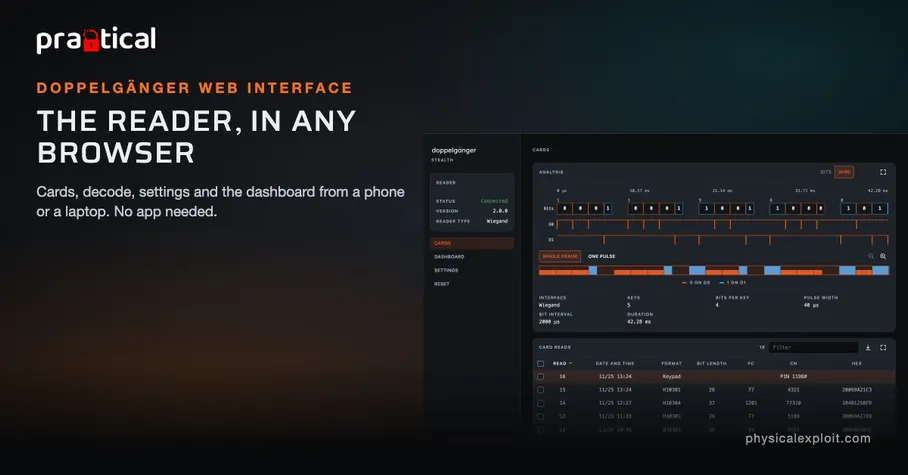
Every Doppelgänger Core and Doppelgänger Stealth serves its own web interface. There is no app to install and no account to make. A laptop, an iPhone, an Android phone or a tablet opens it in the browser it already has. This post is the tour: how you reach a reader, what each page holds, and where that earns its keep on a job.
The reader captures and stores every card and PIN it reads, by itself, always. The pages are a window onto what it holds. Nothing has to be open for a read to be kept.
These are professional audit tools, used by practitioners under contract or in the course of their employment, with the site owner’s authorization. The manufacturers of the readers on the wall make very secure products when those products are implemented properly. A finding is about an installation, never about the manufacturer.
Reaching a Stealth
A Stealth makes its own WiFi network and you join it. The network is named doppelgänger_XXXX, where XXXX is the last four hex digits of the reader’s MAC, and the password out of the box is UndertheRadar. Once joined, the reader is at 192.168.4.1, on every Stealth. A phone will say the network has no internet. That is correct, so stay connected.
Reaching a Core
A Core joins a network you give it. With none saved, it offers a setup network named doppelganger_XXXX, with the same password, and serves one page on it: the setup page, at 192.168.4.1/setup. Pick a network under Networks, type its password, and press Join. The setup network reaches the setup page and nothing else. The reader goes on reading cards the whole time.
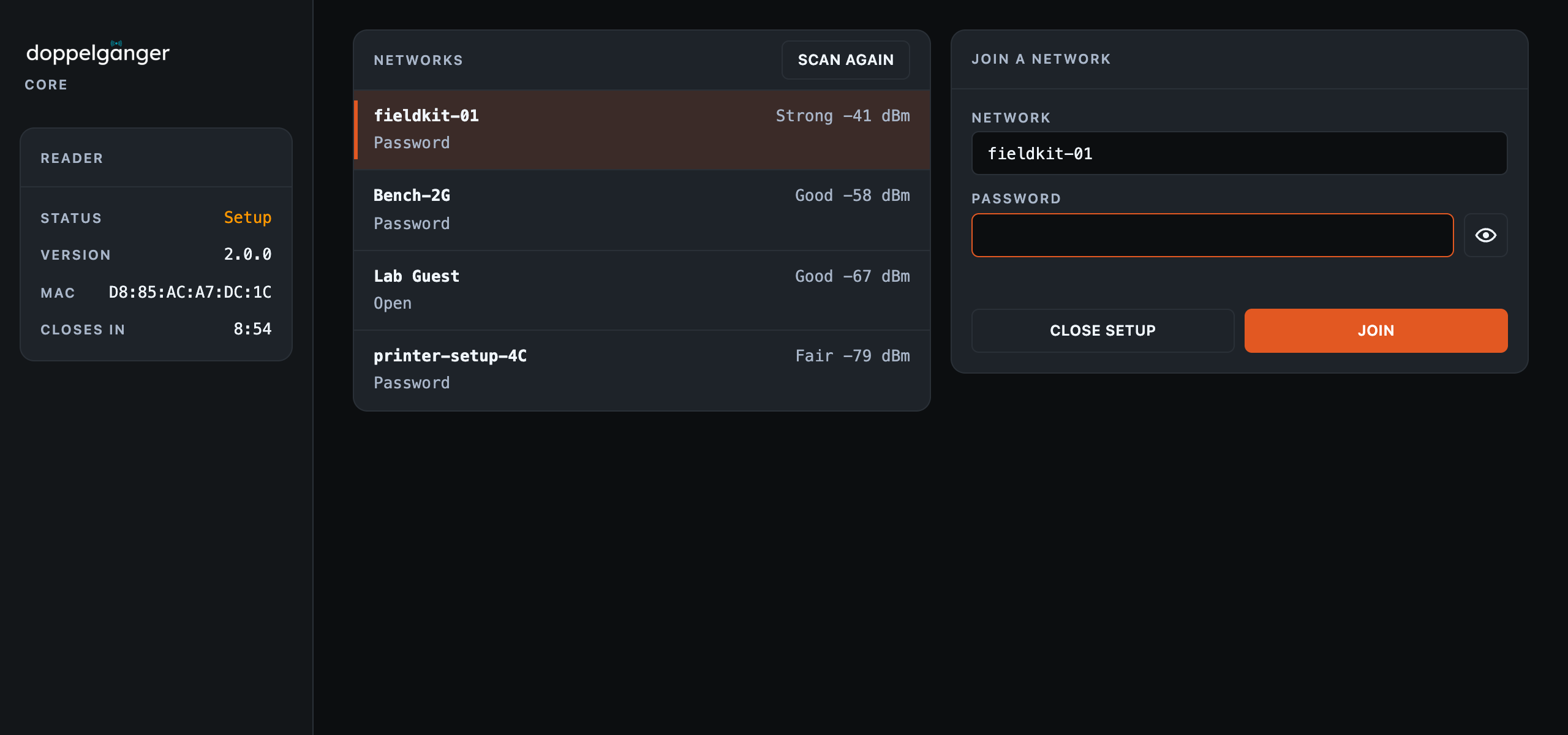
- Scan Again, for a network that was not up yet.
- The network picked, with its signal and whether it needs a password.
- Password, with an eye to read it back.
- Closes In on the left. Close Setup and Join on the right.
Once it has joined, open the Core from any device on that network at rfid.local, or at the address the network gave it. Both readers serve the pages over WiFi.
Cards
Cards is the page a reader opens on. On a desktop it is three panels on one screen: Analysis at the top, the Card Reads table under it, and the selected read below that.
The table has a row per read with Read, Date And Time, Format, Bit Length, FC, CN and Hex. A click on a heading sorts by it, and a second click reverses the order. Filter narrows the list as you type. The download button beside it saves the whole log as cards.csv. The box on each row selects reads, and the selection bar deletes them from the reader after one confirmation that names the count. Keys pressed one after another at a keypad reader are shown as one PIN.
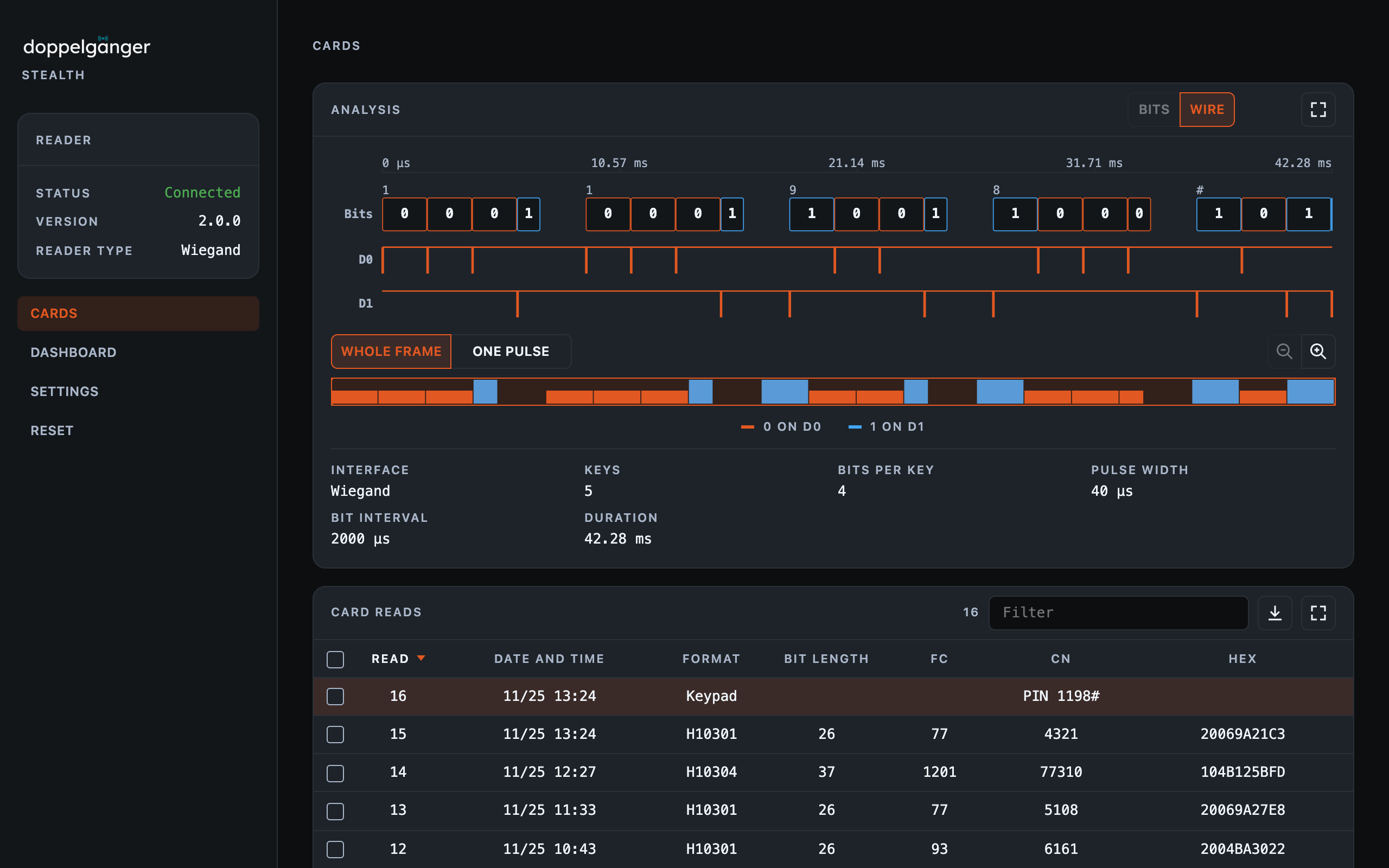
- Bits or Wire. Wire is picked here.
- Each key of the PIN, with its four bits.
- Pulse Width and Bit Interval, as the reader measured them on this read.
- The count, Filter, and the CSV download.
- The selected read, a Keypad entry of PIN 1198#.
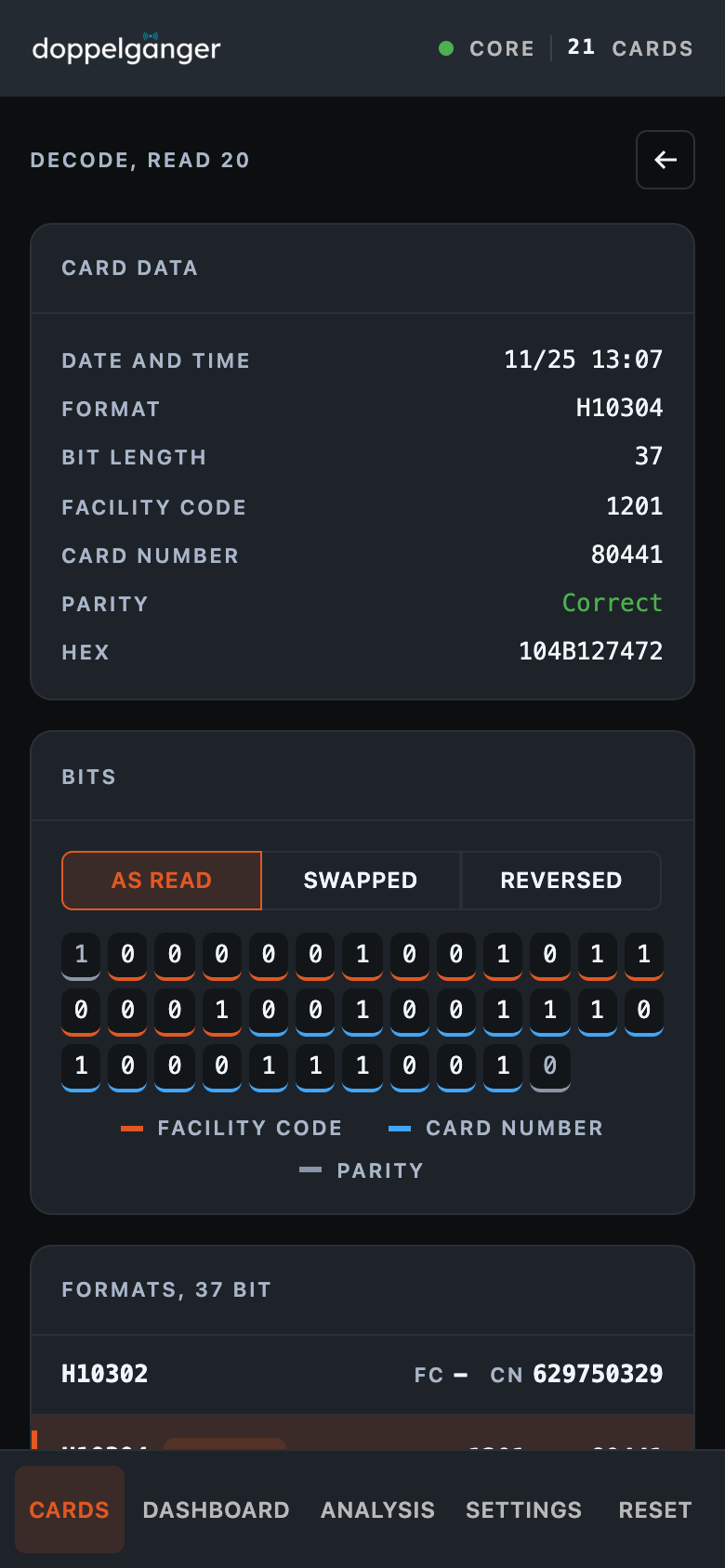
On a phone the same page is cut down to what you read at a glance. The read card sits on top with the newest read tagged Latest, and the list shows Bits, FC and CN, one line per read. Decode opens the read on its own page.
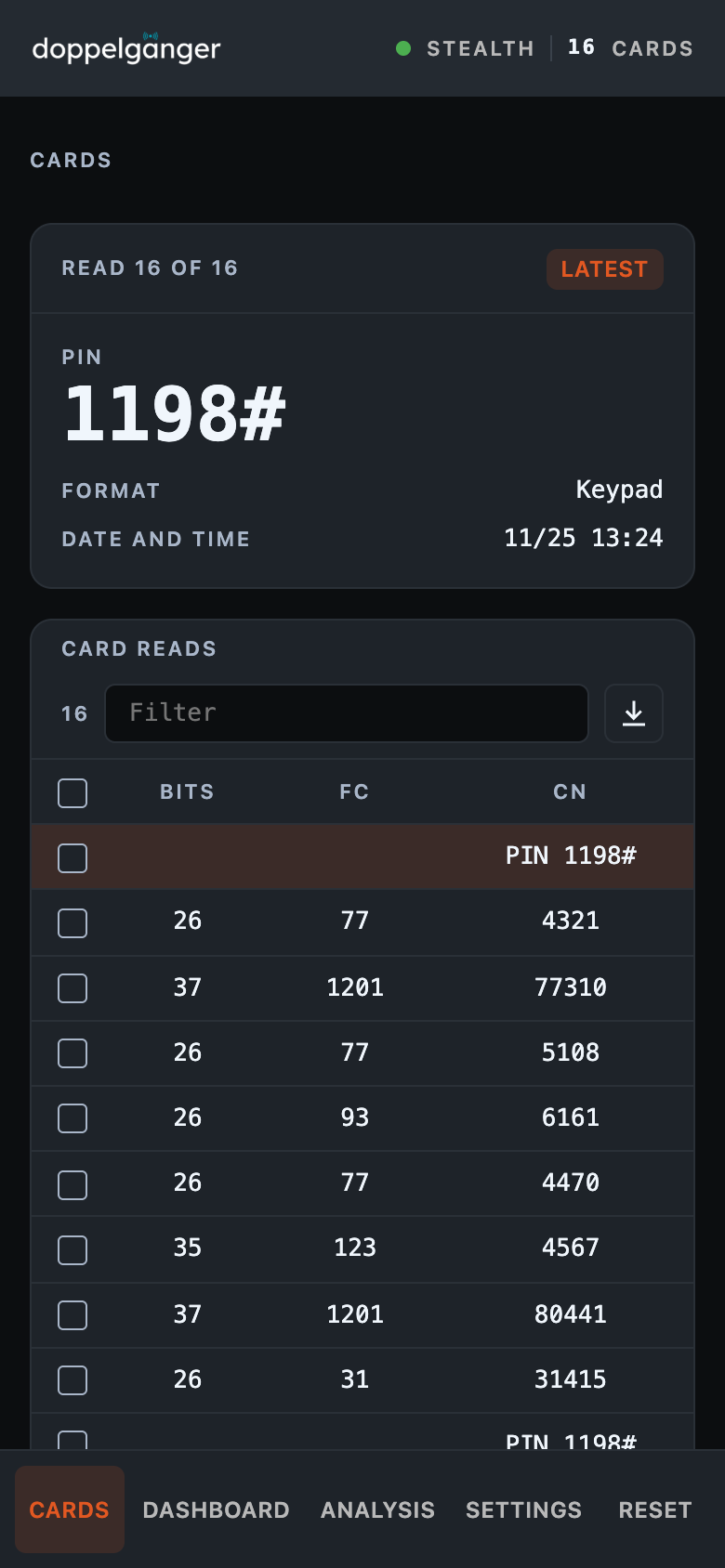
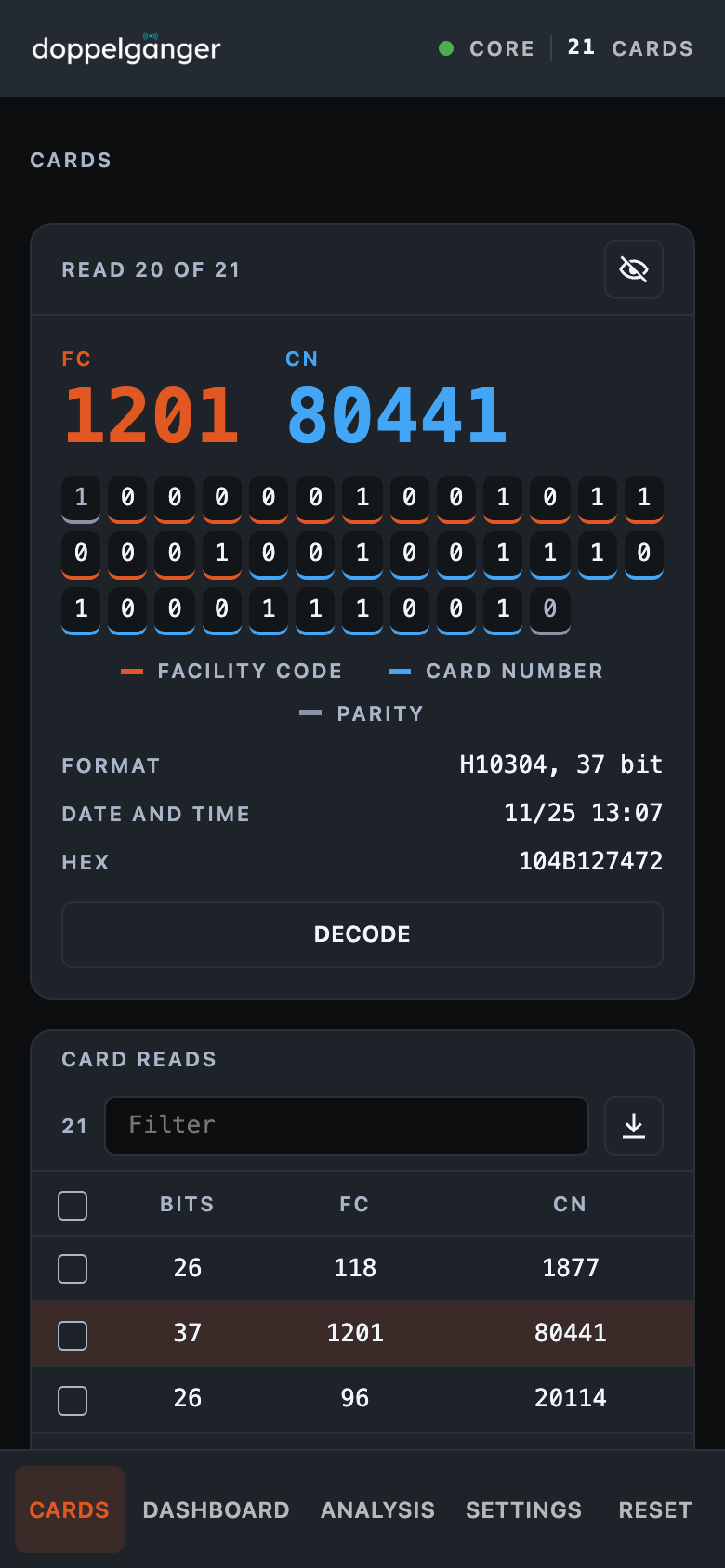
- A PIN, shown as one entry.
- Filter, and the CSV download.
- The newest read is the top row.
- Five tabs. Analysis has its own on a phone.
- FC and CN of the read picked in the list.
- Its bits, colored by field.
- Format, as the reader logged it.
- Decode.
- The row that was tapped.
- Format, then the numbers that reading gives.
- Parity, reading Correct.
- As Read, Swapped and Reversed, three ways to view the bits.
- Formats, every format these bits are a valid card of.
The Formats list on Decode matters when two formats share a length. That story, with figures, is in the firmware post.
One note on dates. The reader counts time from each power on, and a browser that opens the page gives that power on its date. A read from a power on that no browser visited is shown as falling between the dated ones on either side of it.
Analysis
Analysis draws the selected read two ways. Bits lays the frame out with each field in its own color. Wire draws what the reader on the wall sent down its data lines, pulse by pulse, with the pulse width and interval the Doppelgänger measured on that read.
The dropdown above the drawing lists card technologies that carry a credential of that length. The reader on the wall hands over the same bits whichever card it was, so the technology is a choice you make from what you know of the site, never a claim by the page.
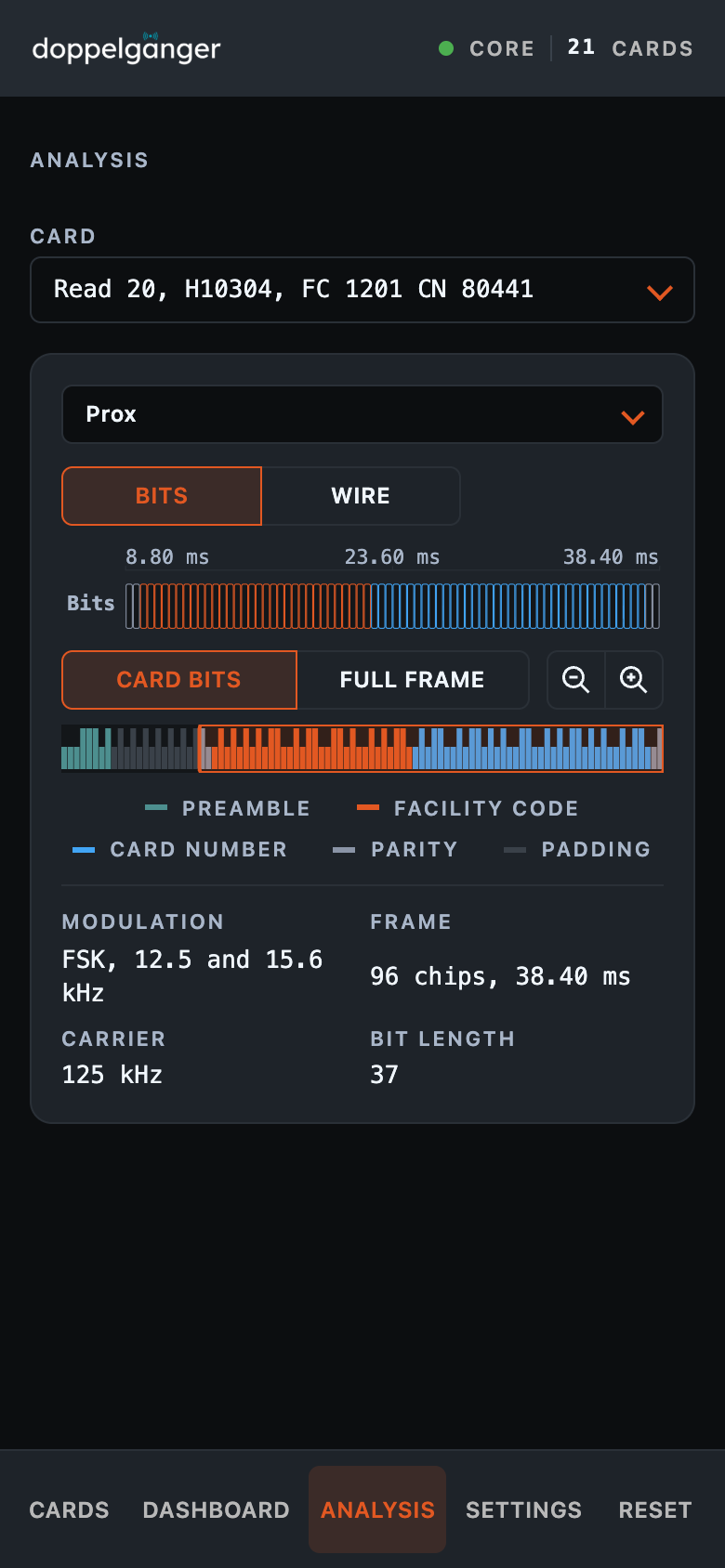
- Card, the read being drawn.
- The technology, Prox here.
- Card Bits or Full Frame, with zoom.
- The legend for the colors.
- Modulation and Frame for the technology picked.
Dashboard
Dashboard answers two questions without scrolling a list: what has this reader seen, and is it healthy.
Four tiles count Total Cards, Today, Unique and Last Card. Reads Over Time charts them over 24 Hours or 7 Days. The Reader card shows Reader Type, Reader Mode, Wiring, Power Cycles and Uptime, and on a Core its WiFi Signal. The Device card shows Supply, Chip Temperature, Processor, Memory, Card Storage, Firmware Space and Restart Cause.
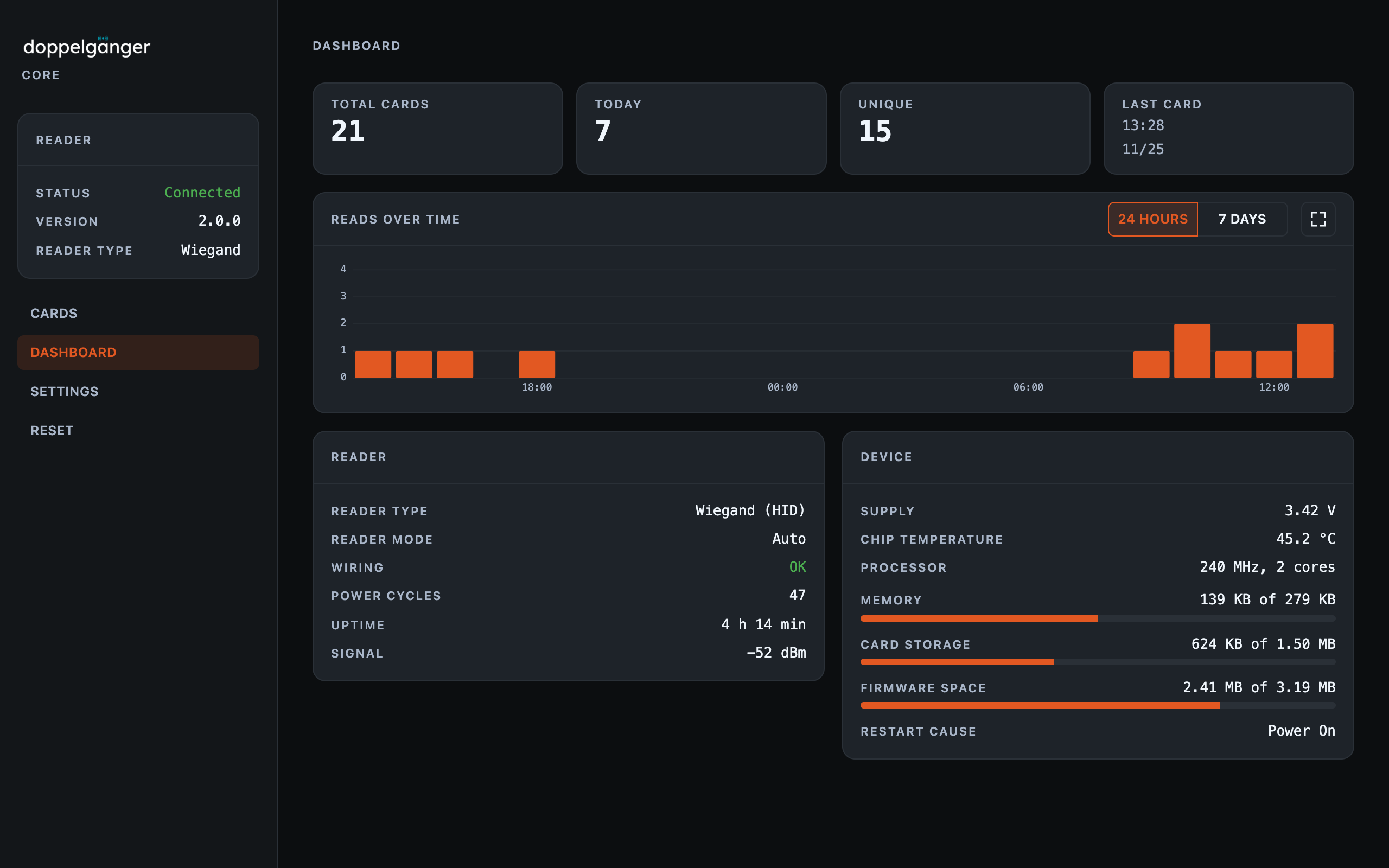
- Total Cards, Today, Unique and Last Card.
- 24 Hours or 7 Days.
- Reads in each hour.
- Wiring, reading OK. Reader Mode above it is Auto.
- Signal on the left, Card Storage on the right.
- Restart Cause, Power On.
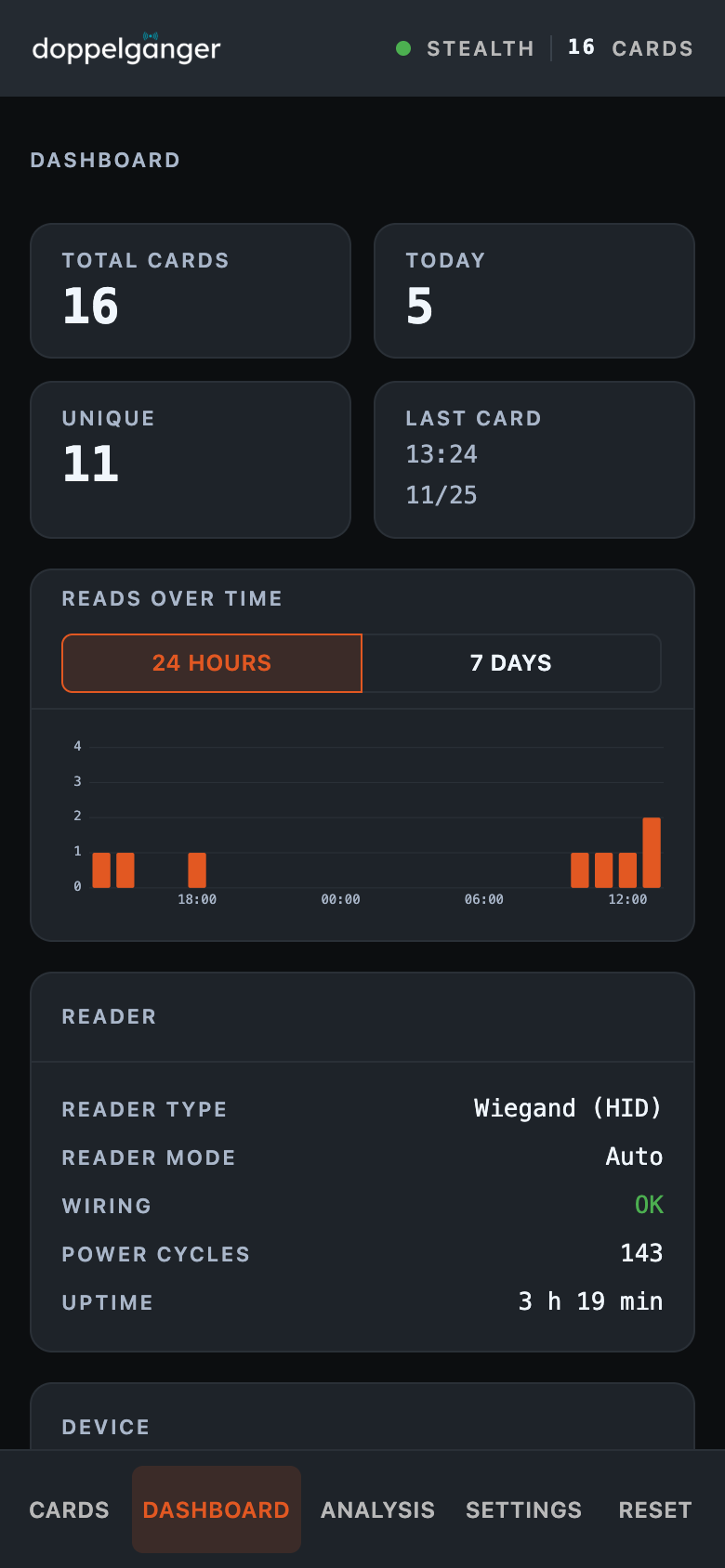
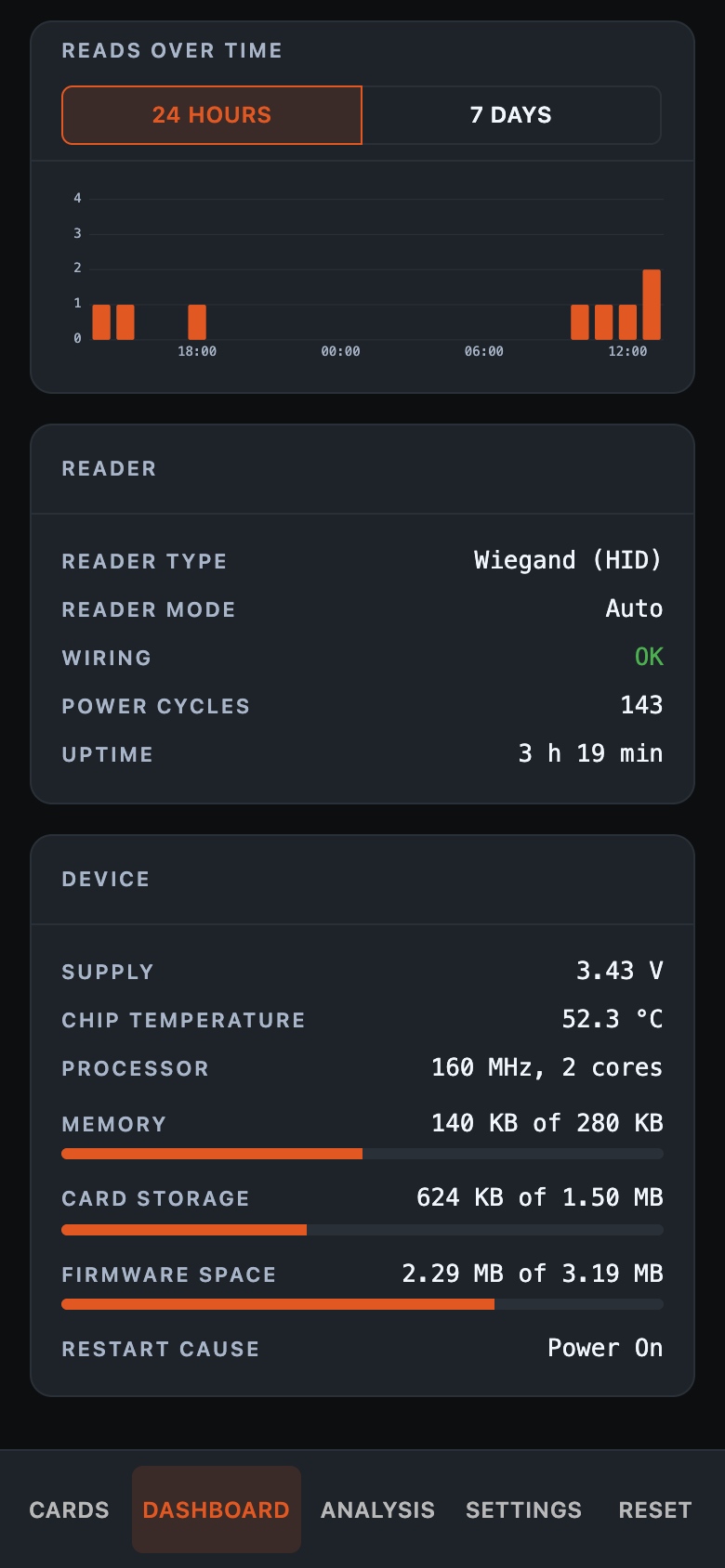
- Total Cards and Today.
- Unique and Last Card.
- 24 Hours or 7 Days.
- Reads in each hour.
- Reader Mode, Auto.
- Uptime since the last power on.
- Wiring, reading OK.
- Supply, in volts.
- Card Storage, how full the log is.
- Restart Cause.
Settings
Settings is one dropdown of sections. Each section is a small form with its own Save.
On both readers:
- System Information: the product, Version, Build Date and MAC Address.
- mDNS Name: the name in front of .local, rfid from the factory.
- Reader Configuration: Reader Mode, which is Auto, Wiegand (HID) or Clock and Data (Paxton).
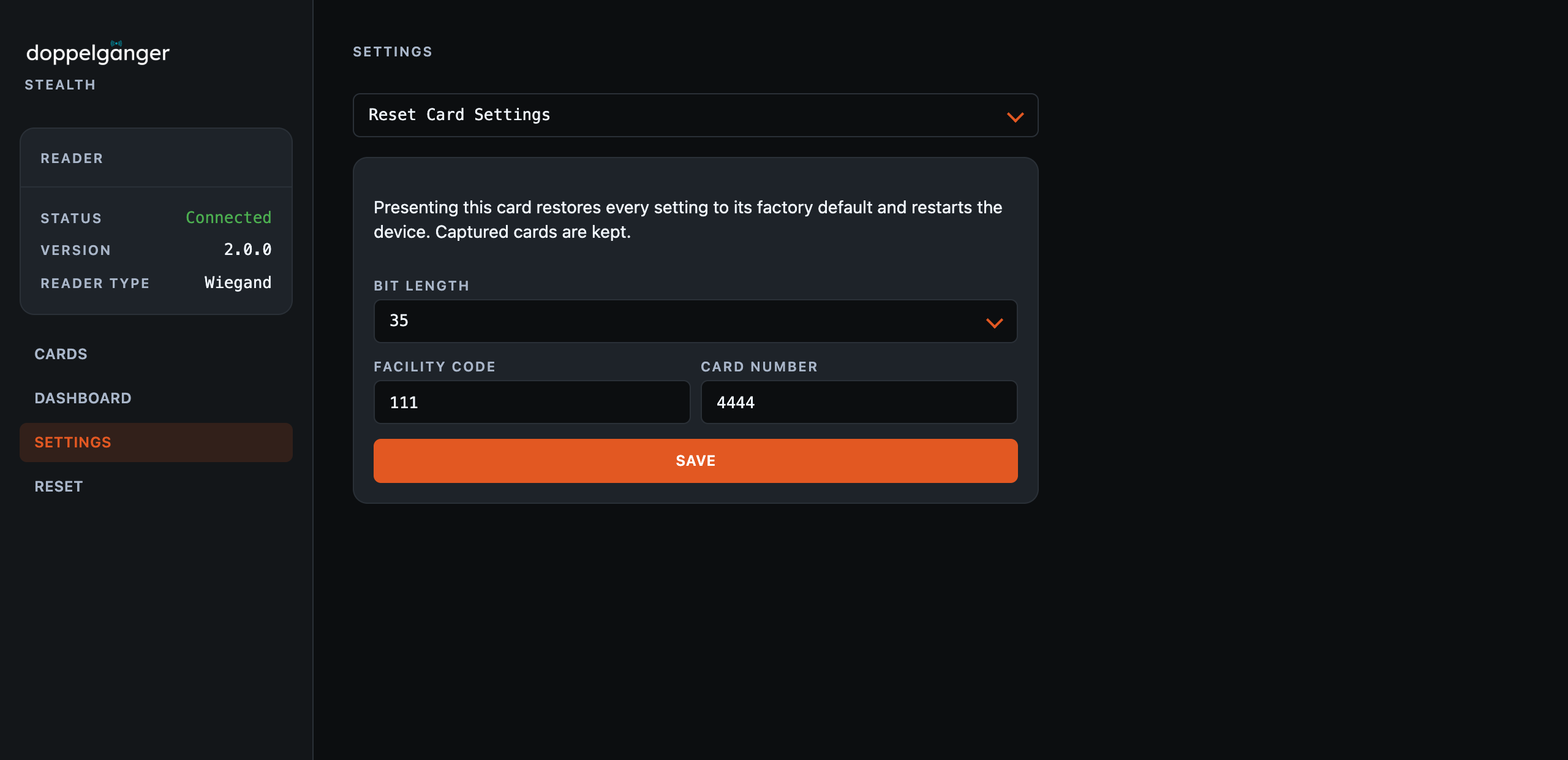
- Reset Card Settings: the card that puts every setting back to its factory default and keeps the captured cards.
- Serial Debugging, Theme with Dark and Light, About with Open Documentation, and Firmware Update.
On a Stealth only: Stealth Card Settings, for the card that switches the reader’s radios off and back on, and Wireless Credentials.
On a Core only: Network Information, Setup Network, Notifications and GPIO Configuration.
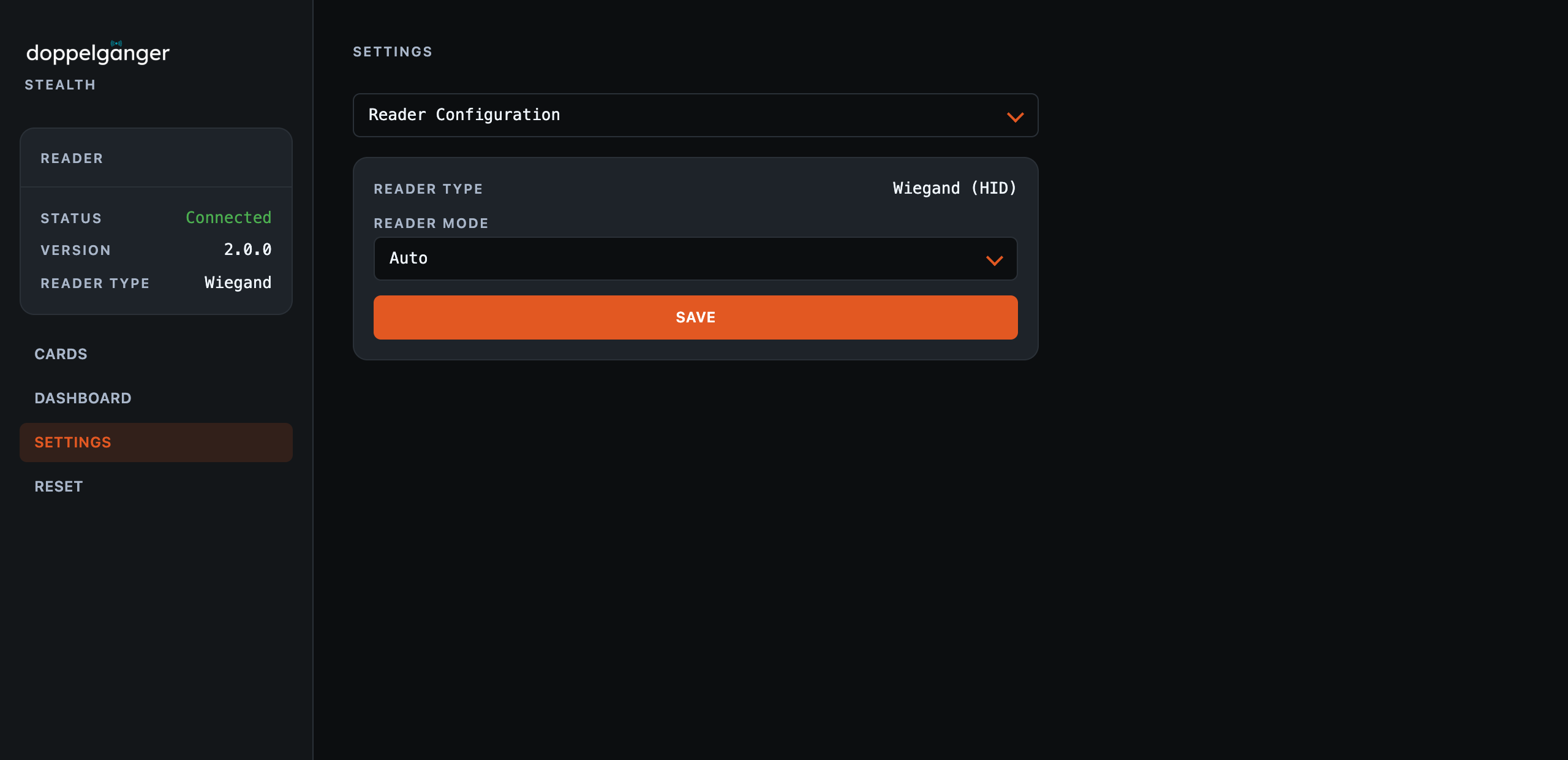
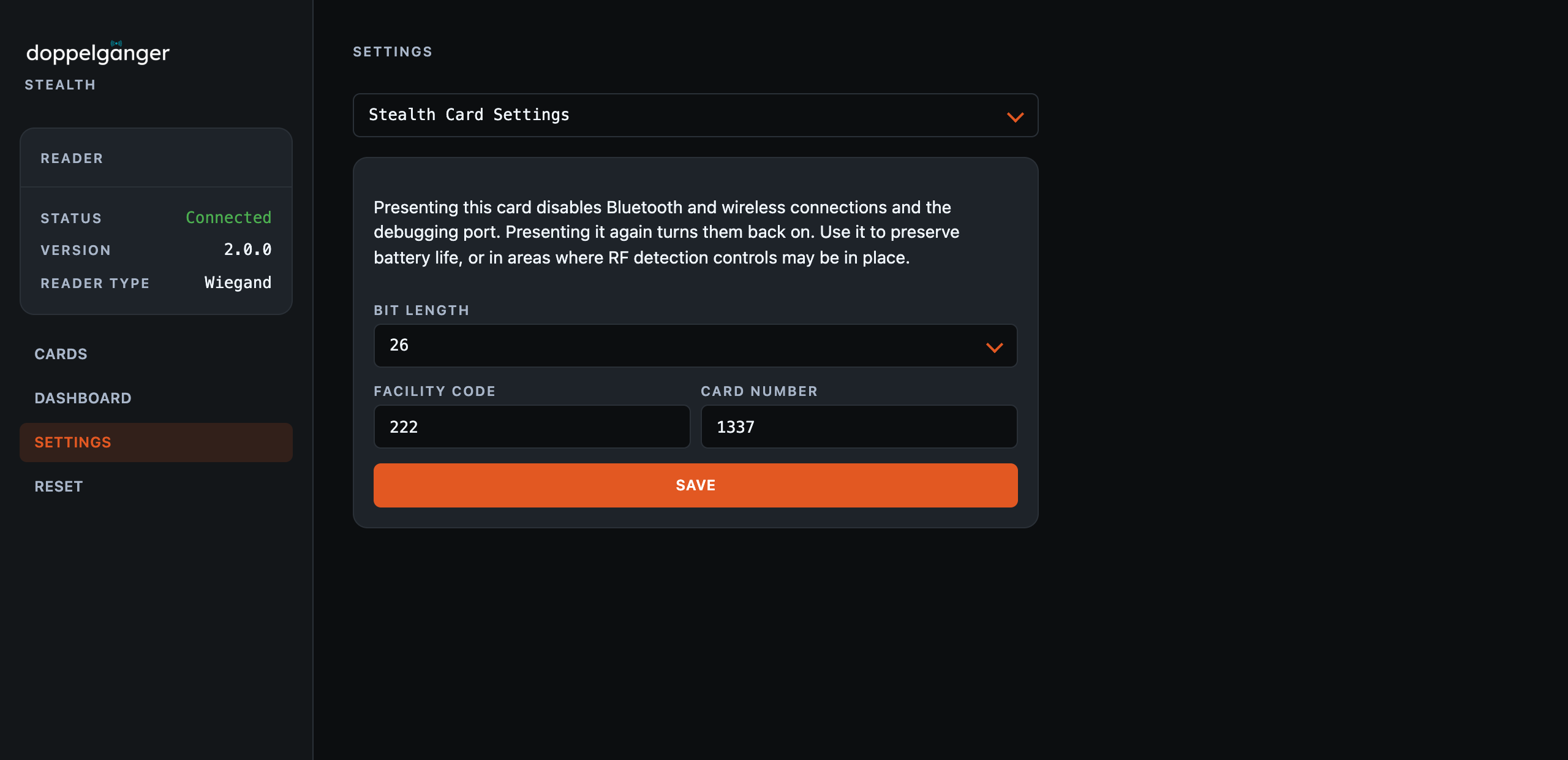
- The section dropdown.
- Reader Type, what the board reads as.
- Reader Mode, on Auto.
- Save.
- What the card does, in the page's own words.
- Bit Length.
- Facility Code and Card Number, at their factory values.
- Save.
- Captured cards are kept.
- Bit Length.
- Facility Code and Card Number, at their factory values.
- Save.
Change both cards before a reader goes on site. The factory values are published, and a card that matches a credential in use at the site would act on the reader. On a board set to clock and data, each card is one HEX Value of ten characters in place of the three fields.
Wireless Credentials on a Stealth sets the SSID, the Passphrase and Hidden SSID in one save, and the reader restarts onto them. Write the new name and passphrase down first. The reader is the network, so a wrong note locks you out of the pages until the reader is reset.
Notifications on a Core is email. With Enable Notifications on, an SMTP Host, SMTP Port, Username, Password and Recipient, the reader mails on each capture. It needs a network with a route to the internet, which a phone hotspot may not be.
GPIO Configuration on a Core drives two pins, 35 and 36, for something you fit inside the housing. The usual choice is a small haptic buzzer, so a read is felt in the hand and no screen is needed.
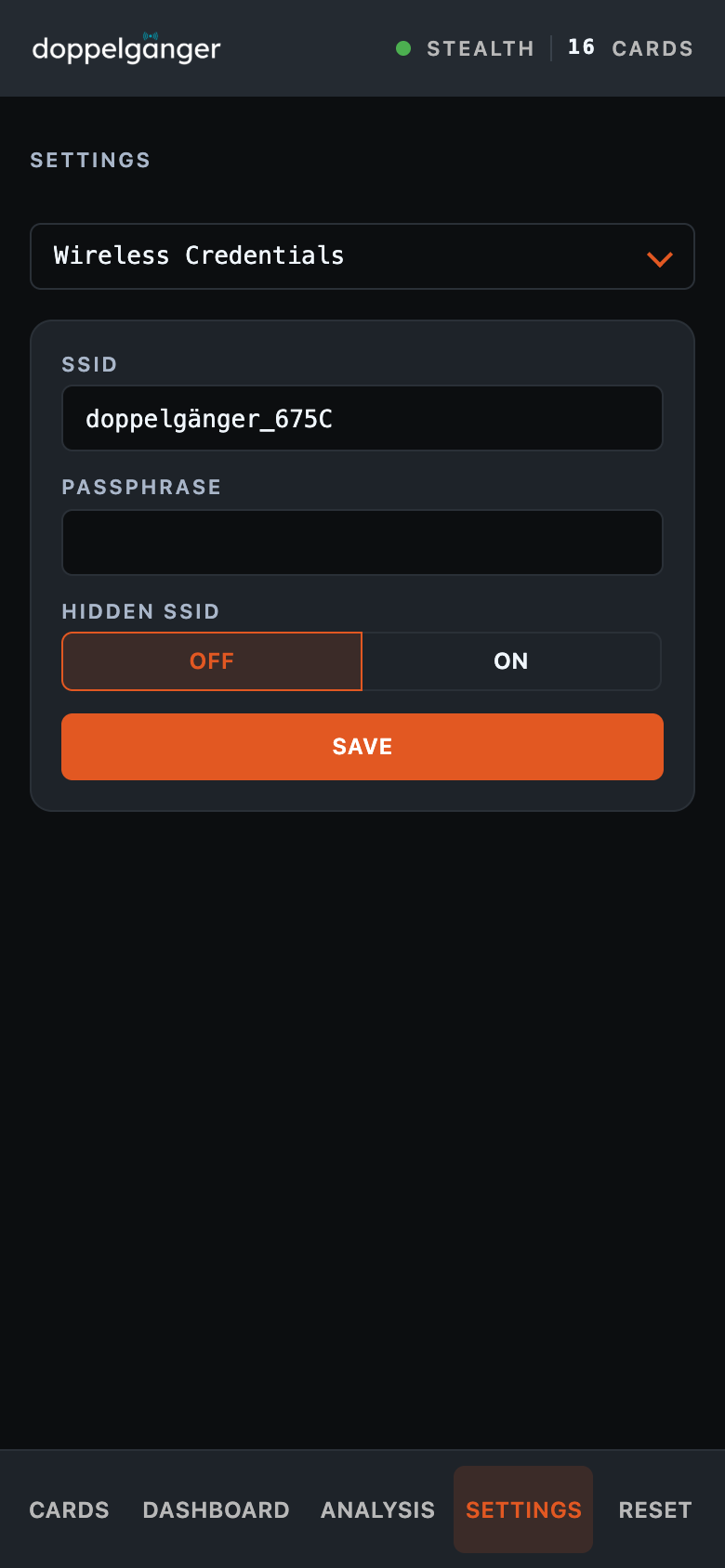
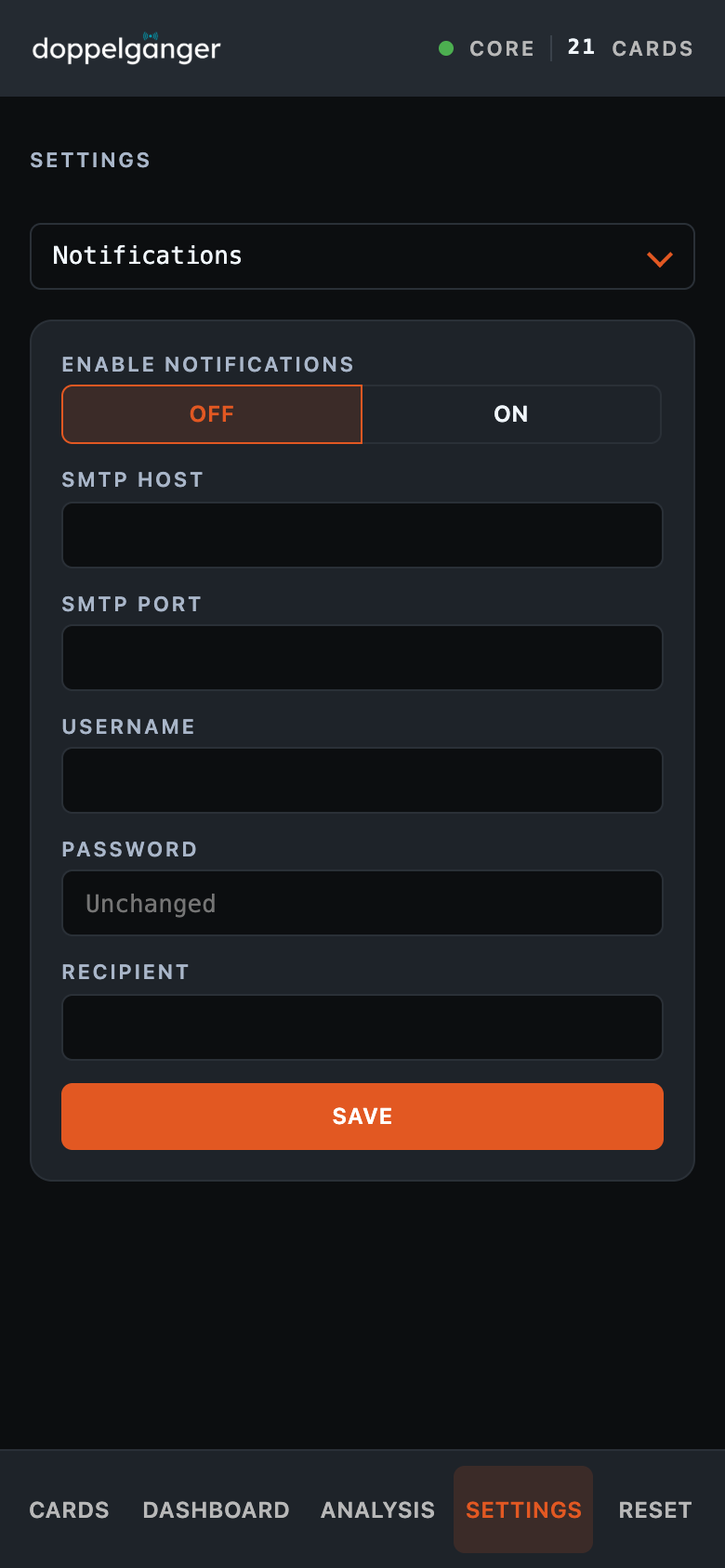
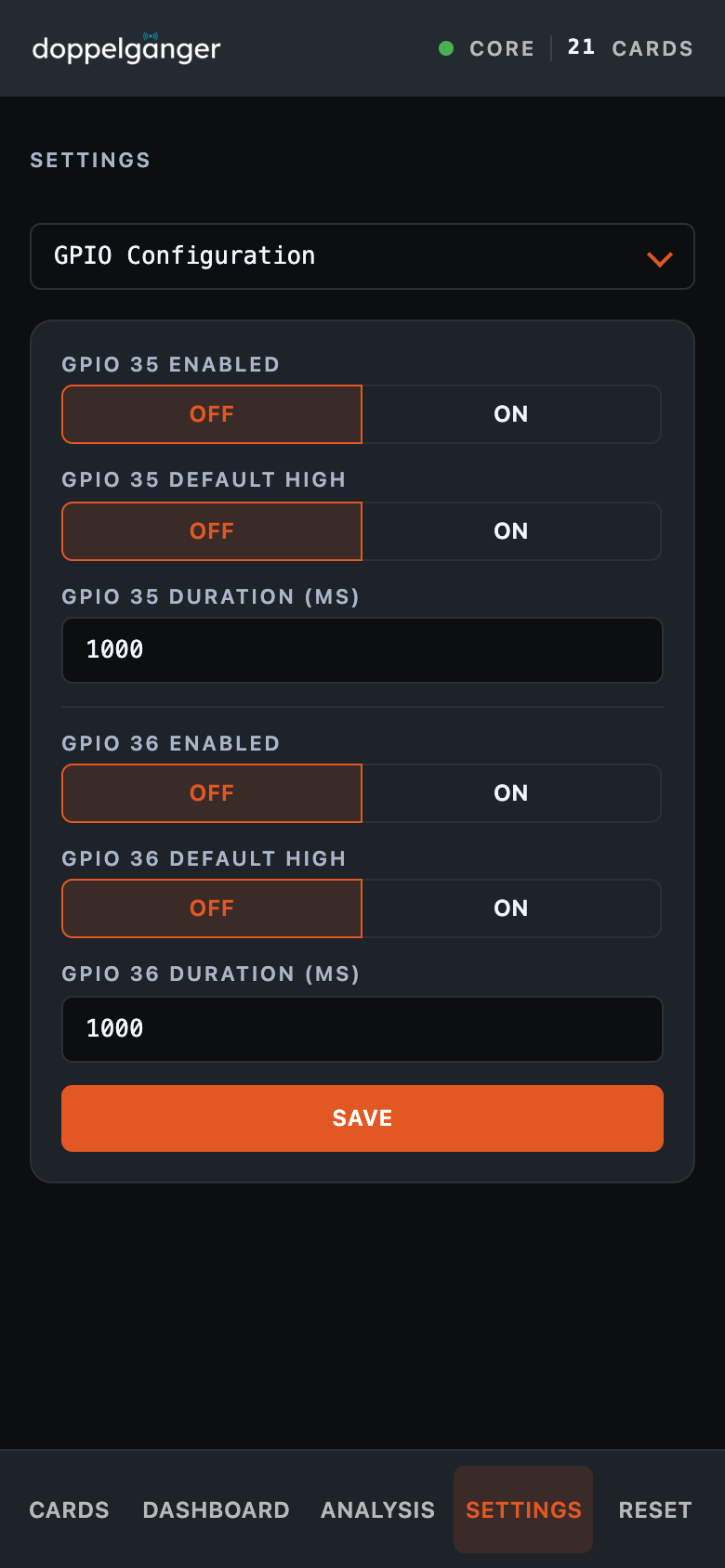
- The section dropdown.
- SSID, the network's name.
- Passphrase, typed in full on every save.
- Hidden SSID.
- Enable Notifications.
- SMTP Host, with the port under it.
- Password. Unchanged means one is stored.
- Recipient.
- GPIO 35 Enabled, with Default High under it.
- Duration of the pulse, in milliseconds.
- GPIO 36, the same three controls.
- Save.
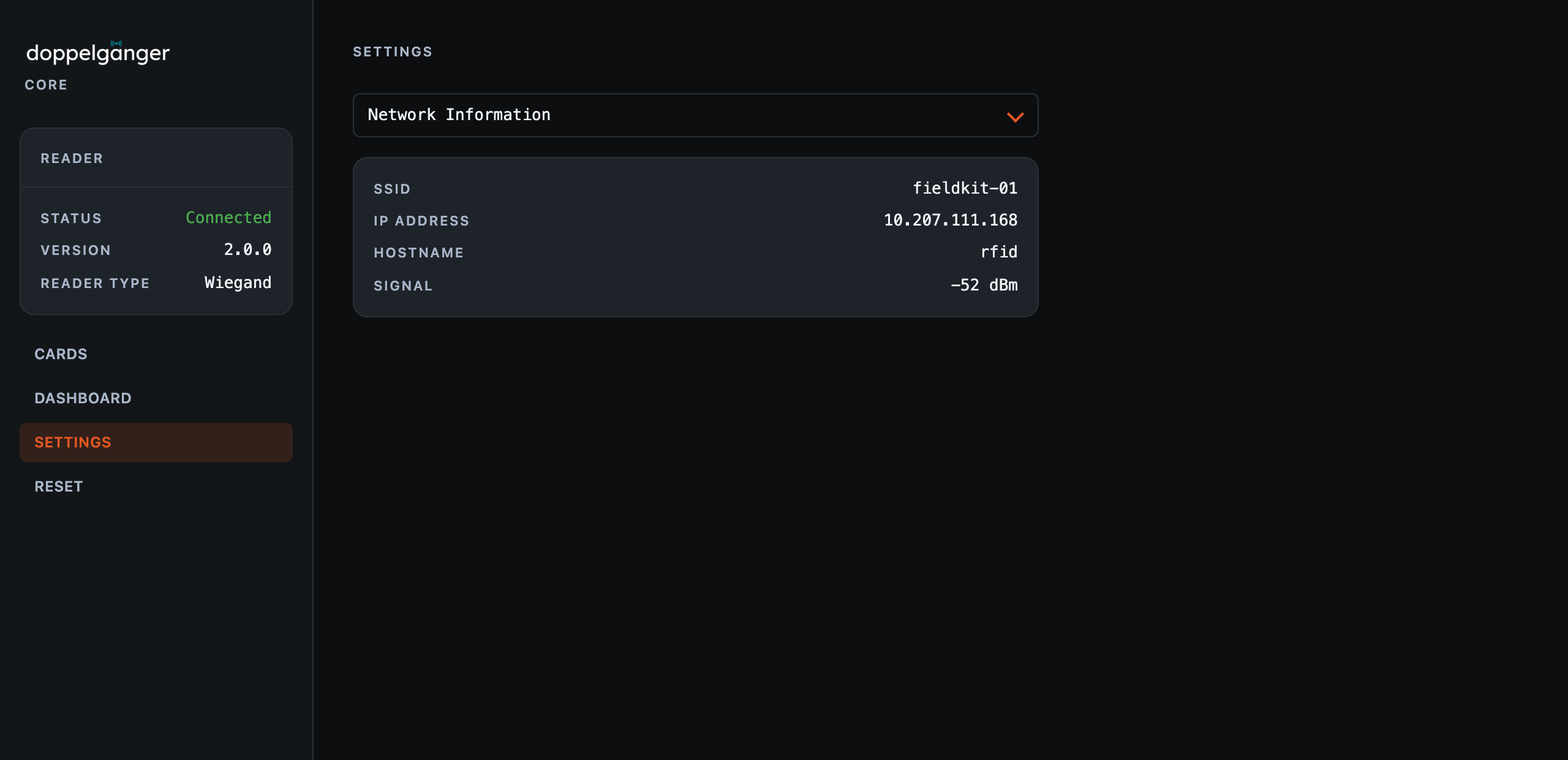
- The section dropdown.
- SSID, with IP Address under it.
- Hostname, the name in front of .local.
Firmware Update shows the Version the reader runs and one button, Open Web Flasher. What that page does is in the firmware post.
Reset
Reset is a column of red buttons, each asking for a confirmation. Erase Stored Card Data empties the log. Restore Default Reset Card and Reset Wireless Credentials are on both readers. A Stealth adds Reset Stealth Card and Reset Serial Debugging, and a Core adds Reset GPIO Settings and Reset Notification Settings. Full Device Reset sits apart at the bottom and clears the reader, captured cards included.
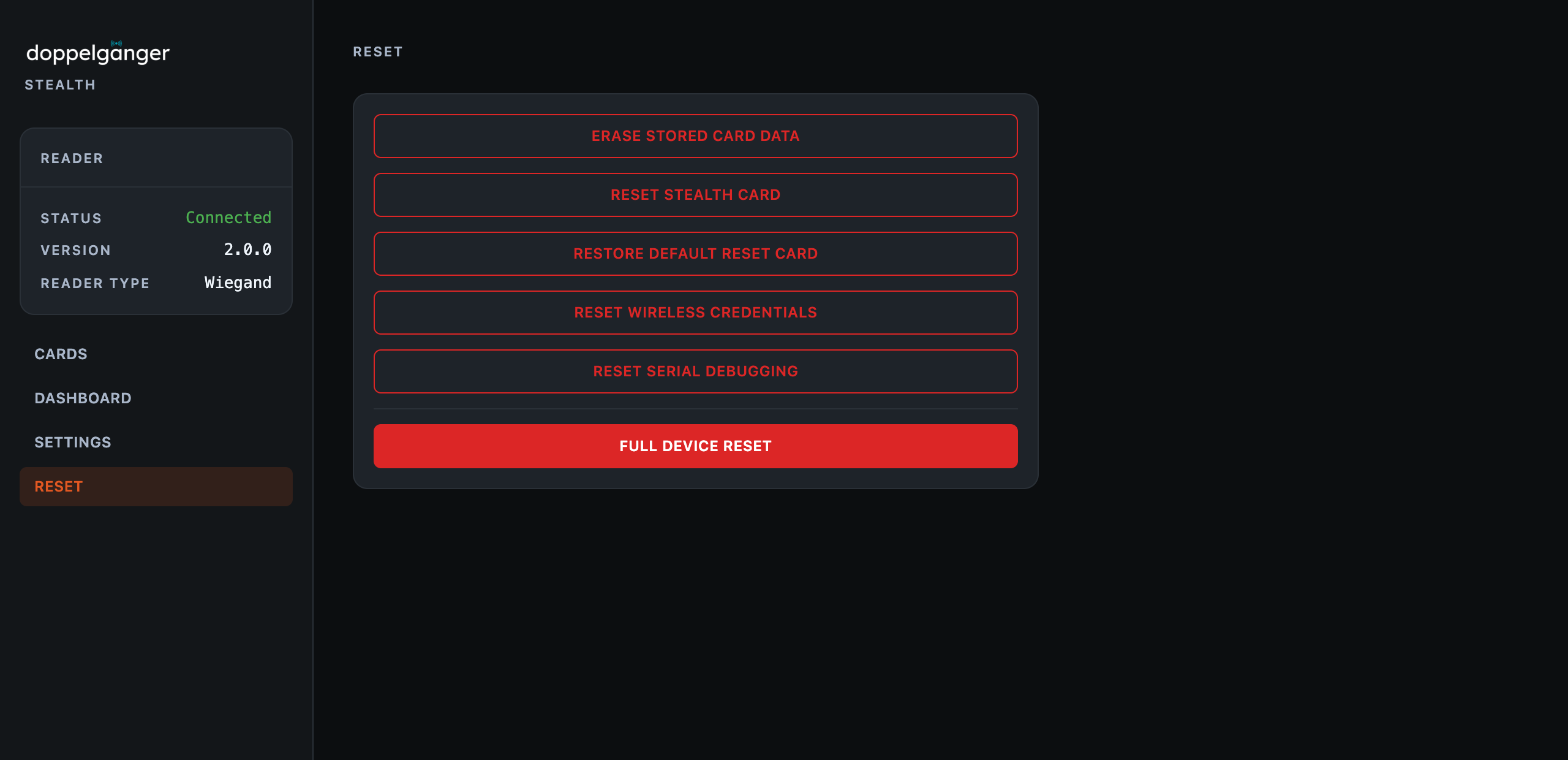
- Erase Stored Card Data. There is no undo on the reader.
- Restore Default Reset Card.
- Reset Wireless Credentials. The reader restarts.
- Full Device Reset, apart from the rest.
Where the pages earn their keep
The assessor with an iPhone. A Stealth is mounted at a side entrance for the week. The assessor carries an iPhone and a laptop, and no Android handset. At lunch they join the reader’s network from the lobby, open 192.168.4.1 in Safari, and read Bits, FC and CN down the list in a few seconds. Back at the hotel, the laptop downloads cards.csv for the evidence folder.
A credential migration, measured. A site owner has spent a year moving staff from 26 bit proximity cards to a higher security credential, and wants to know how many old cards are still presented at the main door. A Core sits in the approach for five working days. Sort Card Reads by Bit Length and the answer is on the screen, Unique on the Dashboard counts the distinct cards, and the CSV goes to the badge office so the remaining cards can be reissued. The finding is a number with a remediation attached.
The debrief, in the client’s conference room. The reader is on the table and its Dashboard is on the room’s display, from the client’s own laptop. Reads Over Time on 7 Days shows when the entrance is busiest. A Keypad row directly above a card row shows that a card and the PIN that followed it both crossed the same wires in the clear. Nobody has to take the assessor’s word for it, and the conversation moves to how the reader talks to its controller.
The bench build, the night before. A board goes into a housing at a hotel desk with a laptop beside it. Present a test card whose numbers you know and watch three things: the Wiring row on the Dashboard, the facility code and card number in the list, and Pulse Width and Bit Interval under Wire. A mistake costs a minute at the desk, where on site it costs a day of empty reads.
A reader left alone on a network. A Core runs for a weekend on a network with a route out, by agreement with the site owner. Notifications mails each capture to the team mailbox, so nobody has to stand near the door to know the reader is working.
Handing the kit on. The engagement closes on Friday and the readers go to another team on Monday. Download the CSV, Erase Stored Card Data, then present the reset card. The next operator gets a reader at factory settings with an empty log, and the previous client’s credentials are in one place, the evidence folder.
Where to go from here
- What the firmware changes about owning, updating and running a reader: The Rebuilt Doppelgänger Core and Stealth Firmware.
- Setup and wiring: the long range reader and the decoy reader guides.
- The hardware: the PPE store.