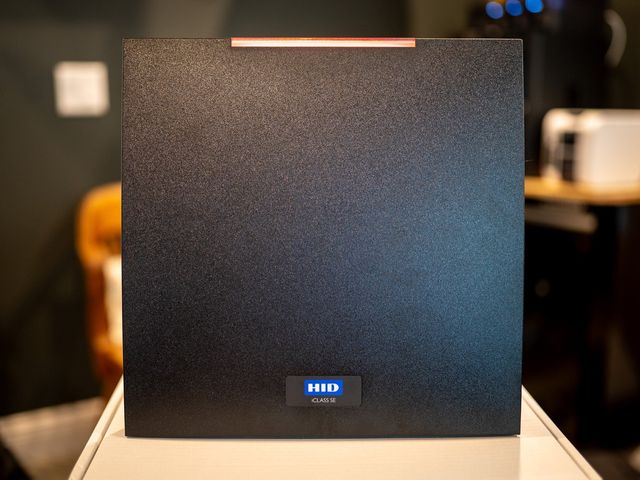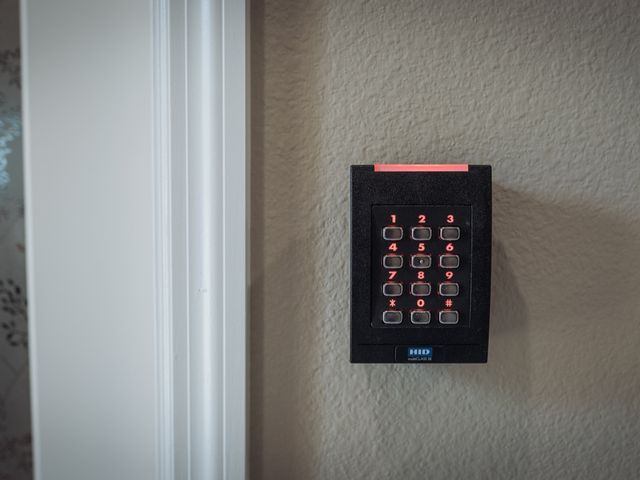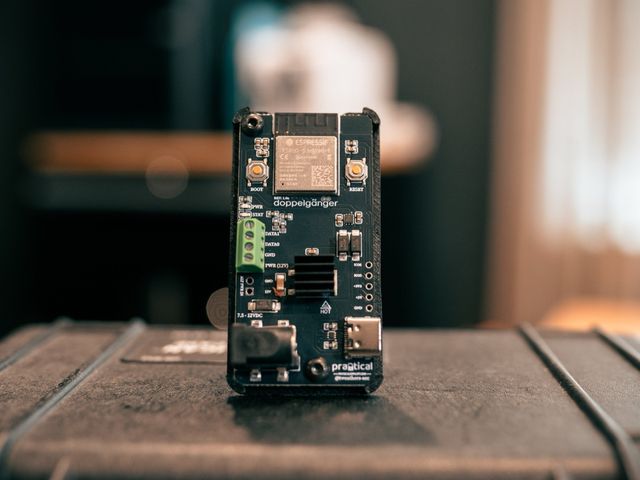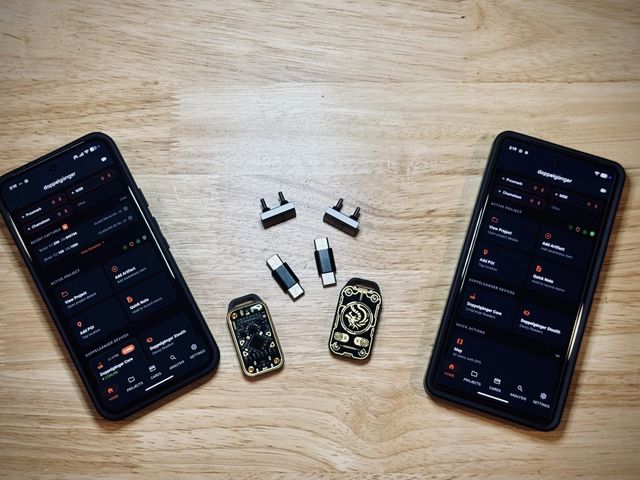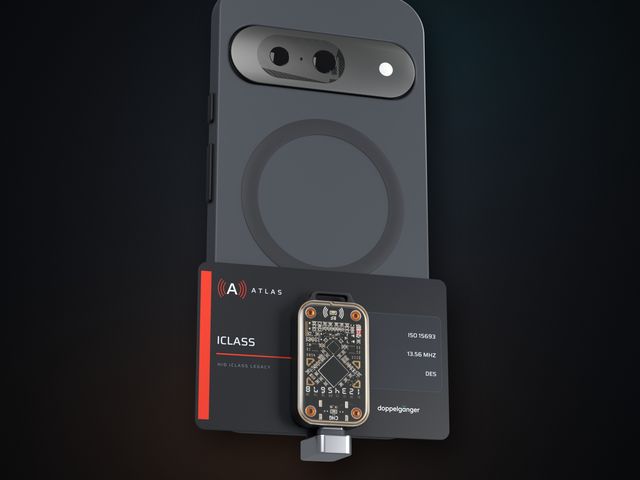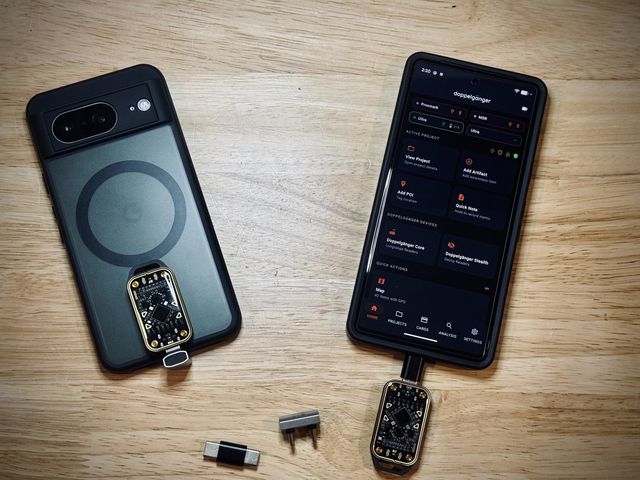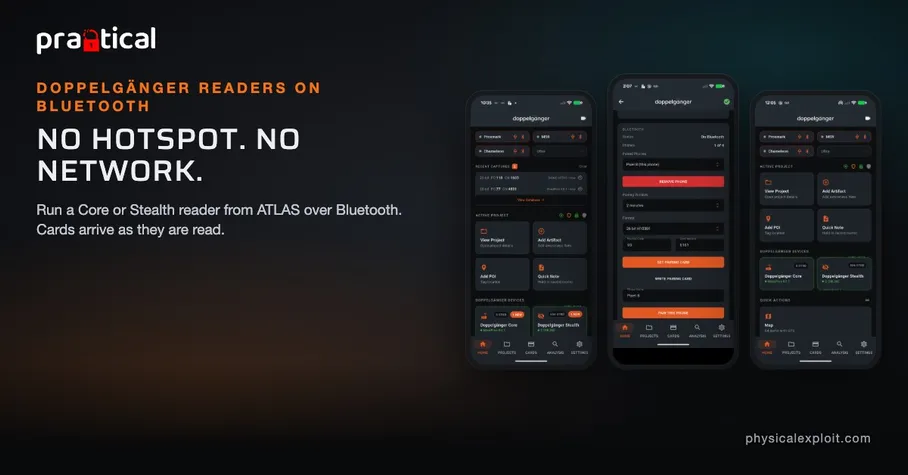
One thing is true whatever else this post says. A Doppelgänger Core in a long range reader and a Doppelgänger Stealth in a decoy reader capture and store every card and every PIN by themselves, on their own storage, whether anything is connected to them or not. That is the reader’s job and it does it alone.
How ATLAS reaches the reader is a separate question, and there is more than one answer. On WiFi it is your phone’s hotspot for a Core and the reader’s own access point for a Stealth. On Bluetooth there is no network at all. Cards arrive on the phone as they are read, the settings screen opens, and firmware updates, all over one link.
This post is about when that matters on an authorized assessment. The setup walkthrough is on the Bluetooth page of the ATLAS documentation.
Why a network is a problem on an assessment
A reader on WiFi announces itself. The hotspot name or the access point name is in the WiFi list of every phone in the lobby, and in front of any wireless monitoring the site runs. A hotspot is also one more thing on your phone that can switch itself off while you are watching a door.
On Bluetooth there is nothing to join. The reader advertises with no name, under an address that changes every 15 minutes, and answers only a phone it was paired with. The link is encrypted and authenticated from end to end. It is quieter, not silent: a person running a Bluetooth scanner beside the reader sees that some device is there, with no name and no stable address to tie it to you.
Setup is done once per reader, while it is still on WiFi, from SET UP BLUETOOTH in the reader’s settings.
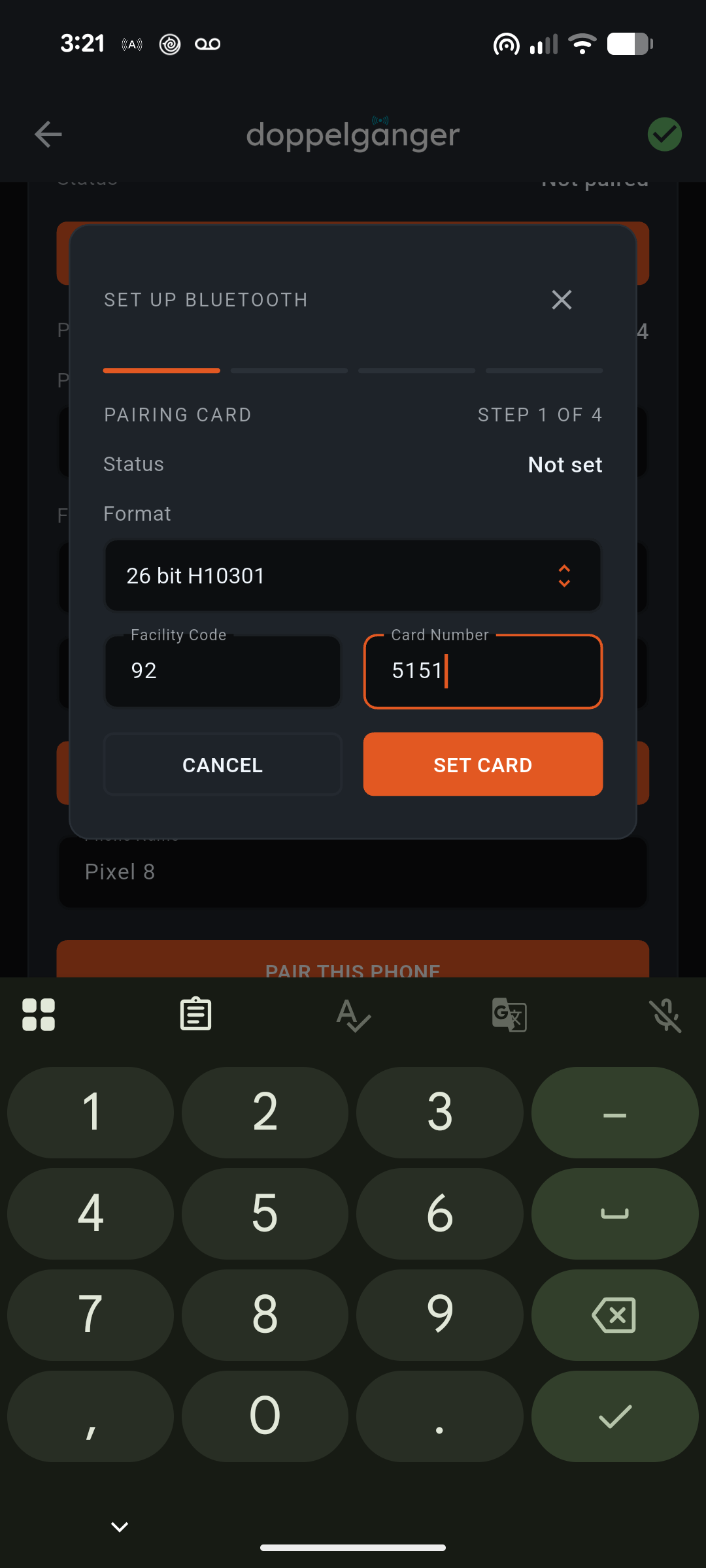
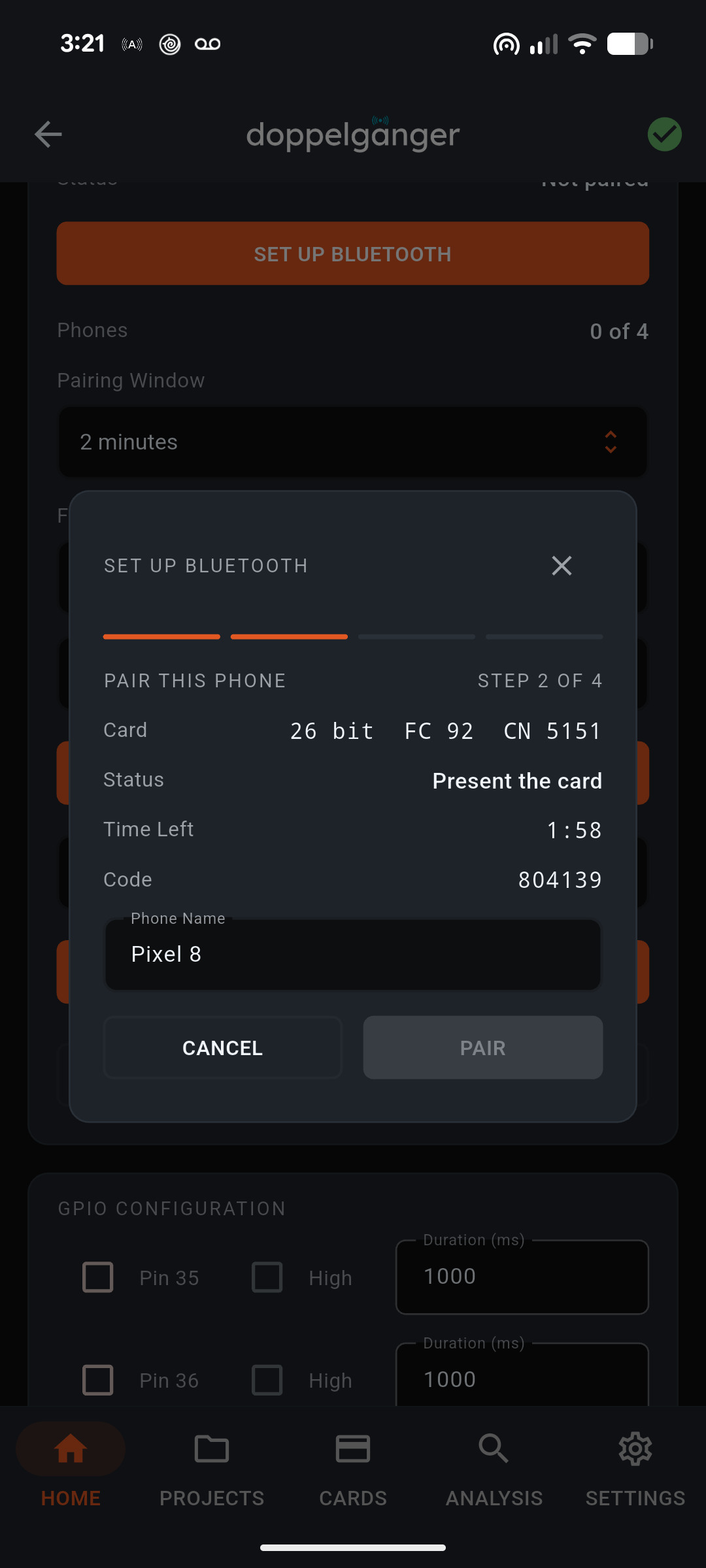
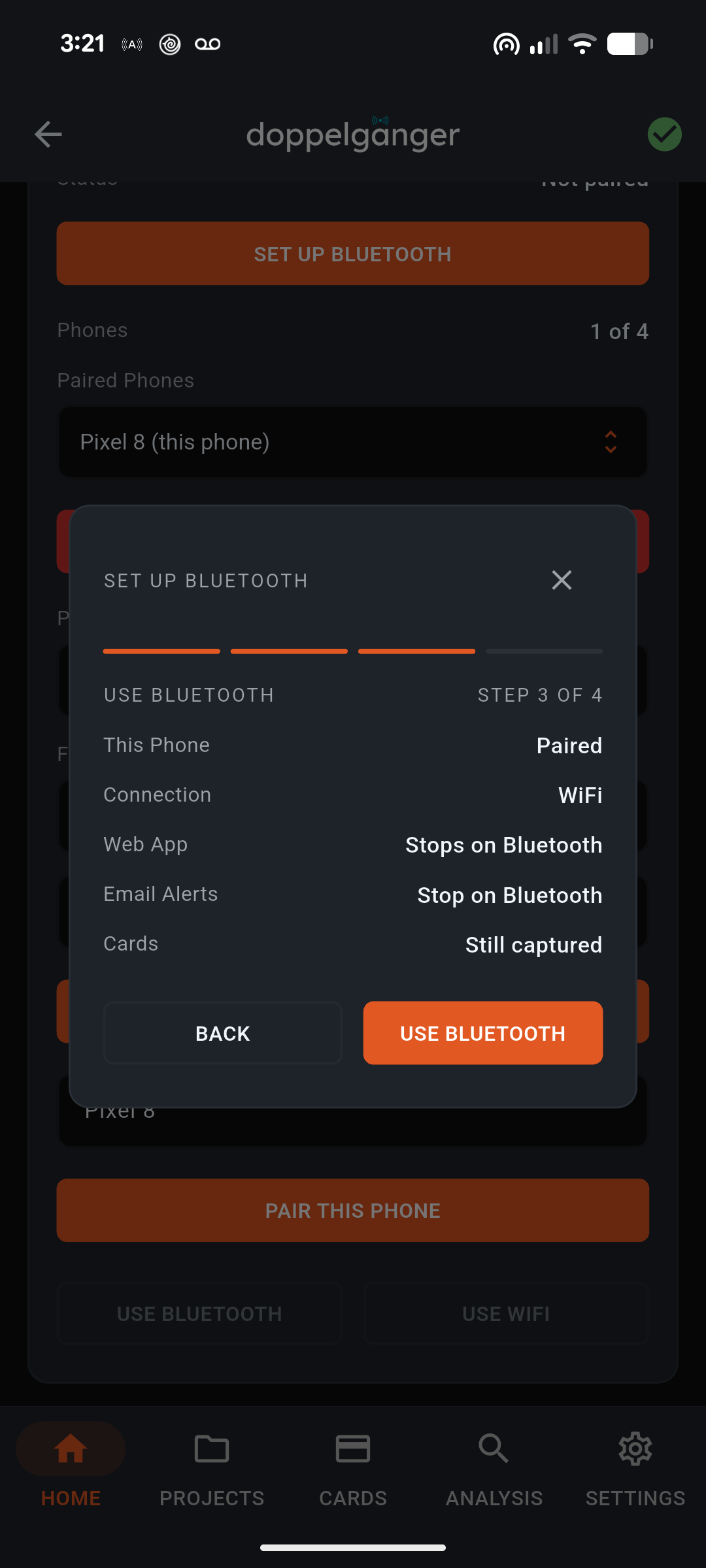
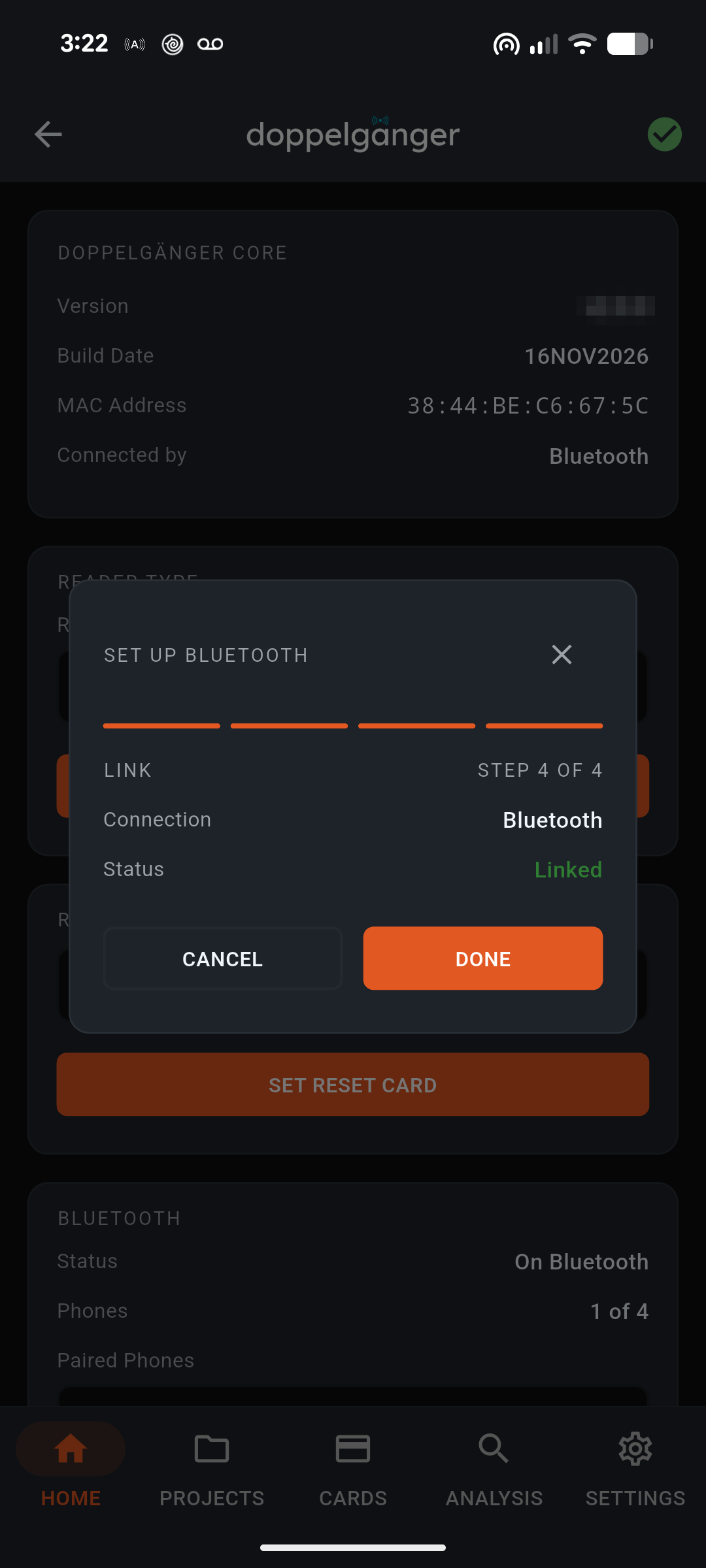
- PAIRING CARD, STEP 1 OF 4.
- Format, the kind of card you will carry.
- SET CARD sends it to the reader.
- Present the card, with Time Left under it.
- Code, six digits.
- Phone Name, what the reader lists this phone as.
- Web App, Stops on Bluetooth.
- Cards, Still captured.
- USE BLUETOOTH moves the reader to the other connection.
- LINK, STEP 4 OF 4.
- Status, Linked.
- DONE returns to the reader's settings, now over Bluetooth.
The pairing card is the lock on the reader
A reader that pairs with any phone nearby would be a liability to the site owner whose credentials are on it. So a reader pairs a phone only when a card you chose is presented at it. You name the card in the first step: an HID card of 26, 35, 37 or 48 bits, or a Paxton token. The reader keeps it only after it has read it back, and then the same card pairs the phone. Somebody who reaches the reader’s network cannot pair without that card in their hand.
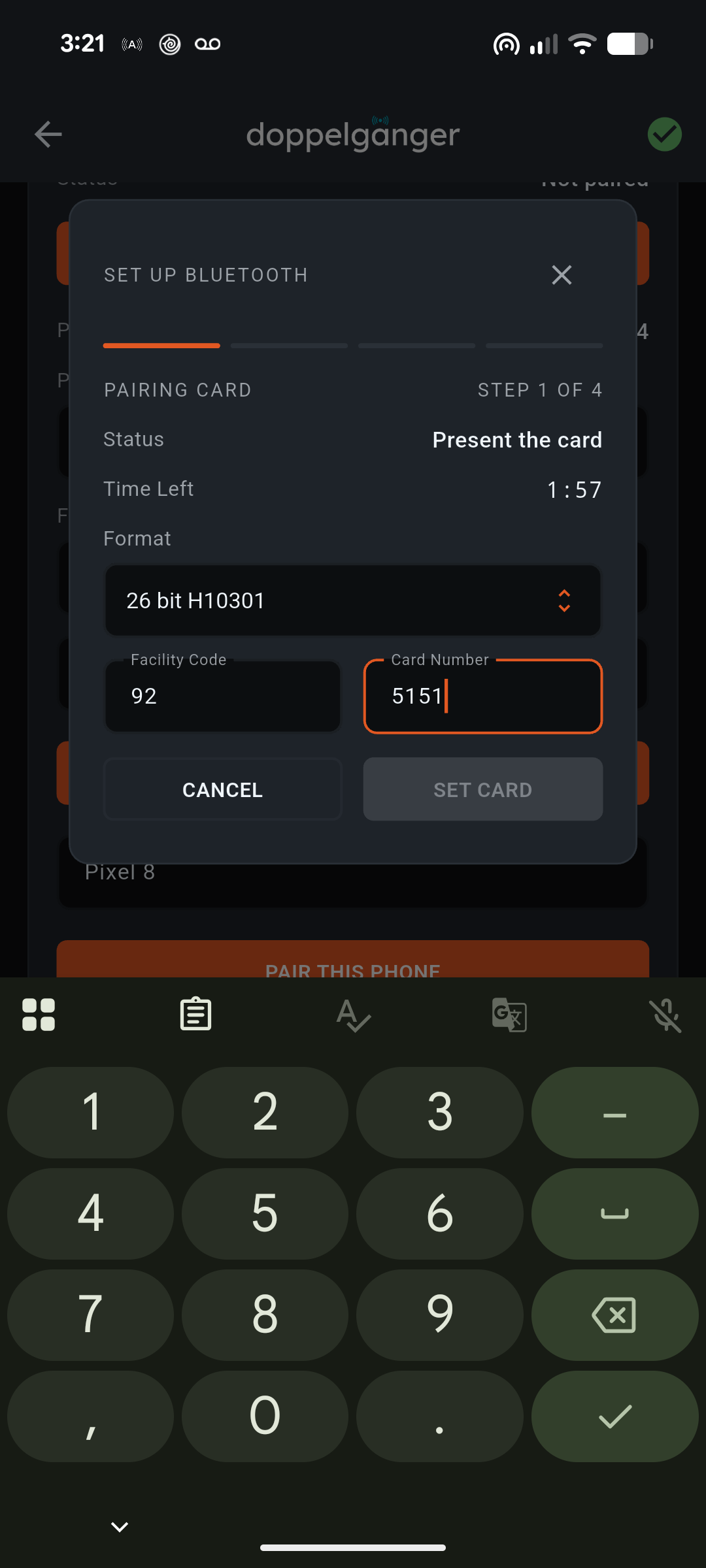
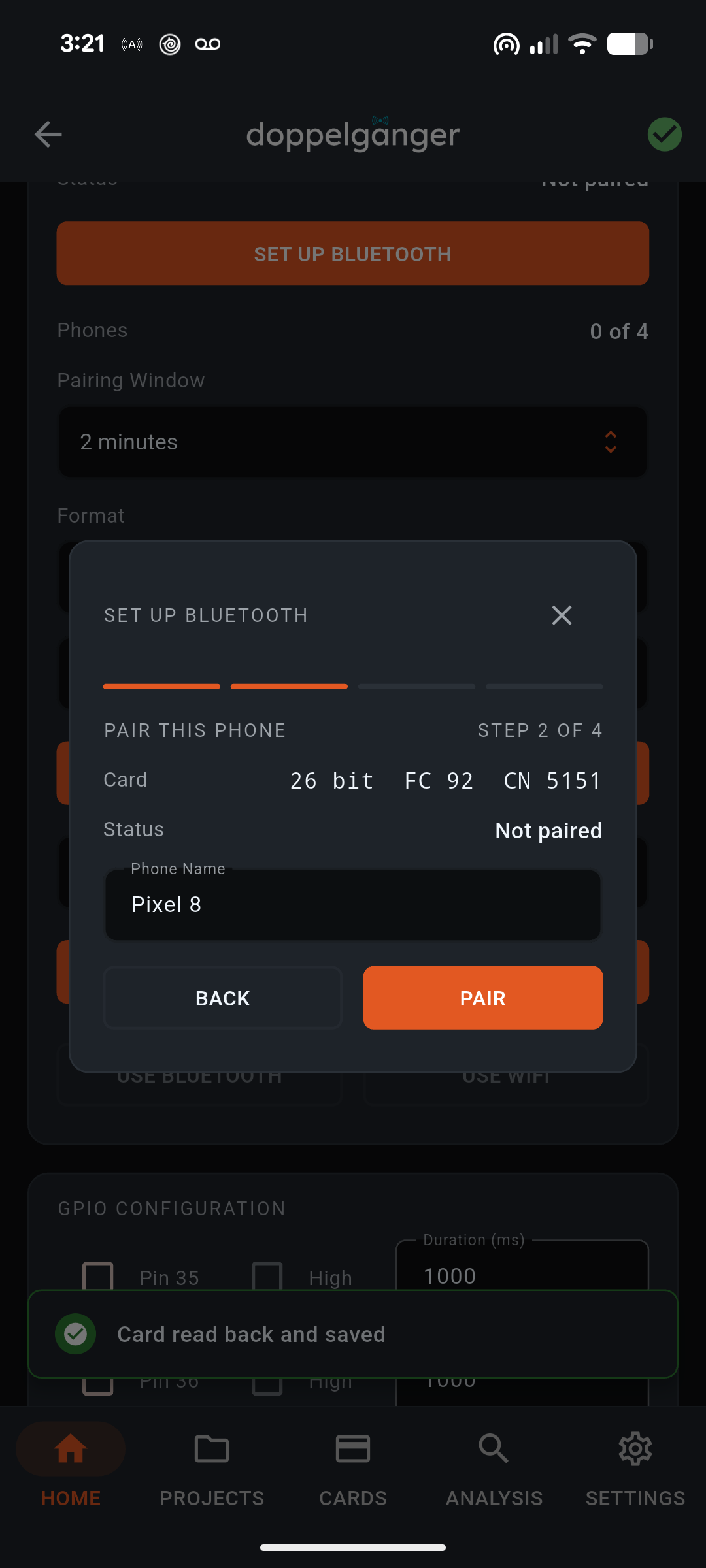
- Present the card, with Time Left counting down under it.
- The card the reader is waiting to see.
- SET CARD is off until the wait ends.
- Card, as the reader read it.
- PAIR starts the second wait.
- Card read back and saved.
A reader holds up to four phones, listed by name in the BLUETOOTH section of its settings. REMOVE PHONE takes one off, and the reader refuses that phone from then on. That is how a lost or reassigned handset stops being a route to a client’s captured credentials.
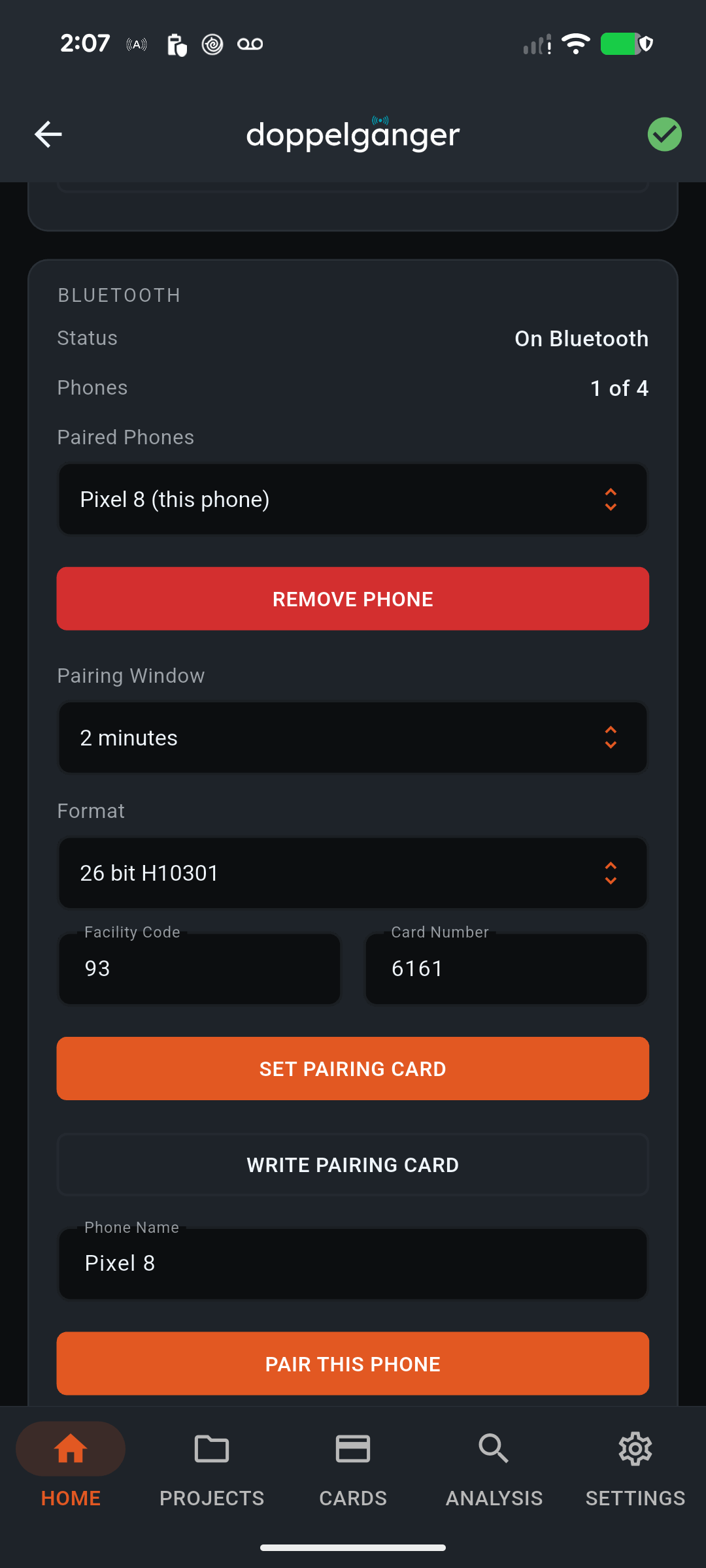
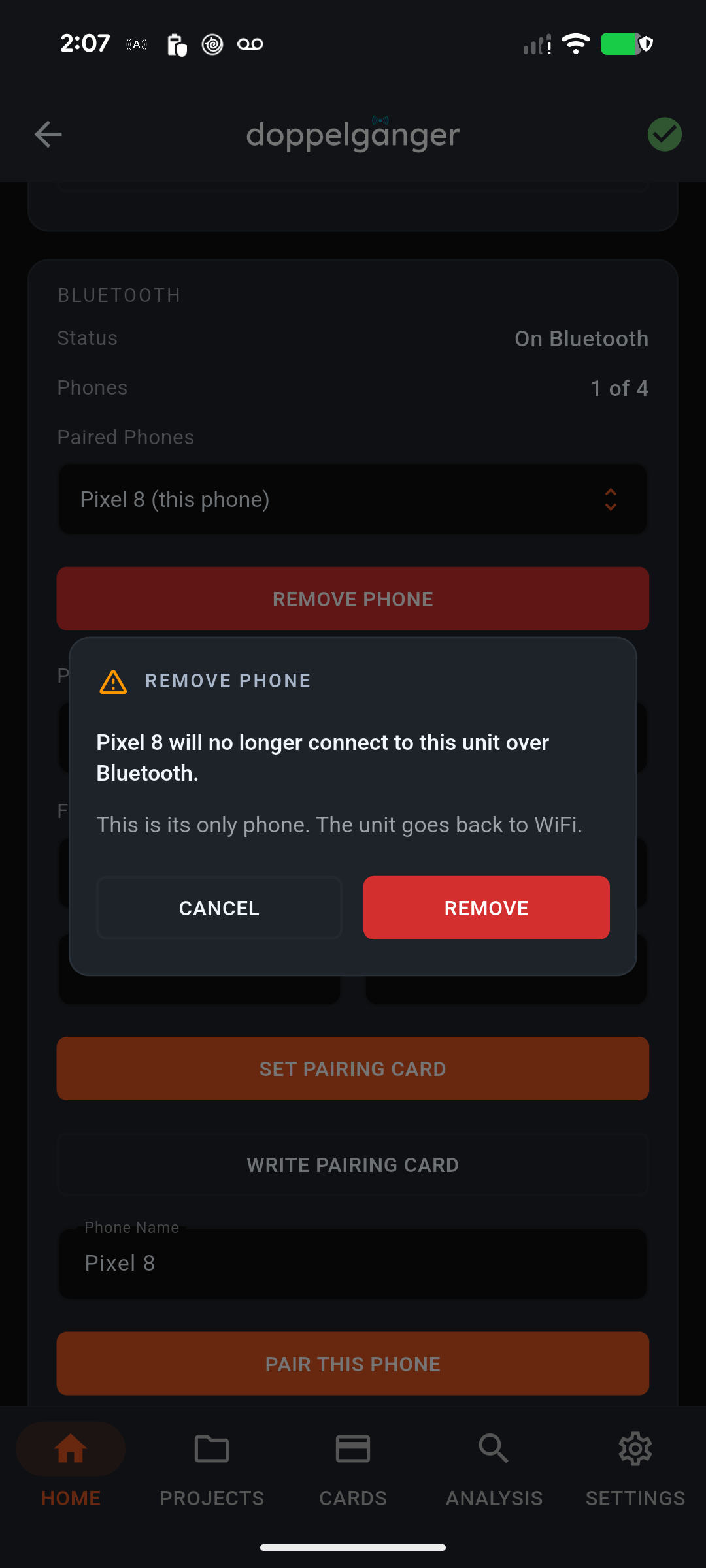
- Status, On Bluetooth, and under it Phones, 1 of 4.
- Paired Phones. This phone is marked.
- REMOVE PHONE takes the selected phone off the reader.
- Pairing Window, how long the reader waits for its card.
- The pairing card the reader holds.
- PAIR THIS PHONE, for a phone that is not on the list.
- The phone that will no longer connect.
- With no other phone paired, the reader goes back to WiFi.
- REMOVE, in red.
Use case one: a decoy in a monitored lobby
You are three days into a contracted assessment of a corporate campus. The site owner wants to know whether a decoy reader beside a turnstile would be noticed, and their security team runs wireless monitoring that flags new access points. On WiFi the Stealth is an access point, so the wireless team may find it for a reason that has nothing to do with the question being asked.
On Bluetooth the Stealth broadcasts no access point. The test now measures what it was scoped to measure: whether staff, guards and the physical inspection routine notice a reader that does not belong. Whatever the result, the finding is about the installation and the site’s procedures. The manufacturers of these readers make very secure products when they are implemented properly, and a decoy on a wall says nothing against them.
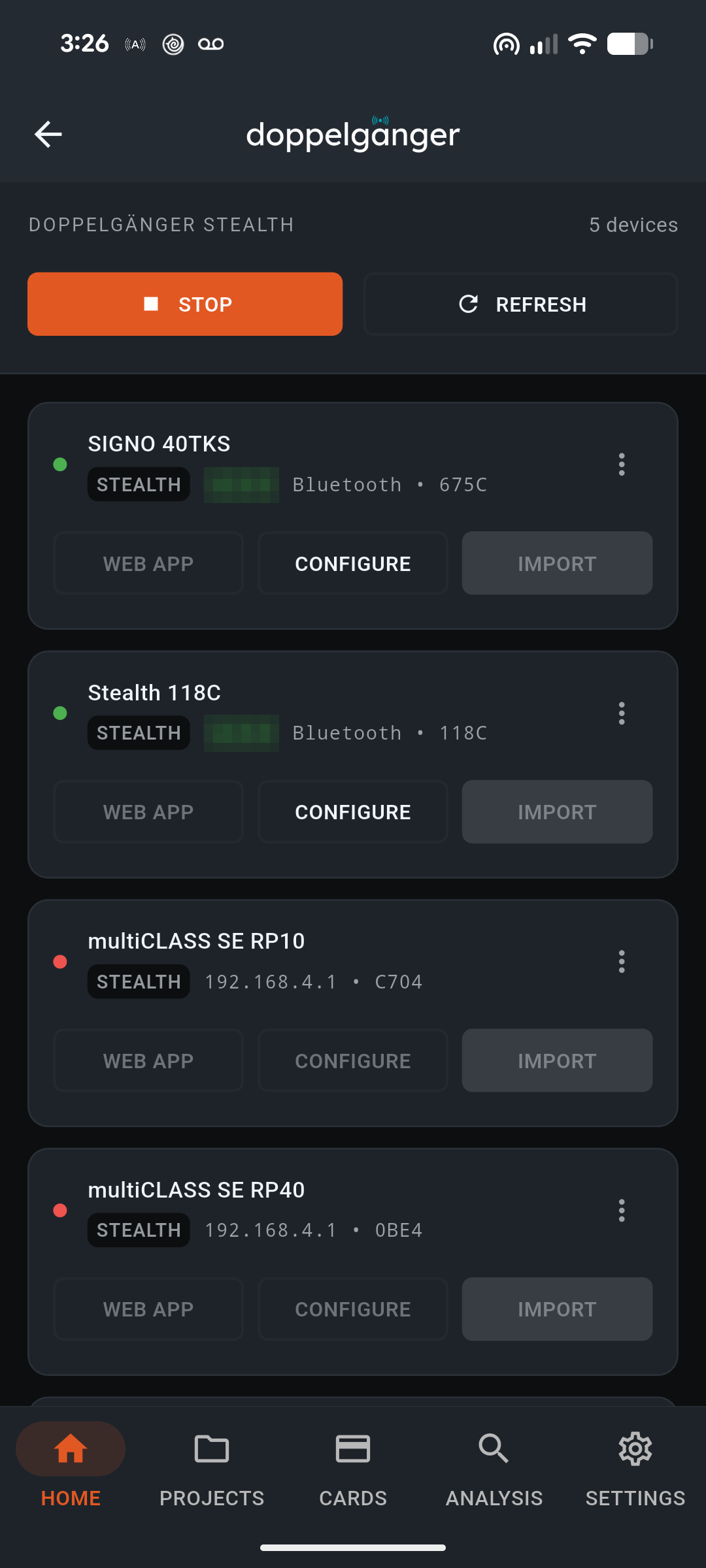
- SIGNO 40TKS, a Stealth on Bluetooth.
- Only CONFIGURE is live on Bluetooth.
- Stealth 118C, a second Stealth, linked at the same moment.
- Readers last seen on WiFi, at the one address a Stealth answers on.
Use case two: a long range read test with no hotspot to mind
You are measuring how exposed badges are at an employee entrance, with a Core in a long range reader in a bag and a phone in your pocket. On WiFi that phone has to keep a hotspot up for the whole sit, and Android switches an idle hotspot off unless you have told it not to.
On Bluetooth the phone only needs Bluetooth on. Each read reaches Home as it happens and raises a Card Captured notification, so a glance tells you the pass worked and you do not walk the line twice.
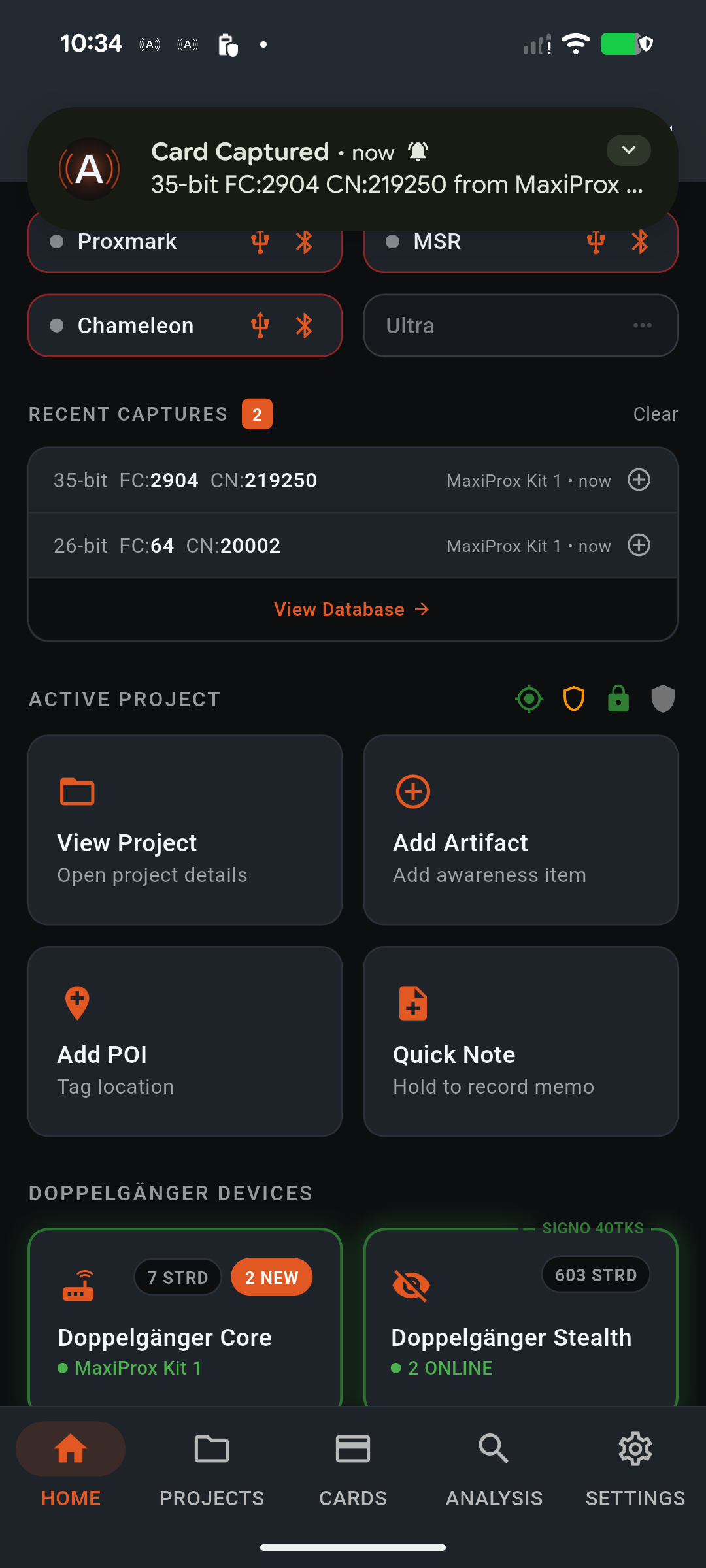
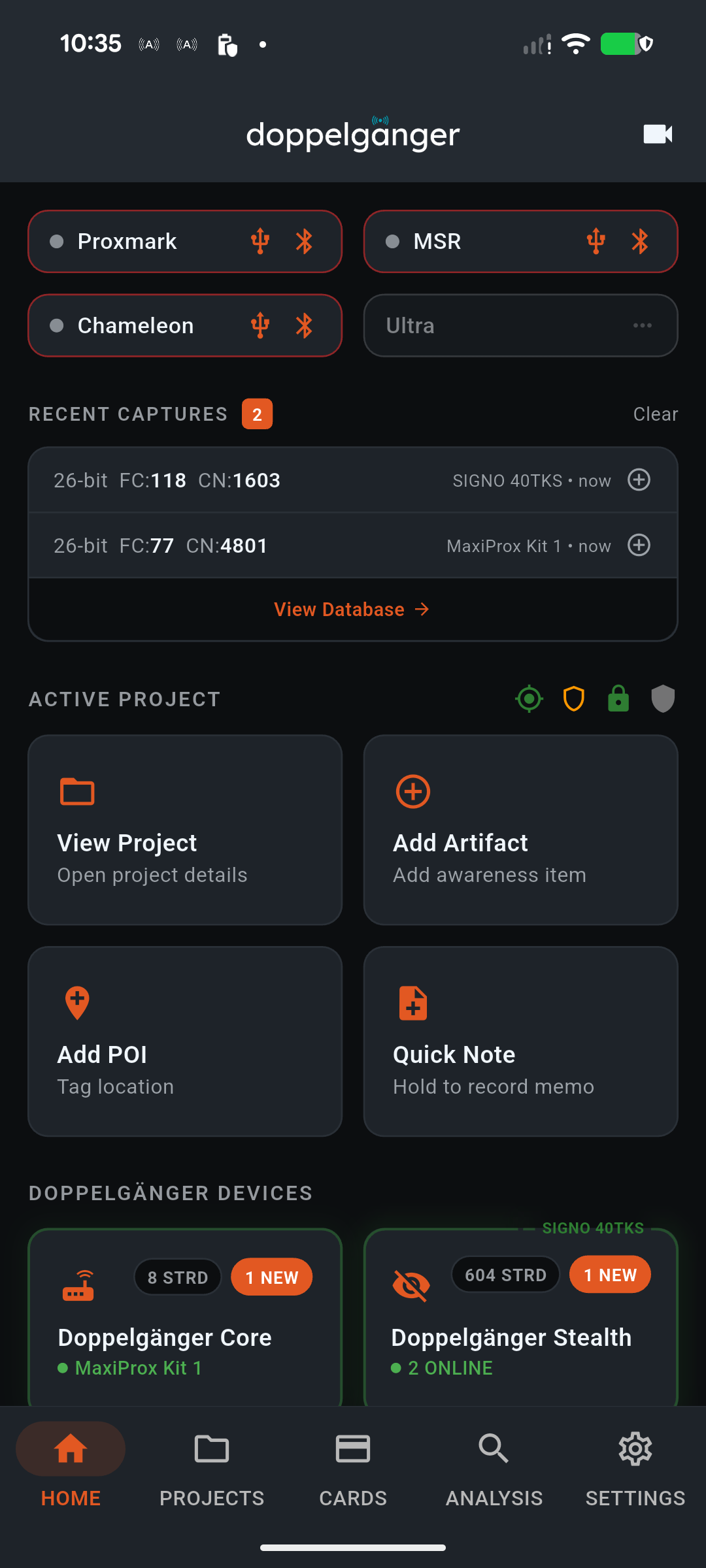
- Card Captured, over whatever is on screen.
- The bit length, FC and CN, then the reader that read it.
- The read the alert is for, already listed.
- RECENT CAPTURES, with the count.
- A read from the Stealth, a moment ago.
- A read from the Core.
- STRD, the reader's own count of what it holds, and 1 NEW on each card.
Use case three: the phone leaves and the reader stays
A reader is installed on Monday and collected on Thursday. Nobody sits beside it for three days. You come and go, the phone goes out of range for hours, and at night ATLAS is closed.
None of that costs a read. The reader writes every card to its own log first, as it always does. When a paired phone links again, ATLAS tells the reader how far it had got and the reader sends everything after that. Nothing needs importing by hand, which is why IMPORT is grayed out on a linked reader’s card. A card is never shown twice when a reader moves between Bluetooth and WiFi.
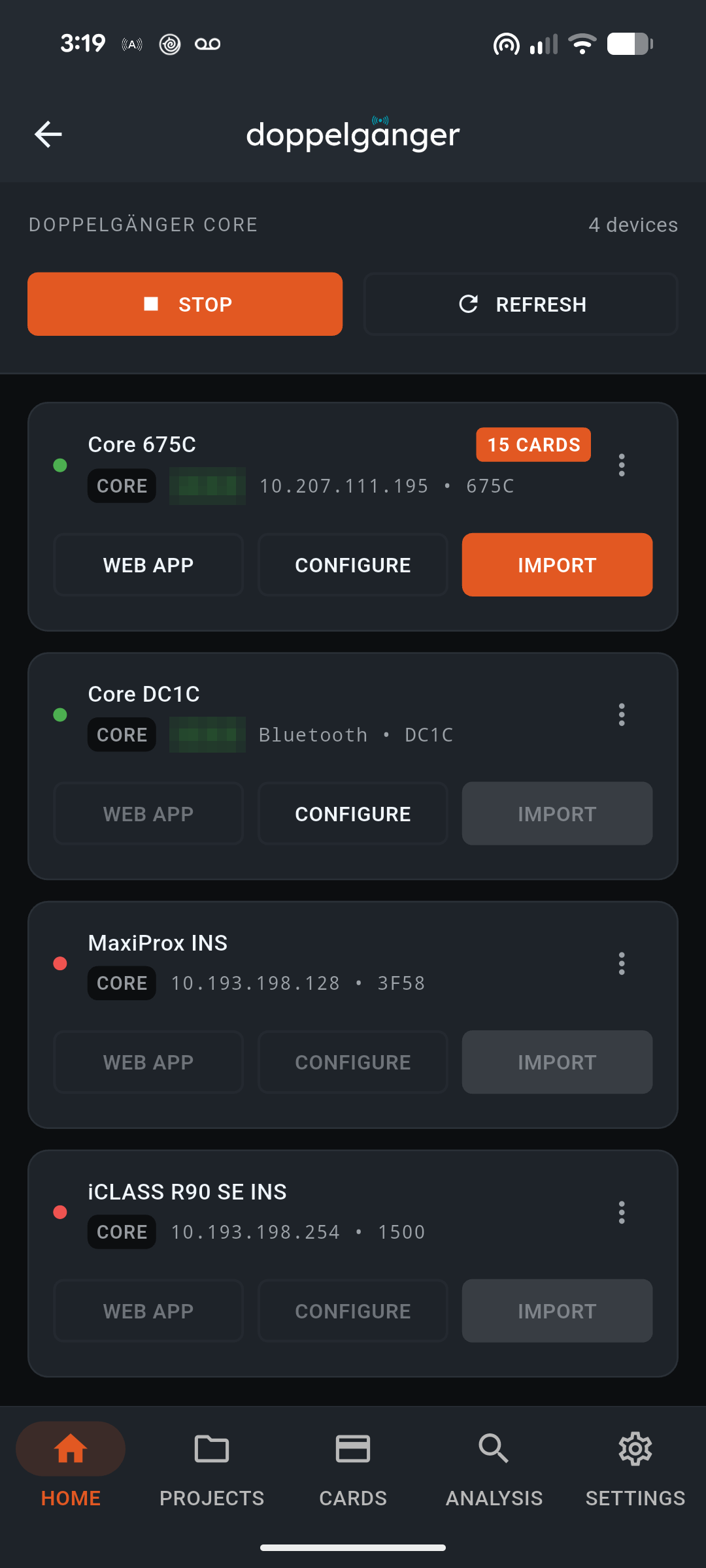
- Core 675C on WiFi, with its address and its card count.
- WEB APP, CONFIGURE and IMPORT are all live on WiFi.
- Core DC1C. The line under the name reads Bluetooth where the address would be.
- On Bluetooth only CONFIGURE is live.
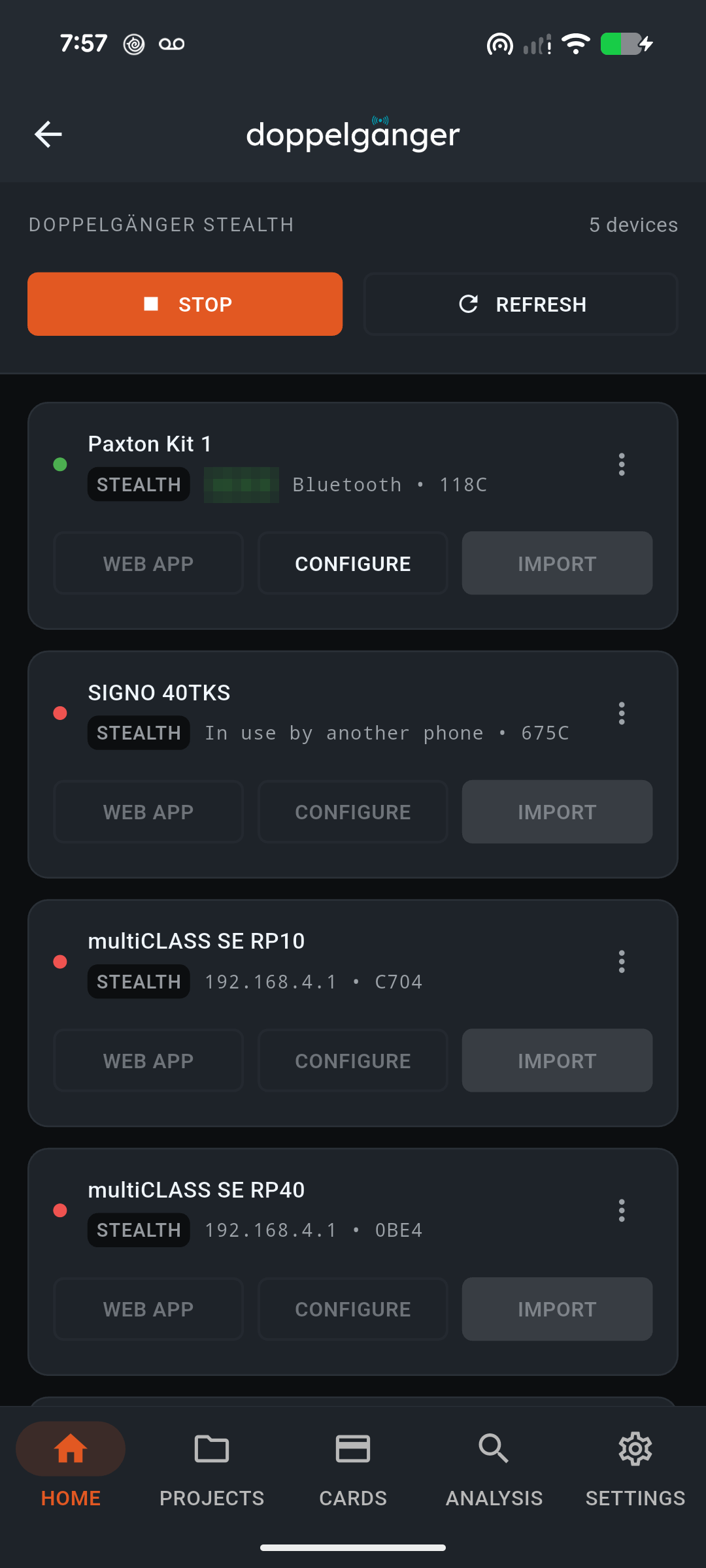
- Paxton Kit 1, linked to this phone.
- SIGNO 40TKS, with a red dot. Another paired phone has it.
- In use by another phone, and the end of its MAC.
- CONFIGURE and IMPORT are gray until this phone has the reader.
Use case four: two operators, one reader, a shift change
Two practitioners share an engagement. Both phones are paired with the same Stealth. A reader serves one linked phone at a time, so the second phone lists the reader as In use by another phone, as in the second frame above, and takes it over when the first lets go. The handoff at the end of a shift is one person walking away. Nobody passes a hotspot password or rejoins a network.
Use case five: several readers across one building
On WiFi every Stealth is its own access point, and a phone can be joined to one access point. With decoys at the lobby, the parking entrance and the loading dock, you see one at a time.
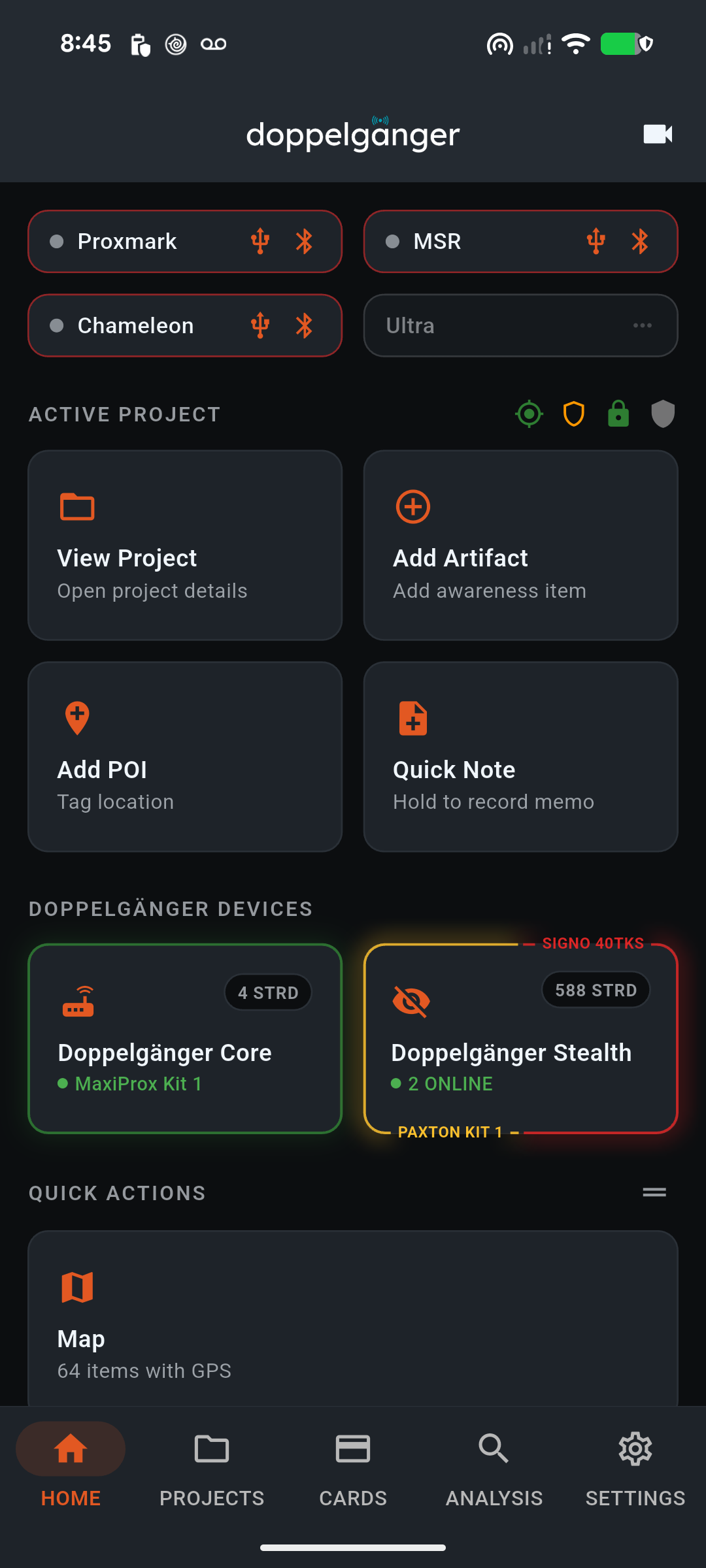
On Bluetooth each reader is its own link, so several are connected together. Home shows them on one card whose edge carries the link strength in color: green, yellow, orange and red. With two or more readers of a family the edge is split, one run for each, with the reader’s name written into it. The reader going out of range is the one whose color changes.
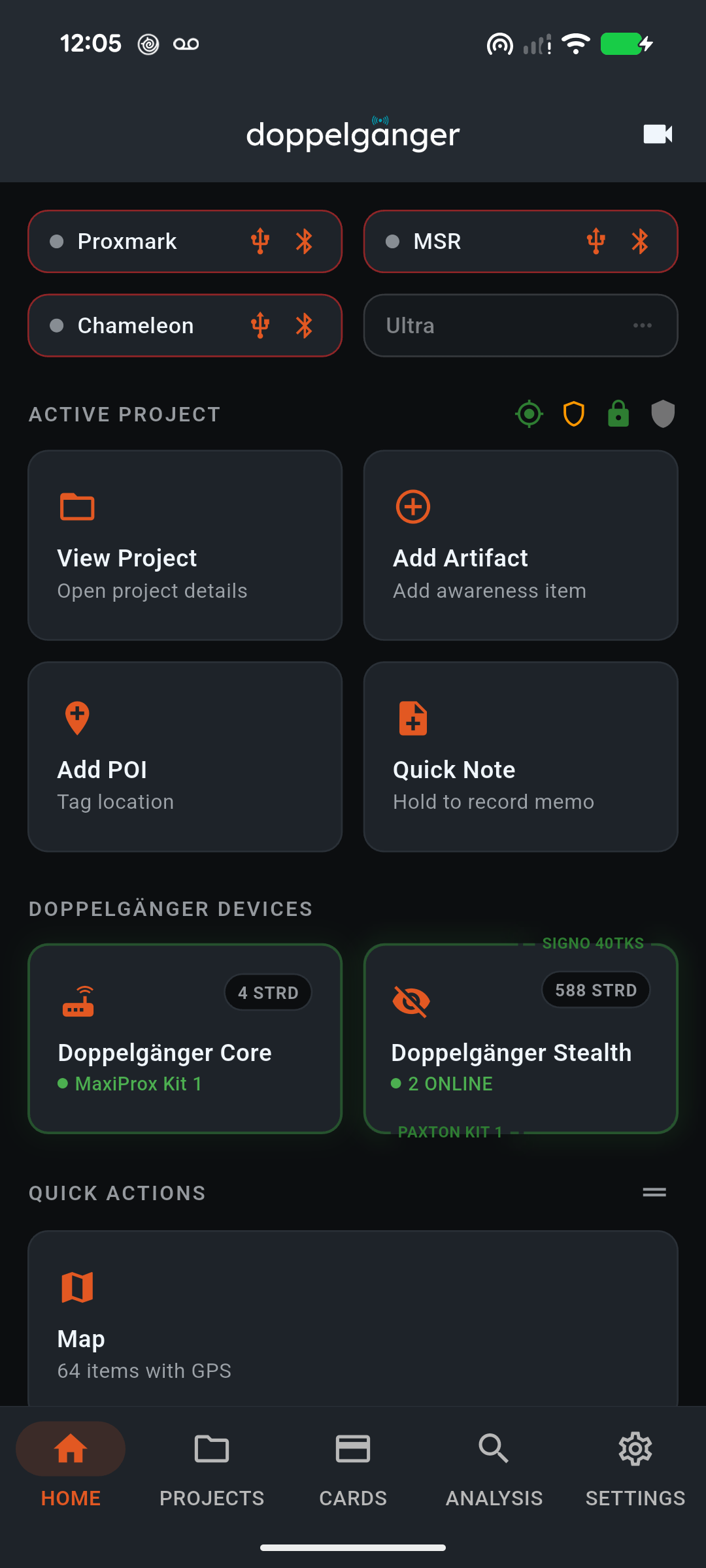
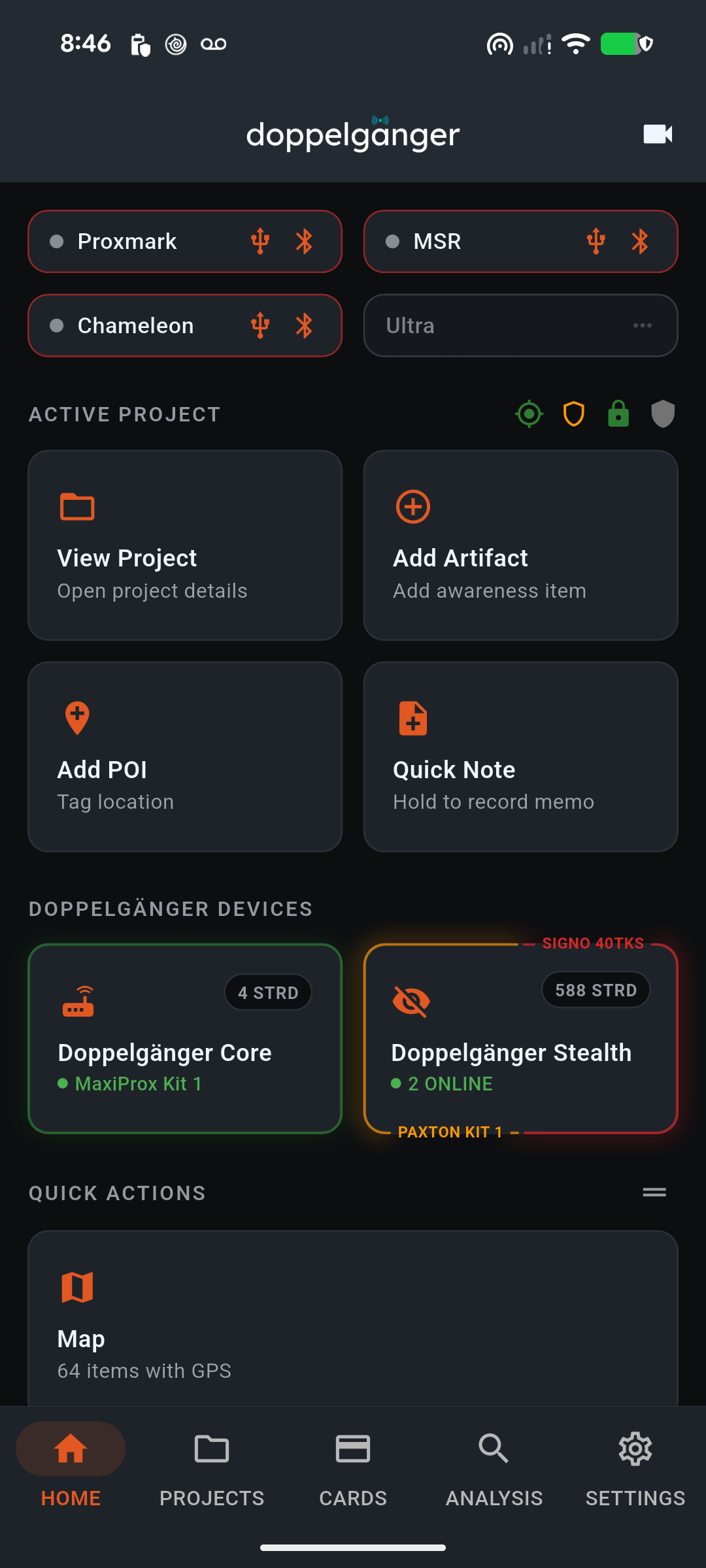
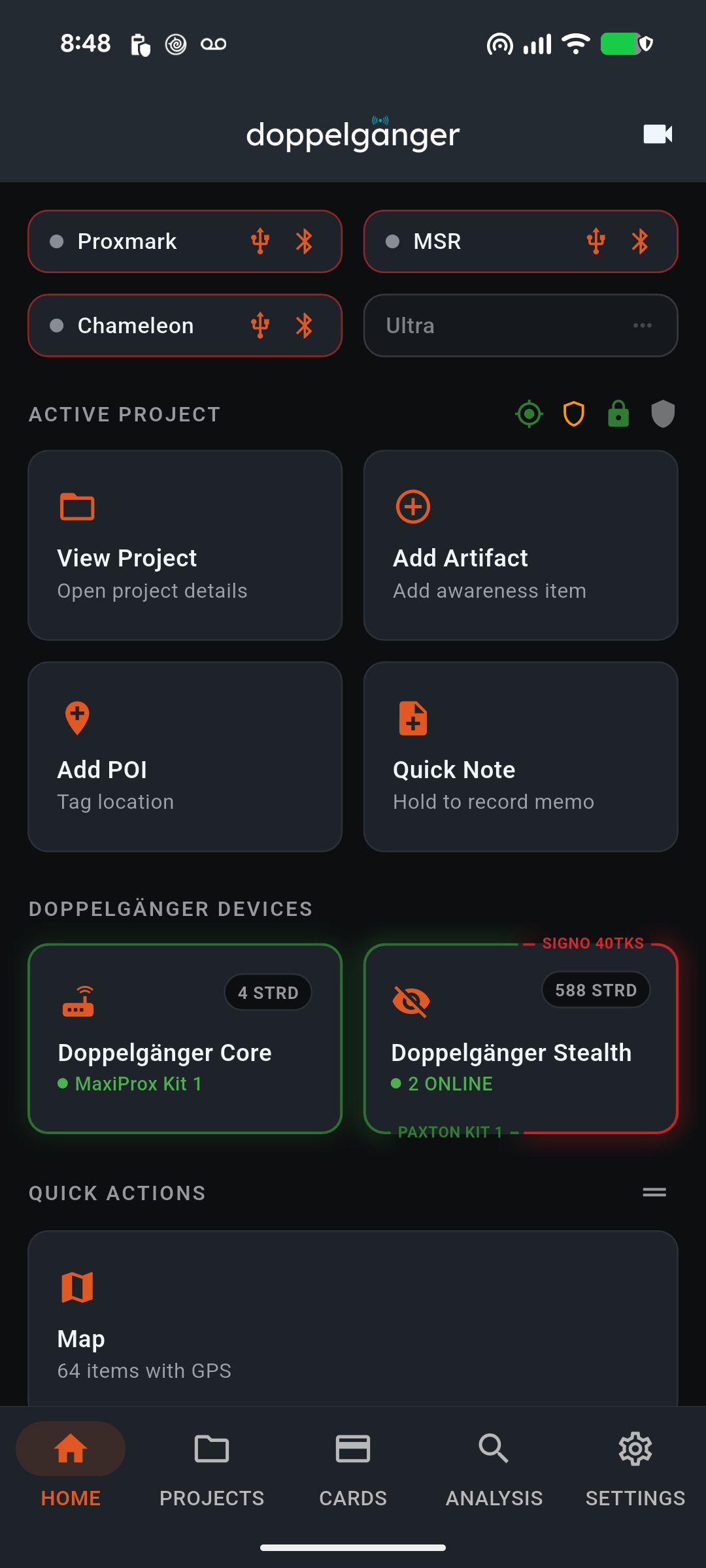
- SIGNO 40TKS, in the top edge. That half of the edge is this reader.
- 2 ONLINE. Both halves are green.
- PAXTON KIT 1, in the bottom edge.
- SIGNO 40TKS is red. Move closer.
- PAXTON KIT 1 is yellow.
- Still 2 ONLINE. Red is a warning, not a disconnect.
- PAXTON KIT 1 has gone orange.
- SIGNO 40TKS is still red.
- PAXTON KIT 1 is back to green. Only one reader needs you closer.
Use case six: the site does a sweep
A Stealth has a stealth mode for the hours when the rules of engagement call for nothing on the air, for example during a radio sweep the site has scheduled. Present the stealth card to a Stealth on Bluetooth and it goes fully dark. There is no advertisement and no access point, and ATLAS shows the reader as gone, because it is.
Present the card again and the phone links by itself. Cards read while the reader was dark are delivered then.
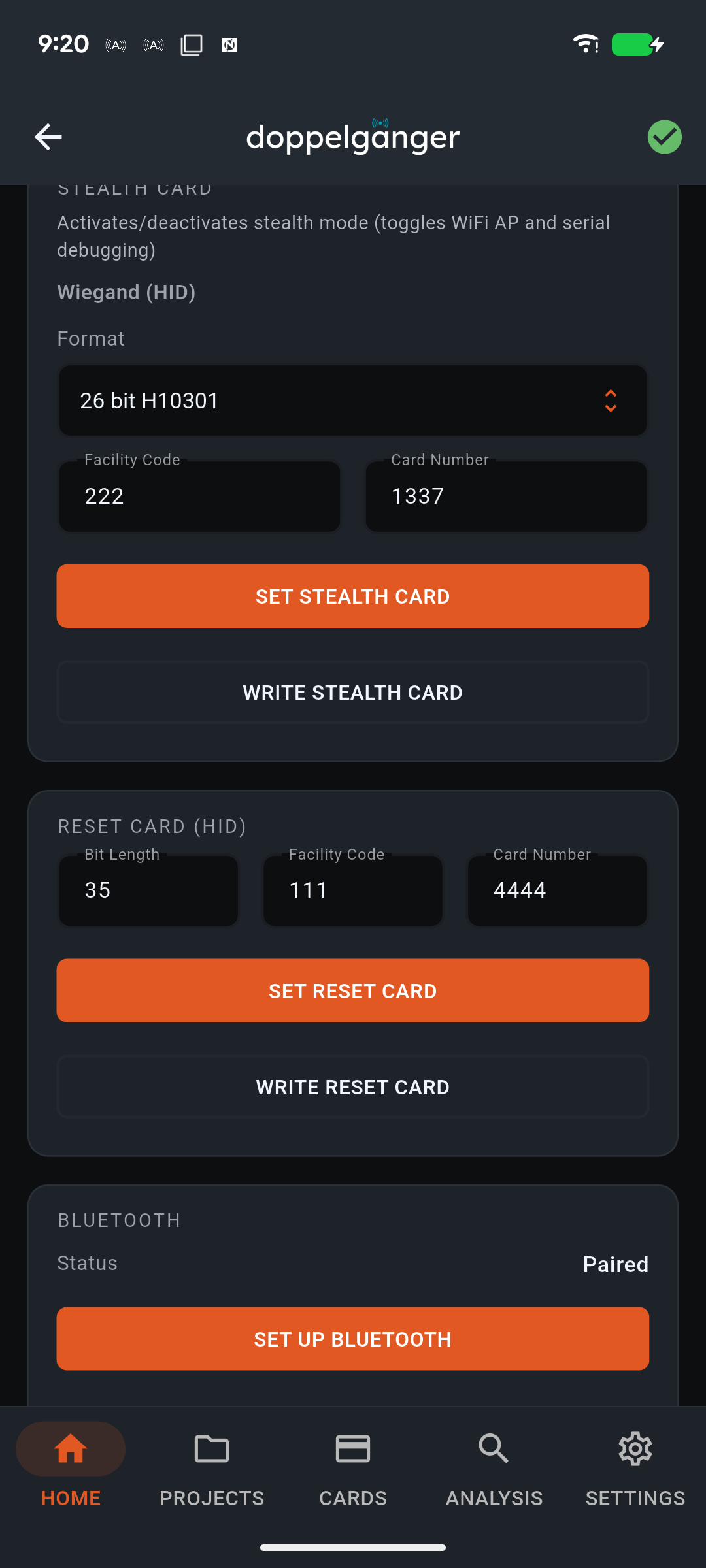
- Facility Code 222 and Card Number 1337, the factory stealth card.
- SET STEALTH CARD, to make it a card of your own.
- BLUETOOTH, the section that follows.
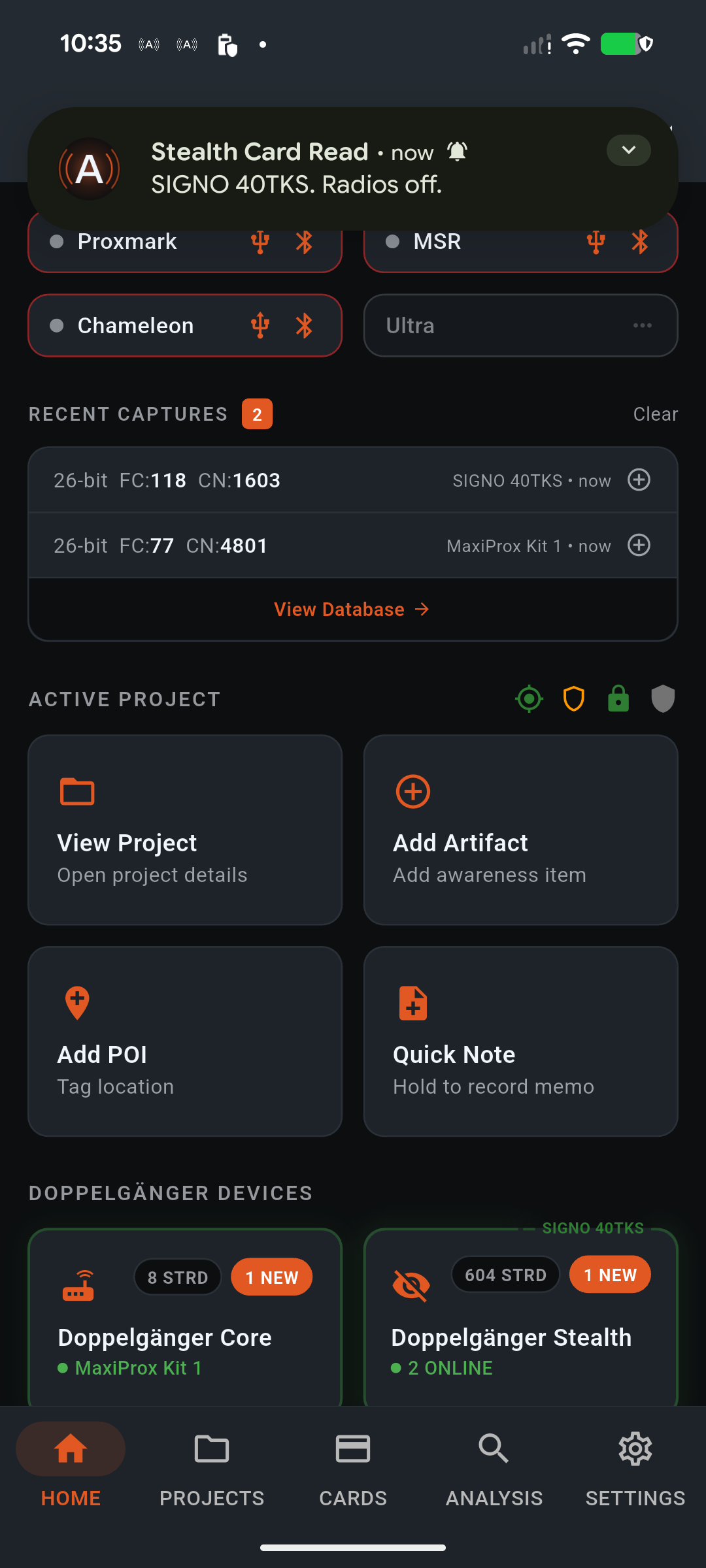
- Stealth Card Read, over whatever is on screen.
- SIGNO 40TKS, the reader the card was read at, then what it did. Radios off.
- RECENT CAPTURES still holds 2. The stealth card is not a capture.
Firmware, without leaving the link
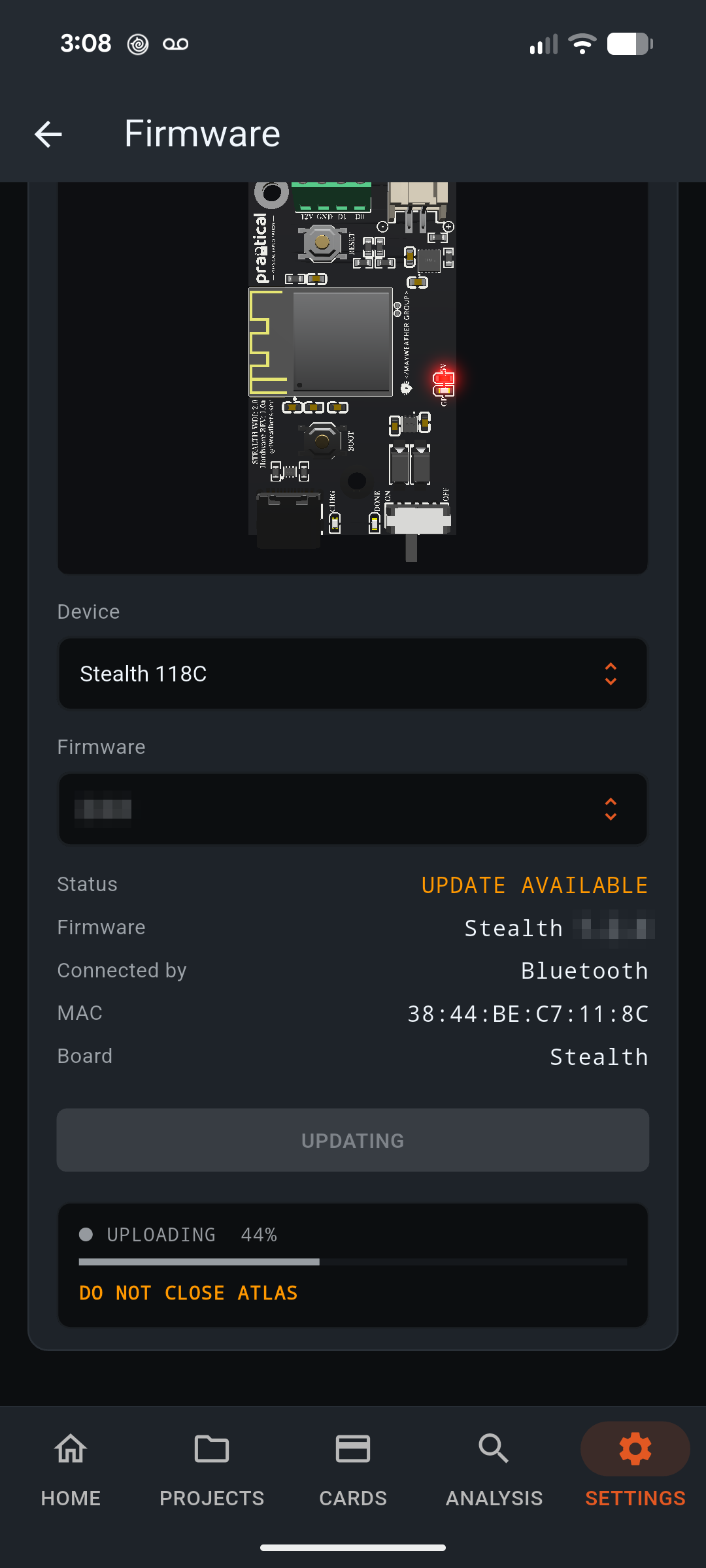
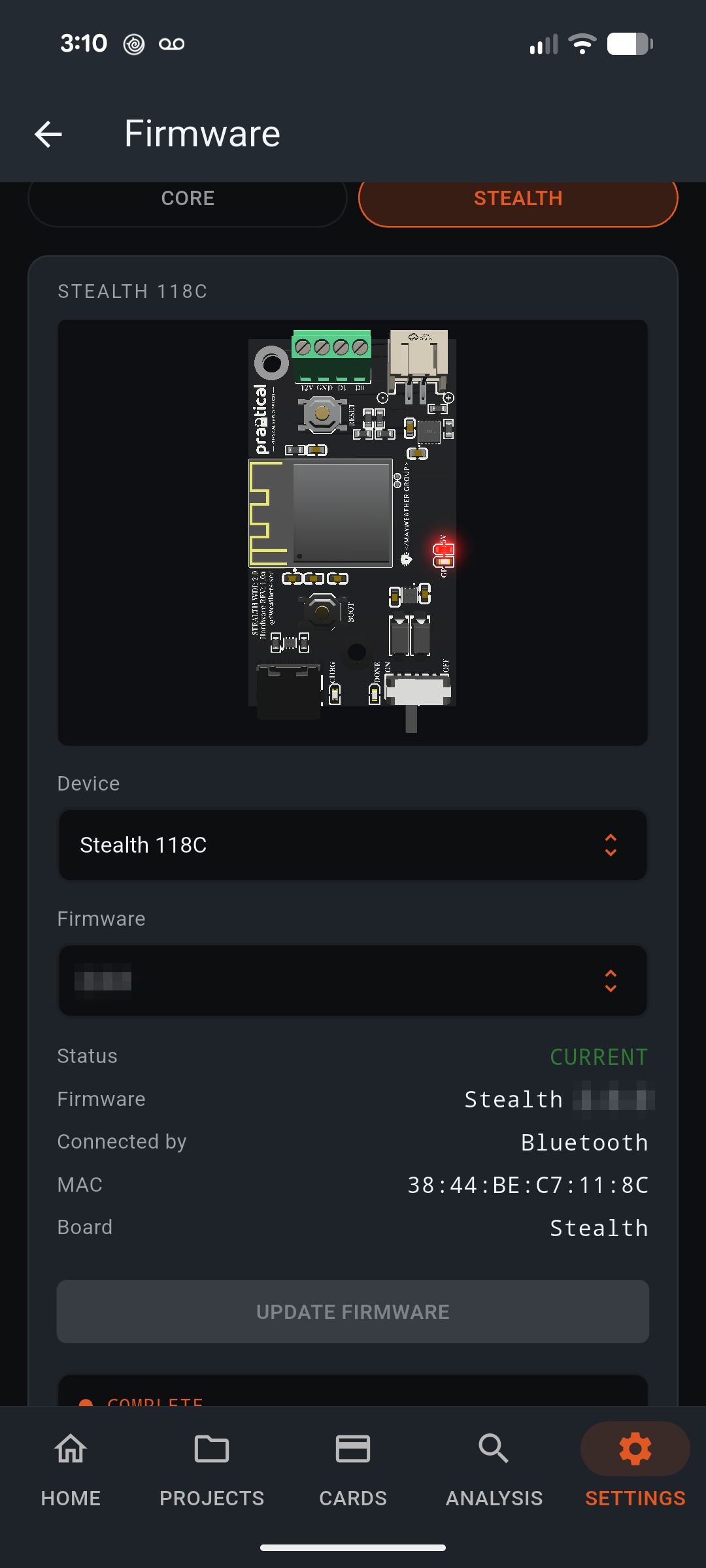
Settings, Firmware has a CORE and a STEALTH page. Device lists every reader ATLAS can reach, by name and connection, and one UPDATE FIRMWARE button installs the release ATLAS carries. It works over WiFi, over Bluetooth, or over a USB cable from the handset, and settings and captured cards are kept. A reader on Bluetooth does not leave Bluetooth to update.
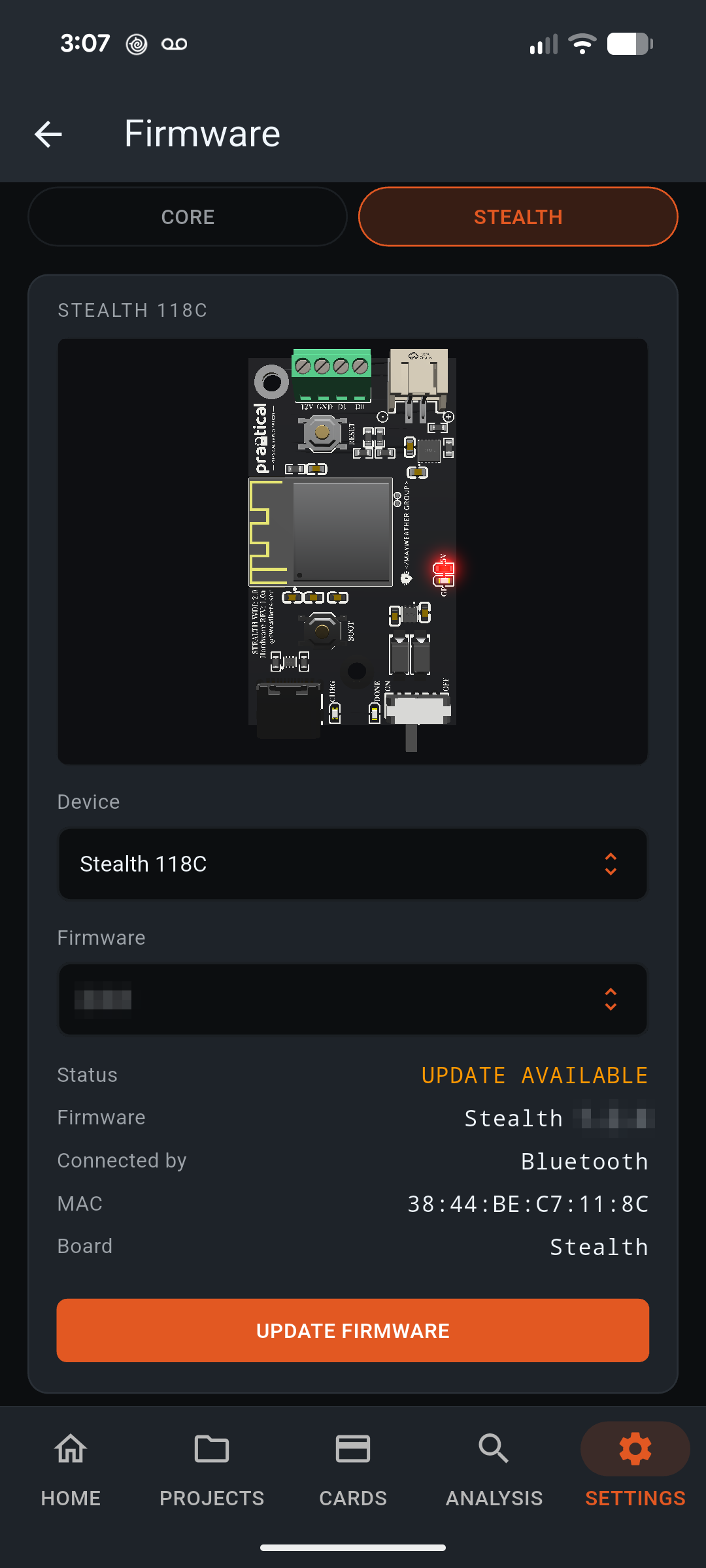
- Device, the reader being updated.
- Status, UPDATE AVAILABLE.
- Connected by, Bluetooth.
- UPDATE FIRMWARE.
- Connected by, Bluetooth, for the whole update.
- UPDATING. The button is off.
- UPLOADING, with the percentage sent.
- DO NOT CLOSE ATLAS.
- Status, CURRENT.
- Connected by, Bluetooth. It came back on the same connection.
- UPDATE FIRMWARE is off. There is nothing to install.
Three practical notes:
- An update over Bluetooth is refused on a reader holding over 100 cards, with the count shown. WiFi, the cable and the browser flasher have no such limit.
- A reader whose firmware cannot take an update over the air is listed with Install by, USB, and takes its first update over the cable.
- From a computer, the browser flasher installs the same release in Chrome or Edge over a USB cable, with nothing to install, and keeps settings and cards.
Updates are signed. A reader refuses an image that does not verify, and abandons one that fails to start for the one it had.
What Bluetooth costs, and how to get back
A reader is on WiFi or on Bluetooth, never both. On Bluetooth the reader serves no web pages, so WEB APP is grayed out, and a Core sends no email alerts because there is no network to send on. The third step of setup says both before you switch. USE WIFI in the BLUETOOTH section moves a reader back and leaves the phone paired.
If the phone is gone, present the pairing card with no phone waiting to pair. The reader leaves Bluetooth, forgets its phones and restarts on WiFi with its other settings and every captured card intact.
Bluetooth does not hide a reader from somebody looking at it, and it does not protect a phone left unlocked. A paired phone can read a reader’s cards and change its settings, so treat it as part of the engagement’s evidence handling.
Get it
ATLAS 1.3.0 is on the downloads page, and the readers install their firmware from it as described on the Core and Stealth update pages. Core and Stealth readers are at the PPE store, which runs a sale November 27 through December 1, 2026.
These are professional audit tools. Use them only where the site owner has authorized the work in writing, and handle every captured credential under the engagement’s rules.